Guide
Handle an alternative selection request
By the end you know where a candidate asks for an alternative to the AI-scored interview, you have set the Accommodation contact email that receives these requests, and you can find a pending request, open it and mark it handled with internal notes.
5 min · 11 steps · Captured from the live product 5 Oct 2026 Changelog Copy as Markdown
Before you start
- A Truffle account. The 7-day free trial works: 30 credits, no credit card.
- A live position with a one-way video interview.
1See where requests go today
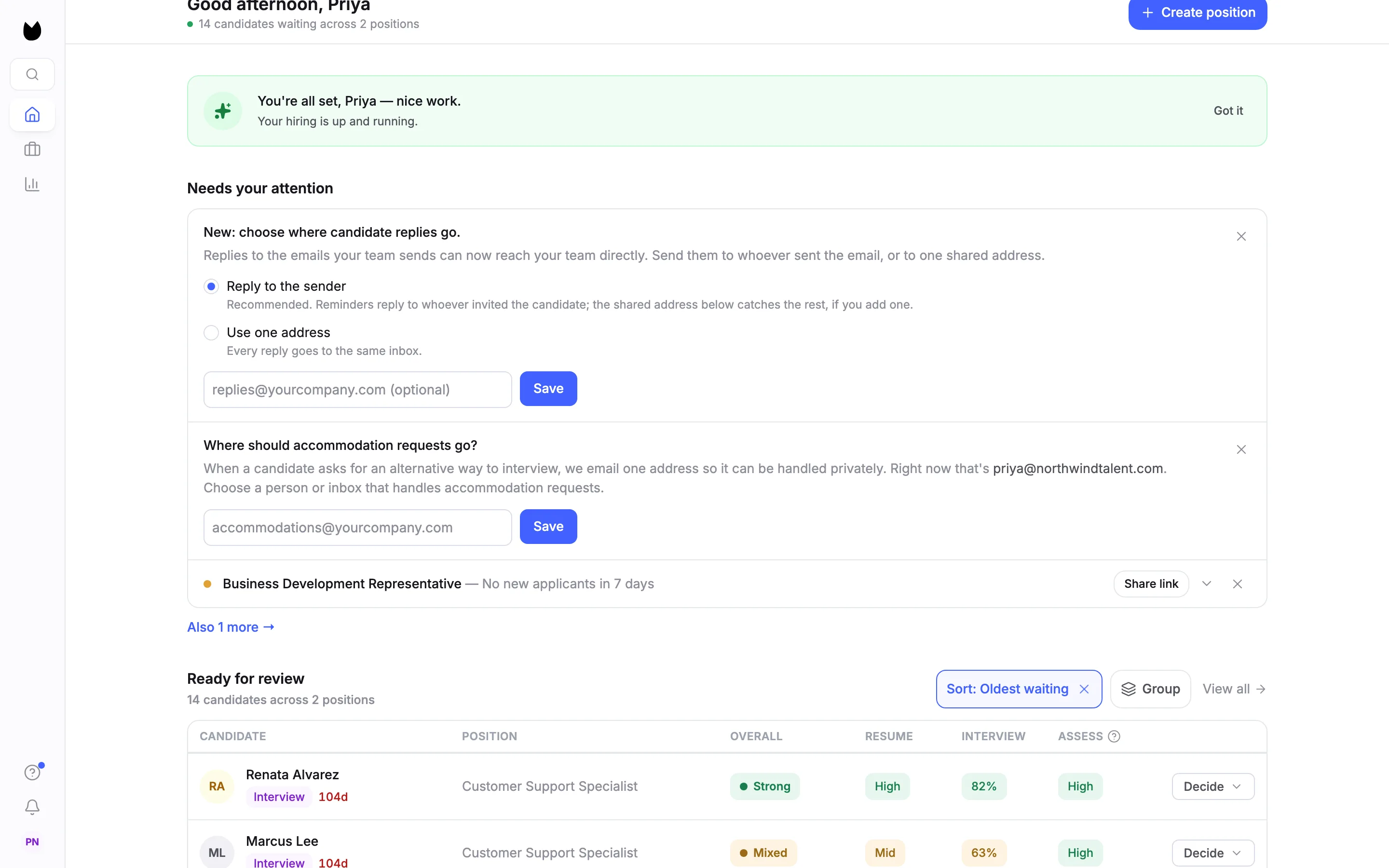
While no address is set, owners and admins see a card on Home: Where should accommodation requests go? It names the address requests reach right now, which is the account owner when nothing is set, and lets you save a different one.
2Open Candidate email in settings
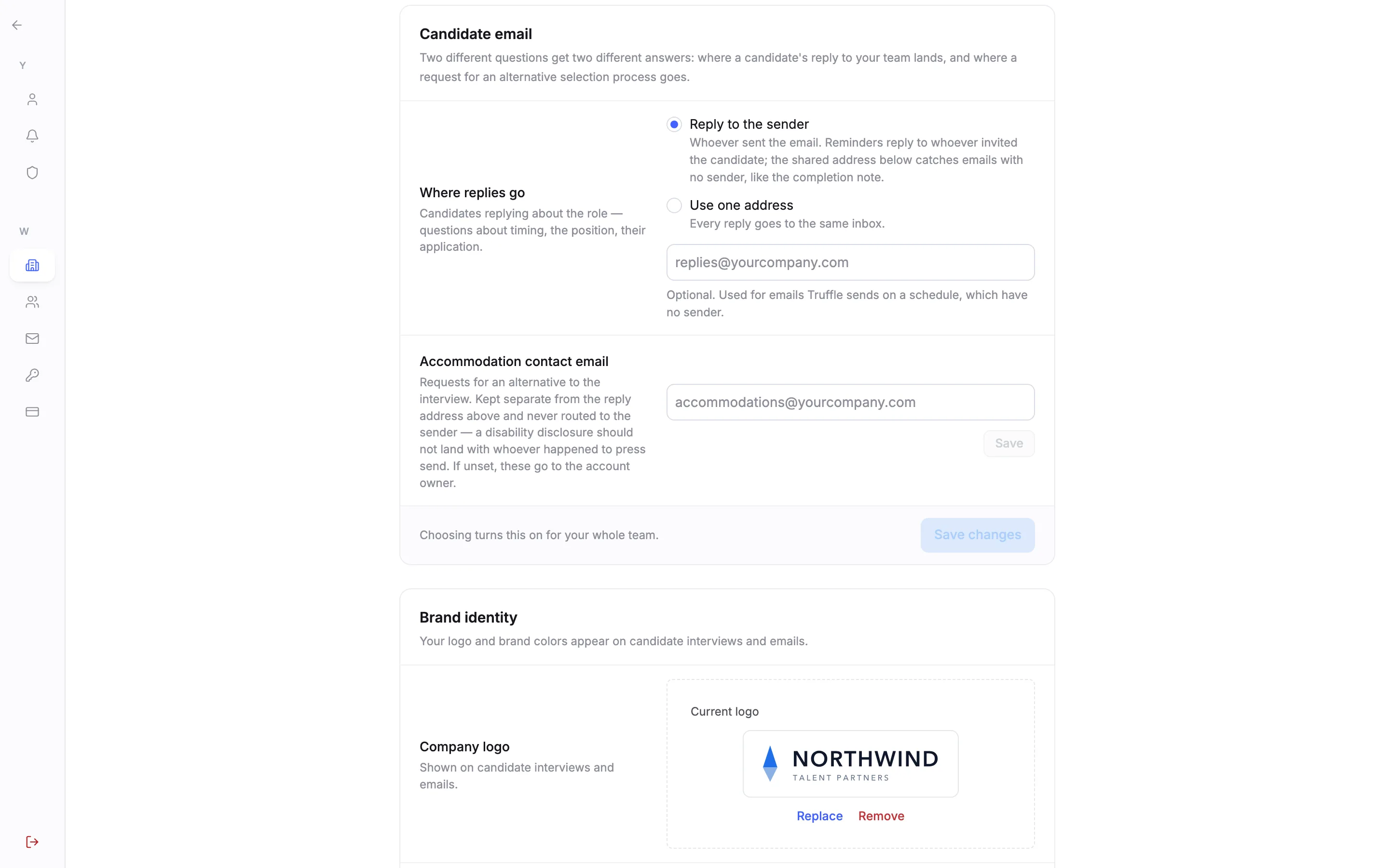
In your company settings, Candidate email holds the Accommodation contact email. It is kept separate from where candidate replies go, and if it is empty, requests go to the account owner.
3Set the address
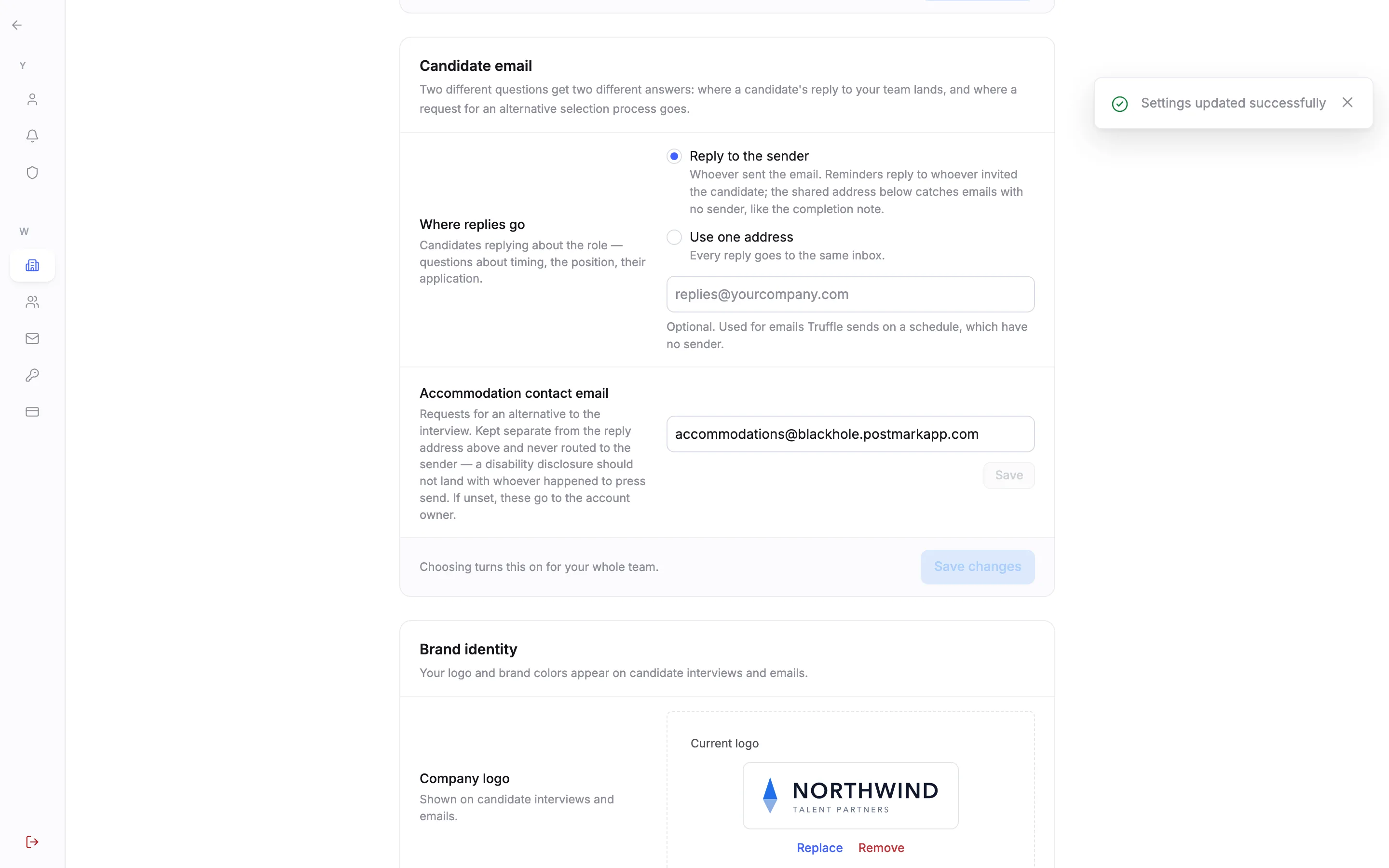
Type the person or shared inbox that handles accommodation requests and choose Save. Truffle confirms Settings updated successfully. From now on, every request is emailed there.
4Know where candidates ask
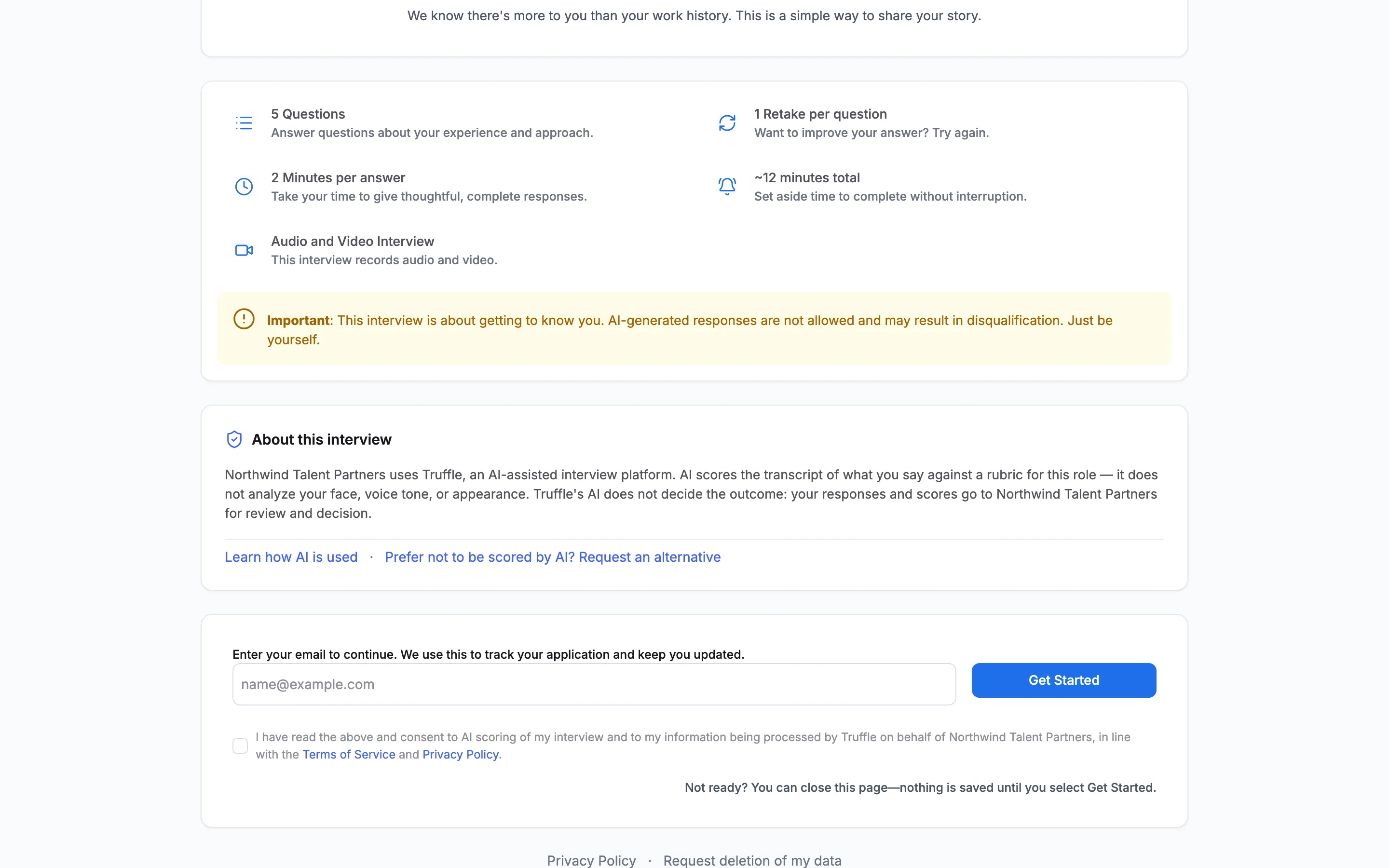
On the welcome page of a video interview, About this interview explains how AI is used. Under it, next to Learn how AI is used, is Prefer not to be scored by AI? Request an alternative.
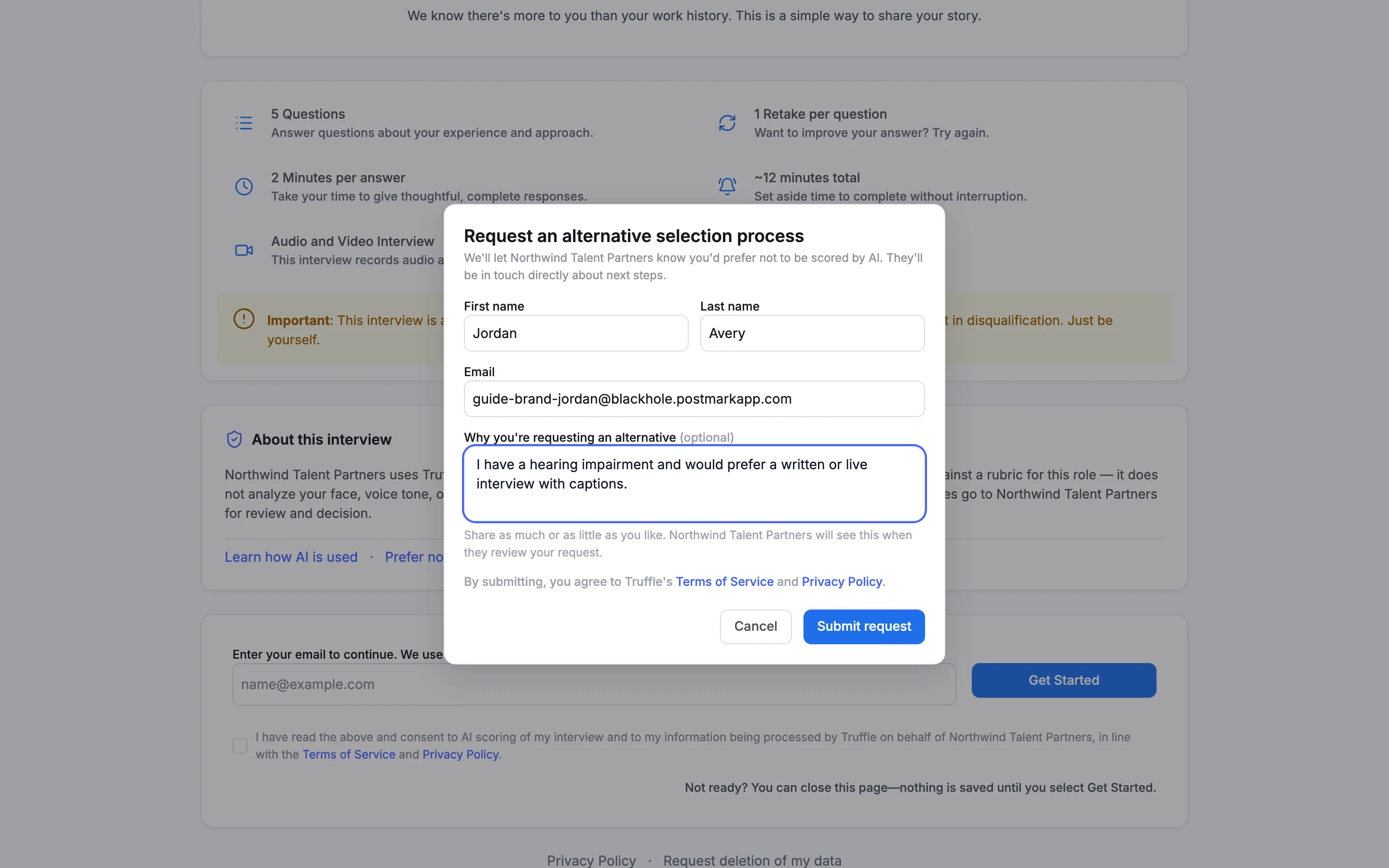
5See what the candidate sends
Request an alternative selection process asks for First name, Last name and Email, and an optional reason. The candidate chooses Submit request.
6What the candidate sees next
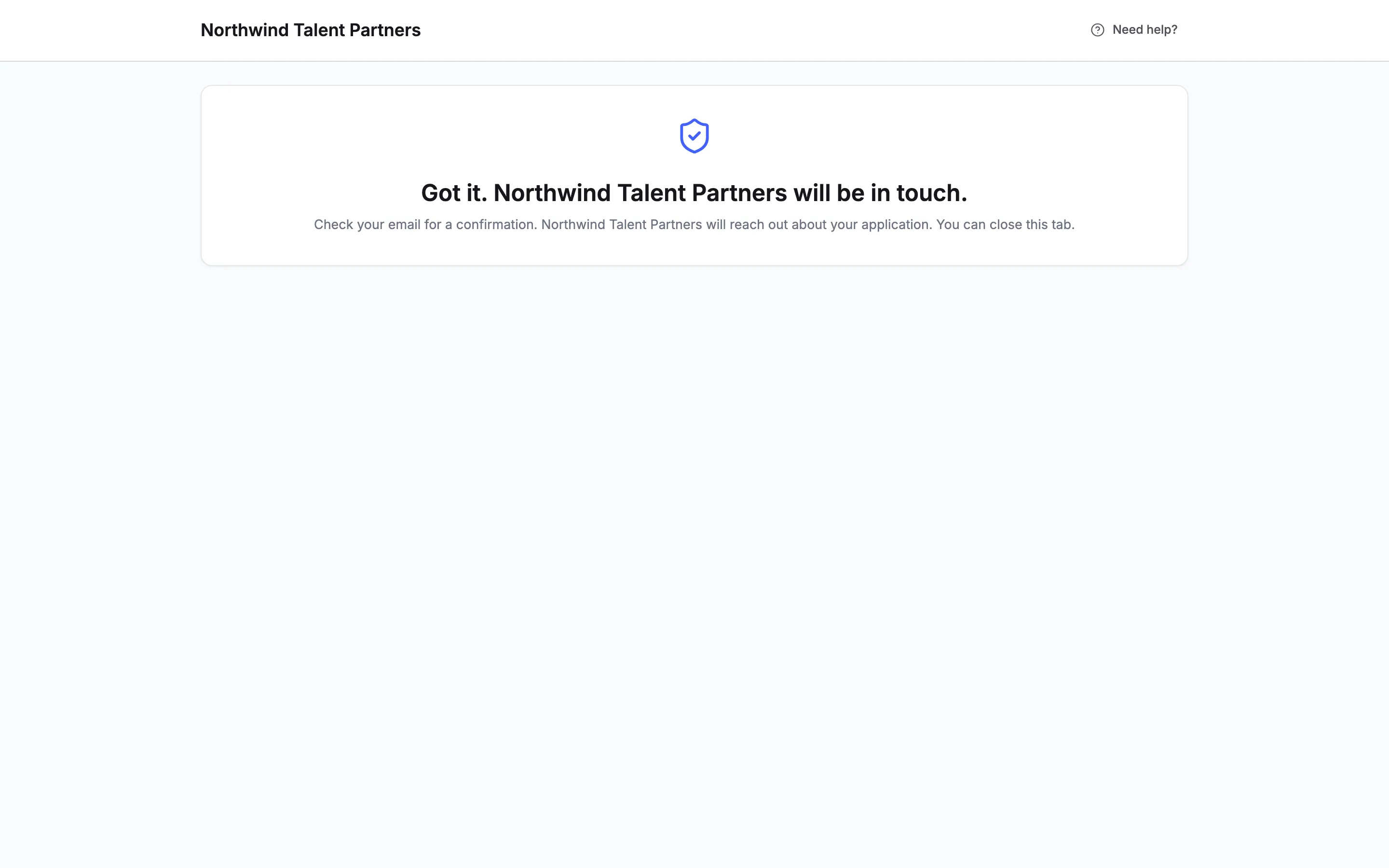
The candidate sees Got it. Northwind Talent Partners will be in touch., with your company's name, and is told to check their email for a confirmation. Truffle also emails the request to your Accommodation contact email.
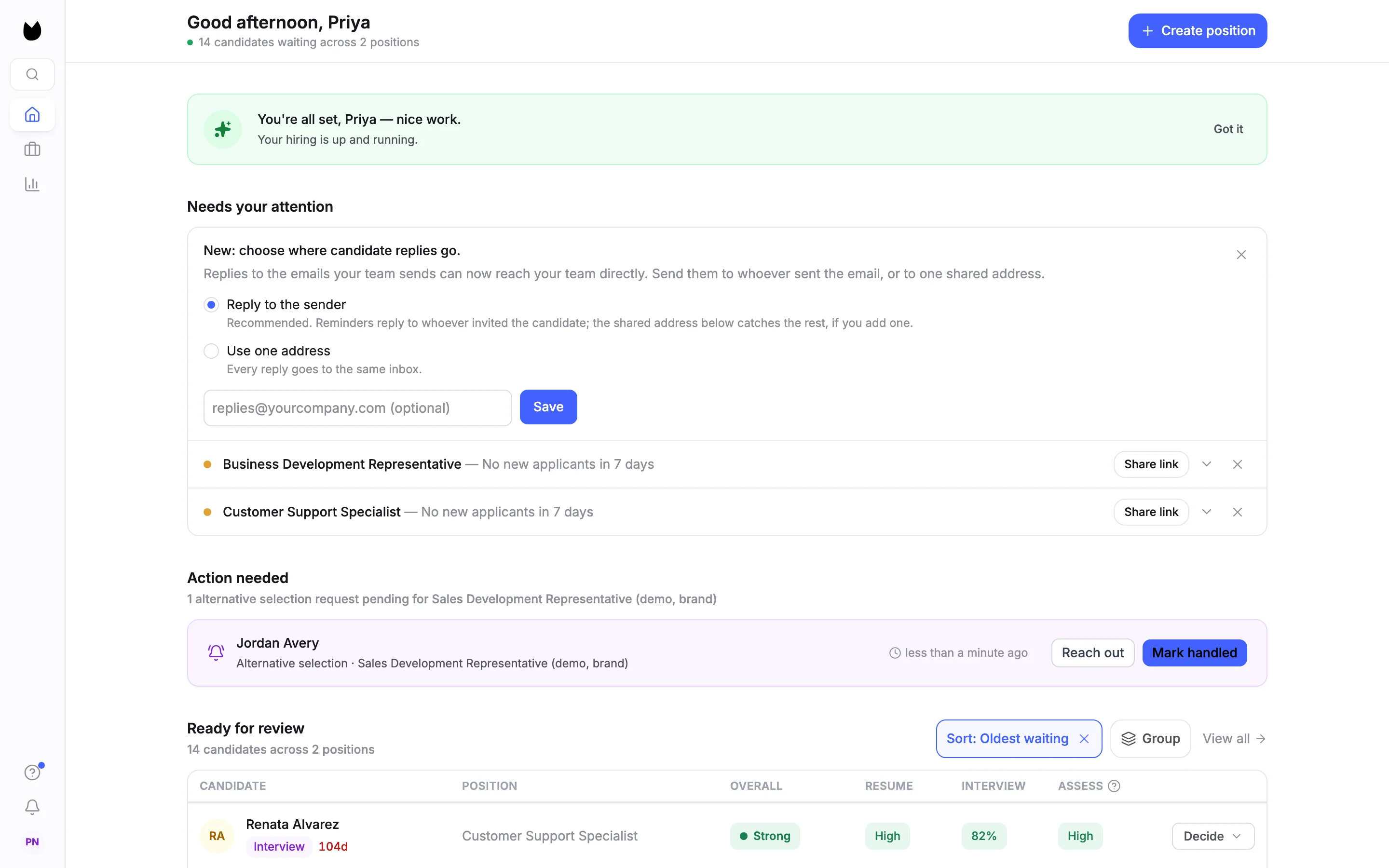
7Find pending requests on Home
Home lists pending requests under Action needed, with the candidate, the position and how long ago they asked. Reach out starts an email to the candidate in your own email app. Mark handled closes the request.
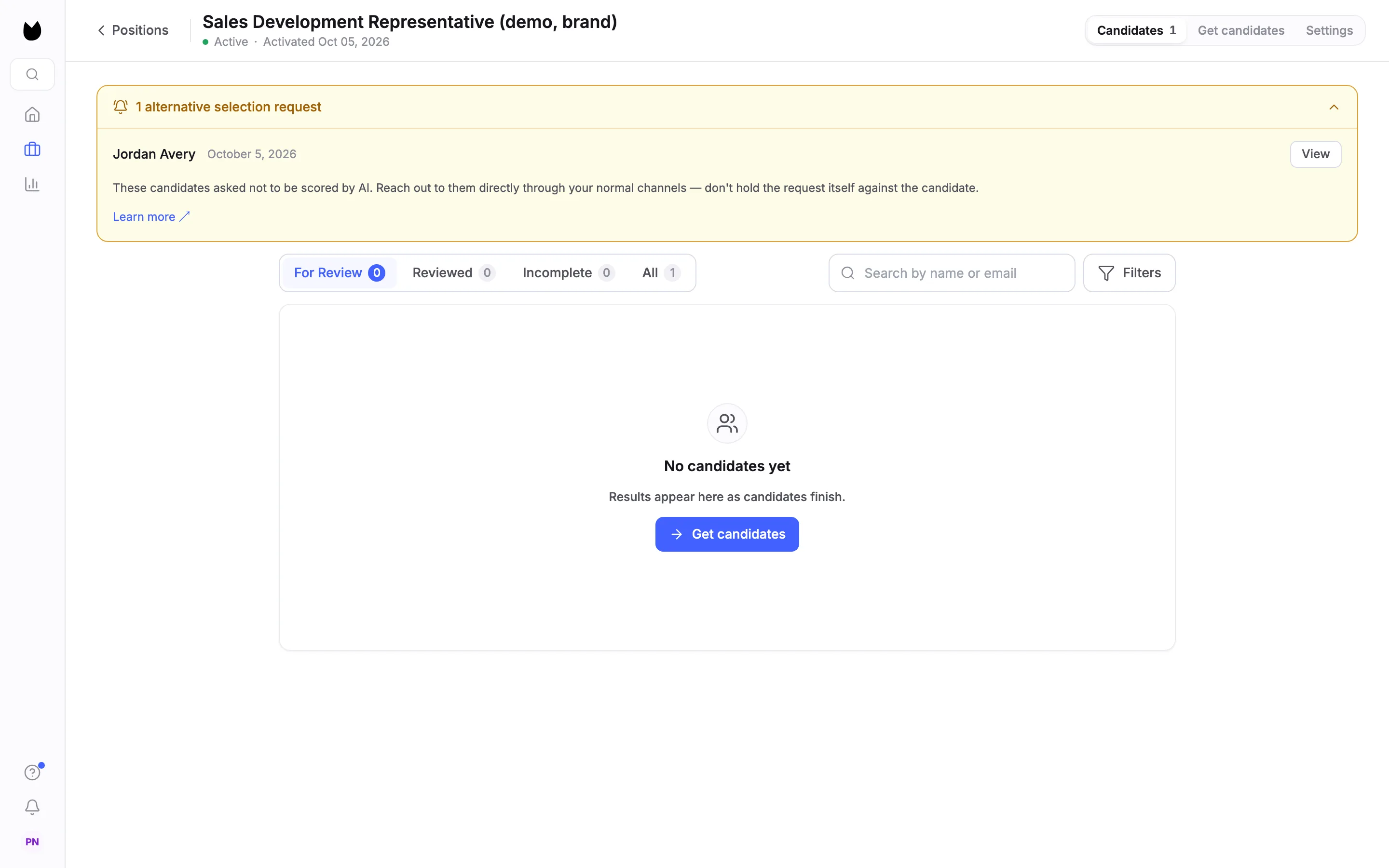
8Or in the position's candidate list
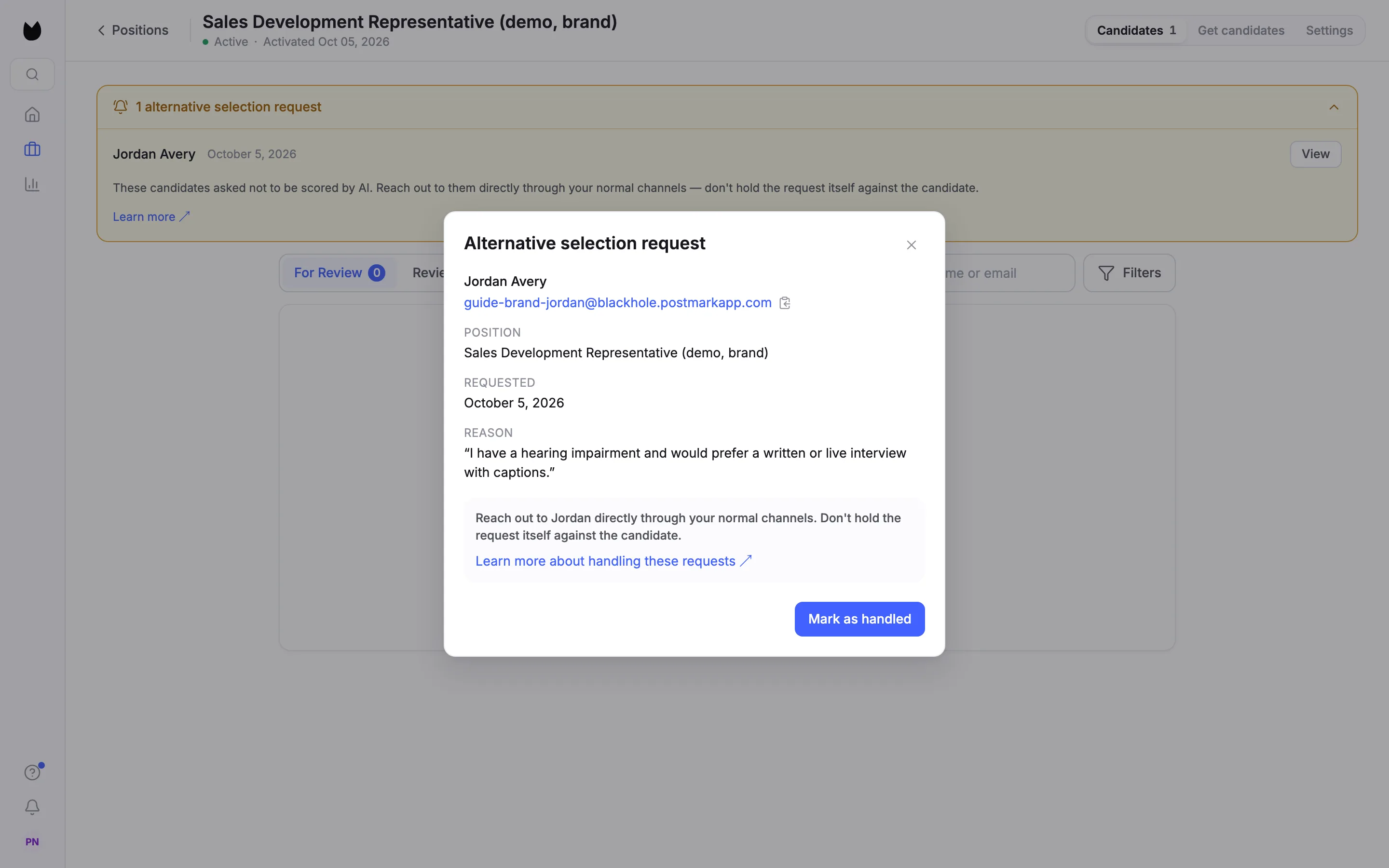
The position's candidate list shows a banner, here 1 alternative selection request. Open it to see each request with its date and View, and a reminder to reach out directly and not hold the request against the candidate.
9Open the request
View opens Alternative selection request: the candidate's name and email, the position, the date and the reason they gave. Contact the candidate through your normal channels.
10Mark it handled, with notes
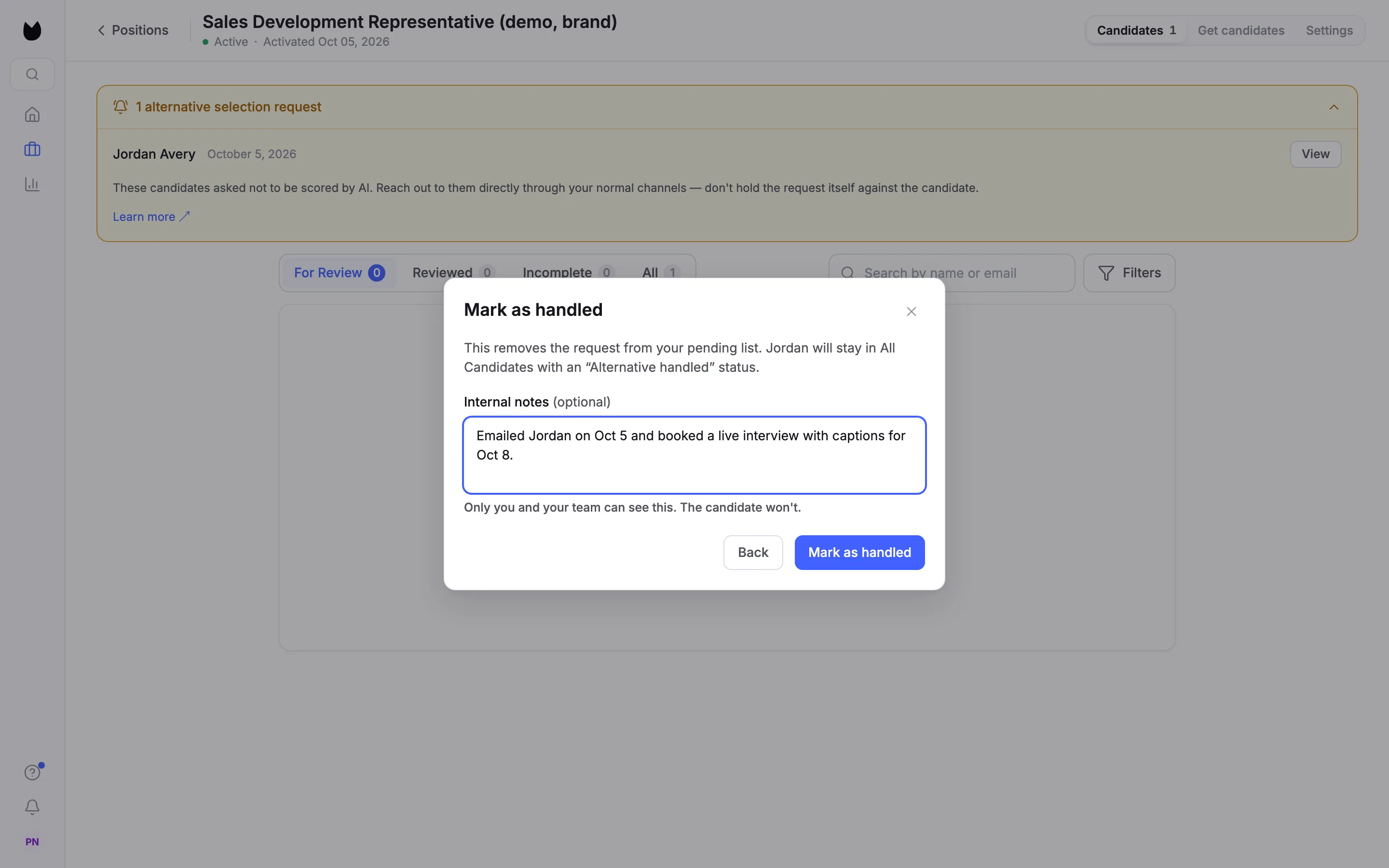
Choose Mark as handled. Truffle explains that this removes the request from your pending list and lets you add Internal notes (optional), such as how you responded. Only you and your team can see this. The candidate won't. Choose Mark as handled again.
11Check it is closed
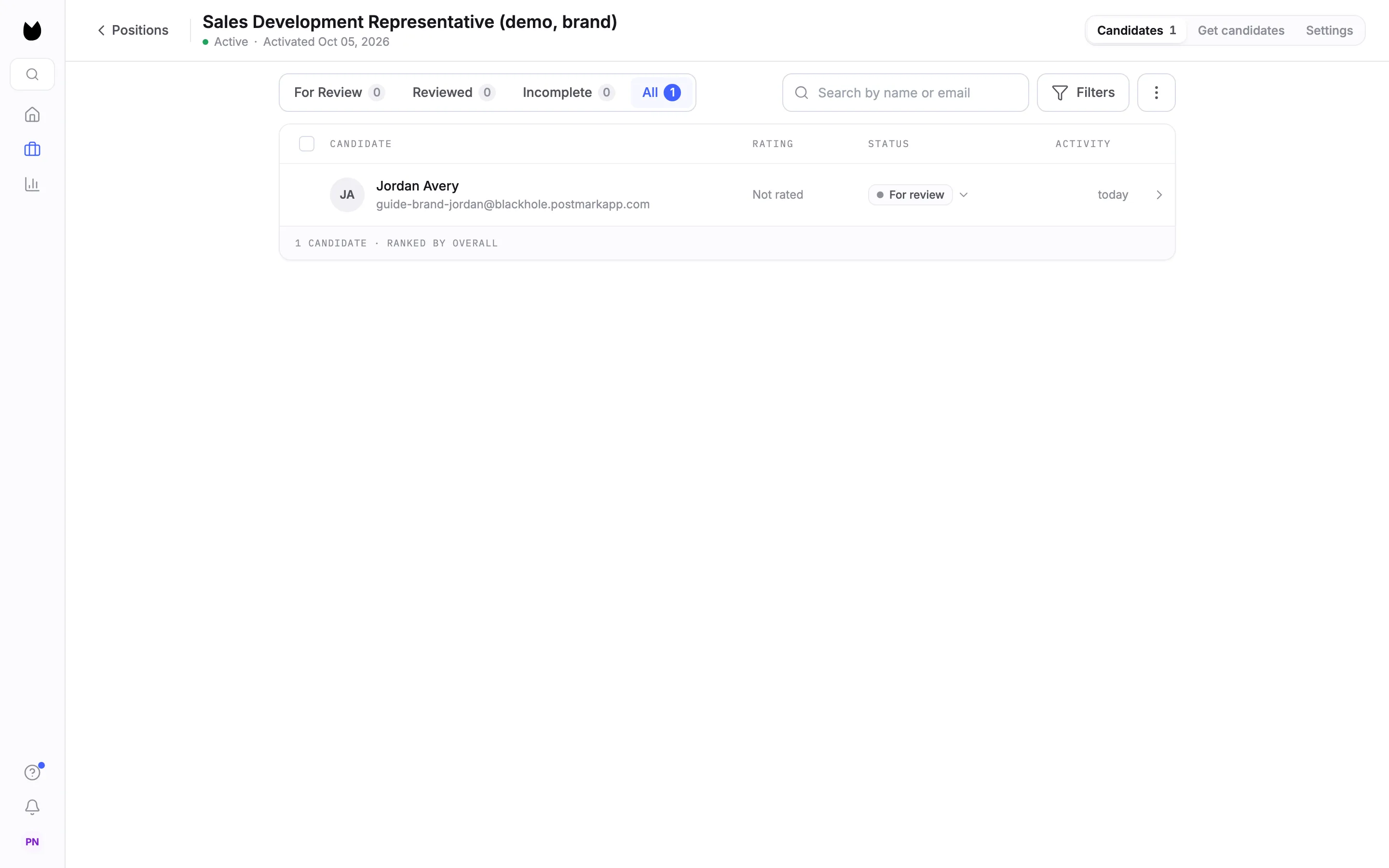
Truffle confirms Alternative request marked as handled. The banner is gone, and the candidate stays in the position's All tab.
Questions
Who receives the request email?
The Accommodation contact email in your company settings, under Candidate email. If it is empty, the account owner gets it. It is kept separate from where candidate replies go.
Does the candidate need to start the interview to ask?
No. The link is on the interview's welcome page, before they enter their email or record anything.
Does a request show up anywhere besides email?
Yes. Pending requests show on Home under Action needed and as a banner in the position's candidate list.
Does marking a request handled email the candidate?
No. It closes the request in Truffle and saves your internal notes. Contact the candidate yourself.
Who can see the internal notes?
You and your team. The candidate cannot.
Related
See something here that doesn't match what you see in Truffle? Tell us and we'll fix the page.