Guide
Connect Zapier
By the end you have a Zapier key from Truffle, Truffle is connected in Zapier, and a Zap moves candidates into Truffle or acts when an interview is completed.
10 min · 6 steps · Captured from the live product 5 Oct 2026 Changelog Copy as Markdown
Before you start
- A paid Truffle plan. Integrations are available on paid plans, so a free trial cannot create a Zapier key.
- The Owner or Admin role in Truffle. Only admins can create, rotate, or revoke keys.
- A Zapier account.
1Open the Zapier card
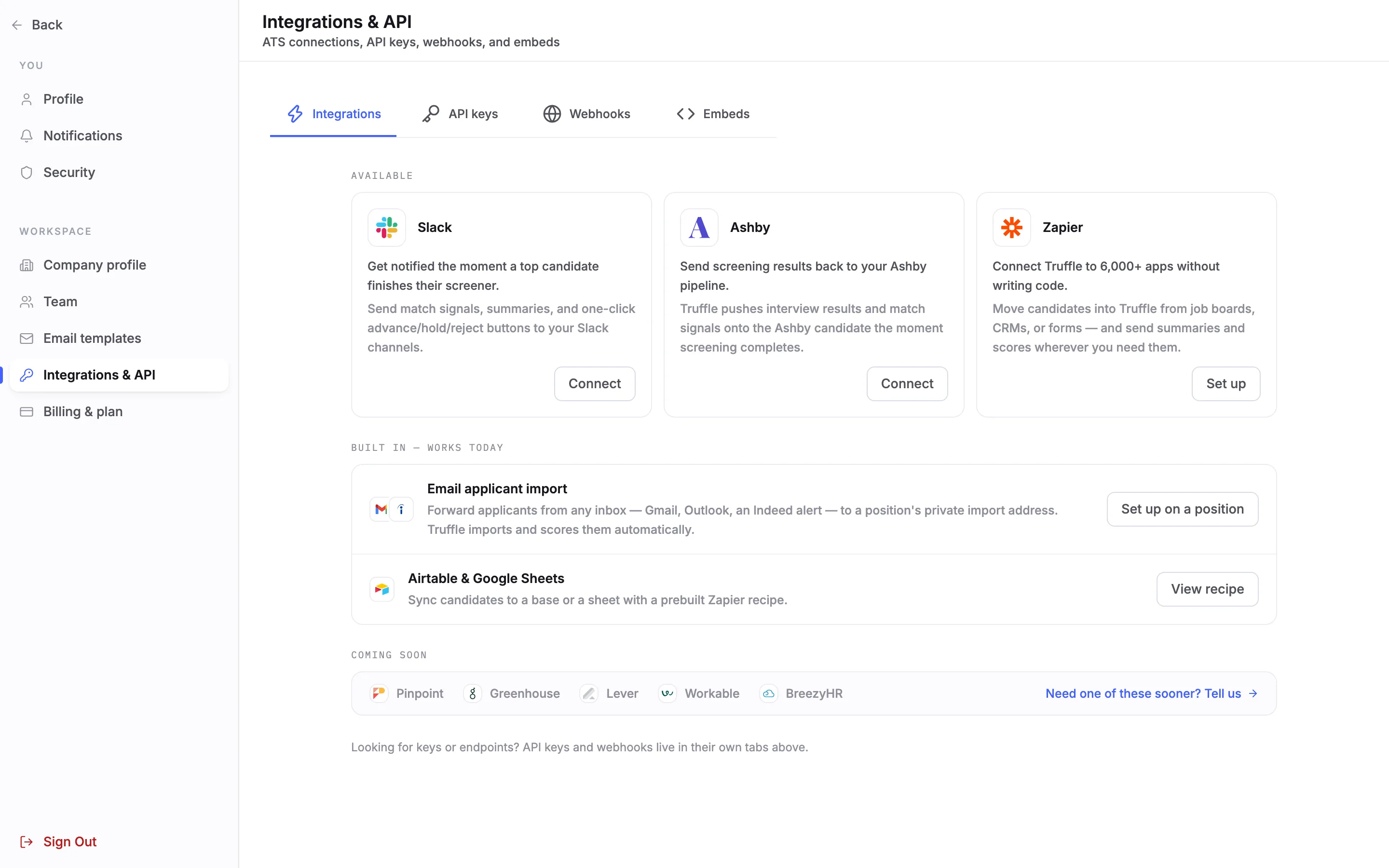
Open Settings and choose Integrations & API under WORKSPACE. On the Integrations tab, find Zapier under Available and choose Set up.
2Read the Zapier page
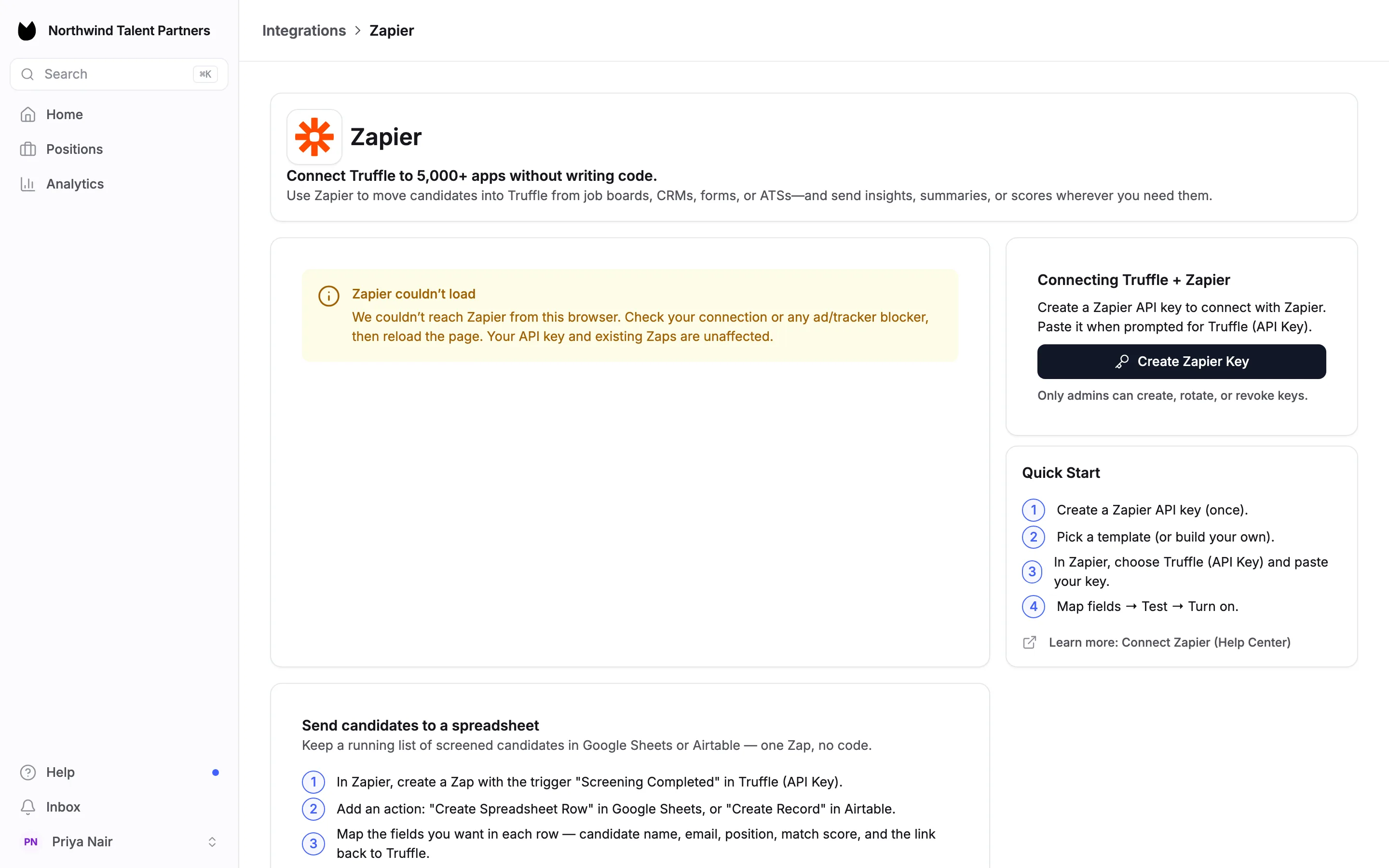
The Zapier page opens, under Integrations in the breadcrumb. Connecting Truffle + Zapier holds your key. Quick Start lists the four steps: create a Zapier API key once, pick a template or build your own, choose Truffle (API Key) in Zapier and paste your key, then map fields, test and turn the Zap on.
Note. The left of the page loads Zapier's own template browser. If your browser blocks Zapier, that panel shows a message instead. Your key and your Zaps are unaffected.
3Create the Zapier key
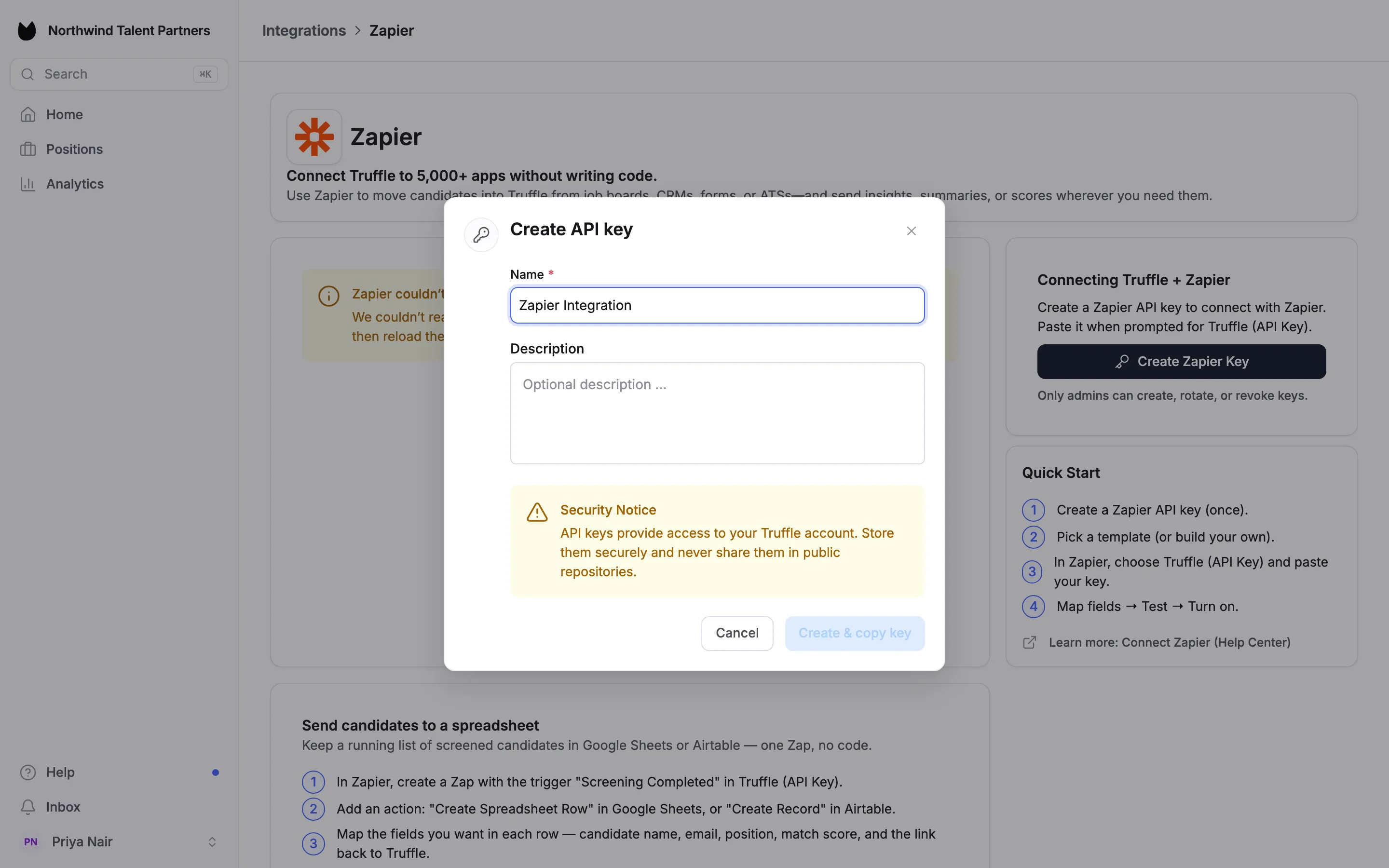
Choose Create Zapier Key. Create API key asks for a Name, such as Zapier Integration, and an optional Description. Type the name and press Enter to create the key.
4Paste the key into Zapier
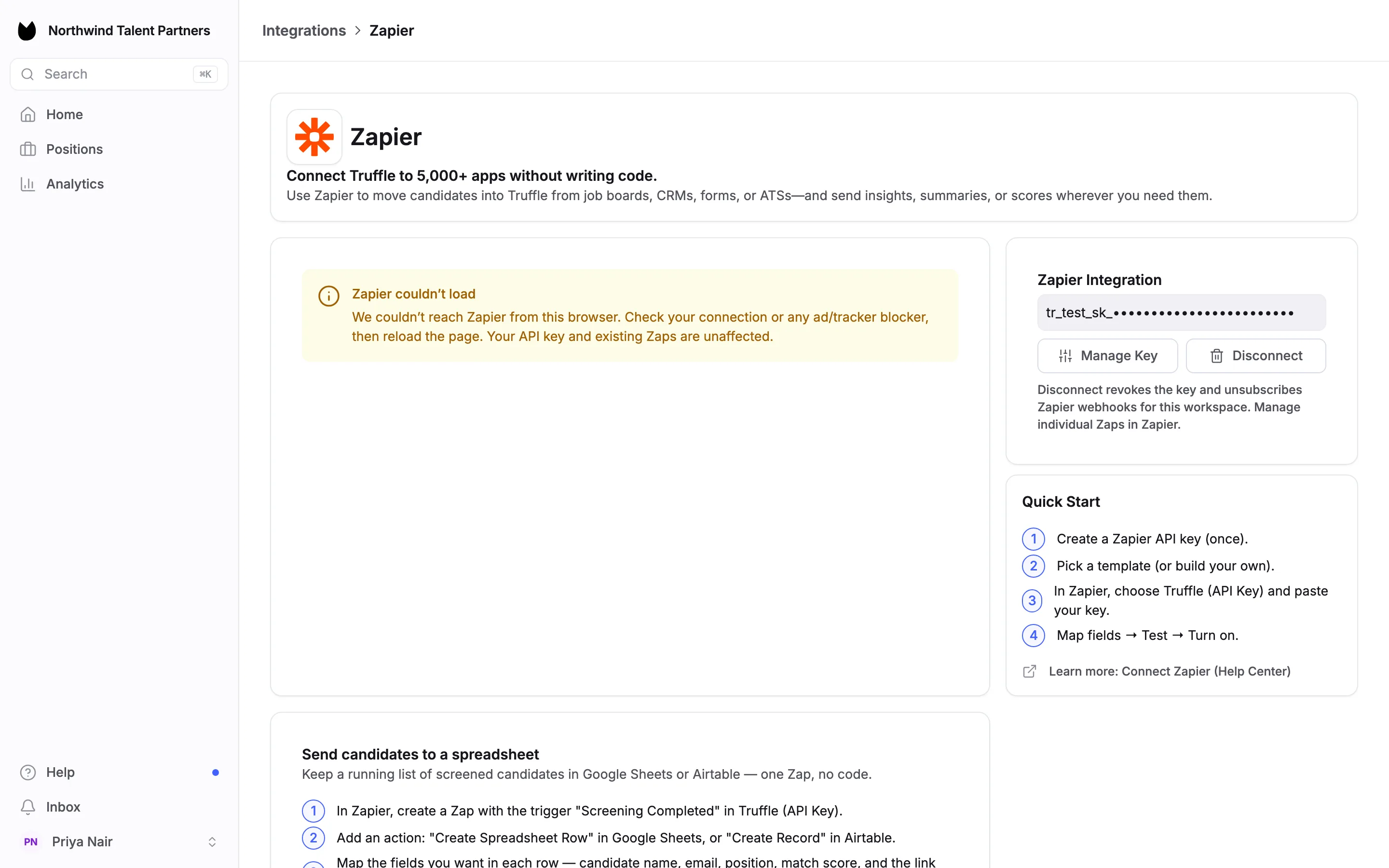
Truffle copies the new key to your clipboard and opens Zapier's Truffle page in a new tab. Paste the key there when Zapier asks for Truffle (API Key). Back in Truffle, the card now reads Zapier Integration and shows only the start of the key, with Manage Key and Disconnect.
Note. Paste the key into Zapier straight away. Truffle shows only a masked version afterwards.
5Build a Zap
This step happens in Zapier. Truffle offers two building blocks. Invite Candidate pushes a candidate from another tool, such as your ATS or a form, into Truffle. Interview Completed triggers when a candidate finishes their interview, so you can send the result to Slack, a spreadsheet or your CRM. Map the fields you need, test, and turn the Zap on.
Note. Truffle's own spreadsheet recipe on the Zapier page uses the trigger "Screening Completed" with Create Spreadsheet Row in Google Sheets or Create Record in Airtable.
6Disconnect Zapier
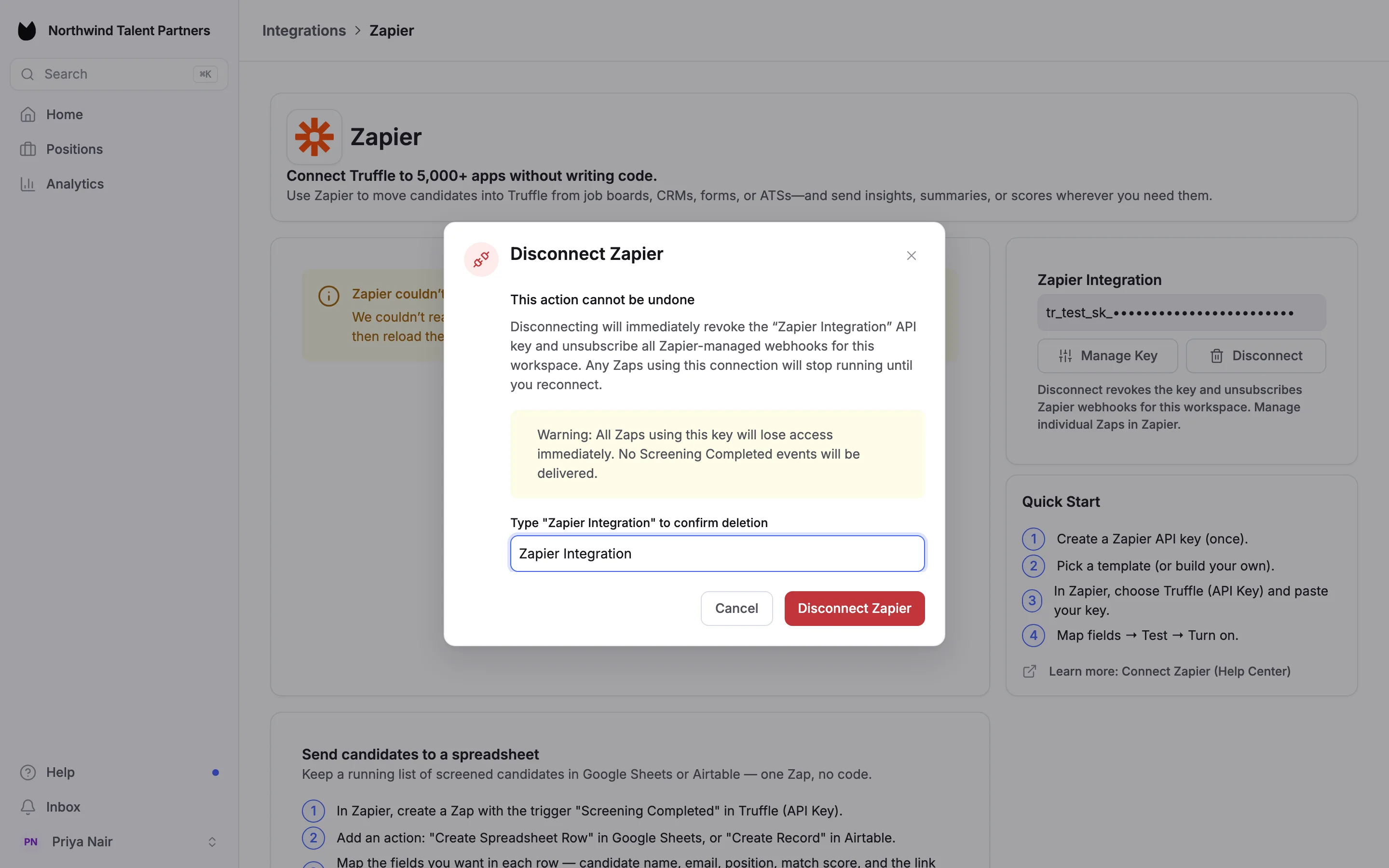
Disconnect opens Disconnect Zapier. Type Zapier Integration to confirm, then choose Disconnect Zapier. The key stops working at once and Zapier's webhooks for your workspace are removed, so every Zap using the key stops until you create a new key. Manage the Zaps themselves in Zapier.
Questions
I lost the key. Can Truffle show it again?
No. Truffle shows only the start of the key after you create it. Disconnect, then create a new key and paste it into Zapier.
What can a Zap do with Truffle?
Invite Candidate pushes a candidate into Truffle from another tool. Interview Completed triggers when a candidate finishes their interview.
My ATS has no native connection. Can I use Zapier?
Yes. If your ATS is on Zapier, Invite Candidate can push its candidates into Truffle and Interview Completed can send results back.
Does disconnecting delete my Zaps?
No. It revokes the key and removes Zapier's webhooks for your workspace, so the Zaps stop running. You manage or delete the Zaps in Zapier.
Related
See something here that doesn't match what you see in Truffle? Tell us and we'll fix the page.