Guide
Add environment fit questions
By the end you have a live position that asks candidates how they like to work, and you know where to read which of their preferences match the job and which differ.
6 min · 14 steps · Captured from the live product 5 Oct 2026 Changelog Copy as Markdown

Key moments and transcript
- 0:00 Define the role
- 0:11 Build the position, then configure screening
- 0:37 Review and activate, then what happens next
Here's how to add environment fit questions to a position, so you can see how each candidate likes to work. Start a new position, and describe how the role really runs. On Build position, make sure Assessments is on, with Environment Fit chosen. Truffle drafts questions about how the work is done in this role. For a sales development rep, that's pace, structure, and working with people. Each question has two ways of working. Truffle suggests one, and you set the one this role needs. To change it, pick the other. Then review your setup, and activate the position. Each candidate's preferences sit next to what the role needs: aligned, or a gap, with a question to ask them. Next to everything else. You decide. Start free at hiretruffle.com.
Before you start
- A Truffle account. The 7-day free trial works: 30 credits, no credit card.
- A position description of at least 200 characters. A position cannot go live on less.
- An honest view of how the job runs day to day: the pace, the interruptions, how much of it is with people. You answer each question for the job as it is.
1Describe how the role runs
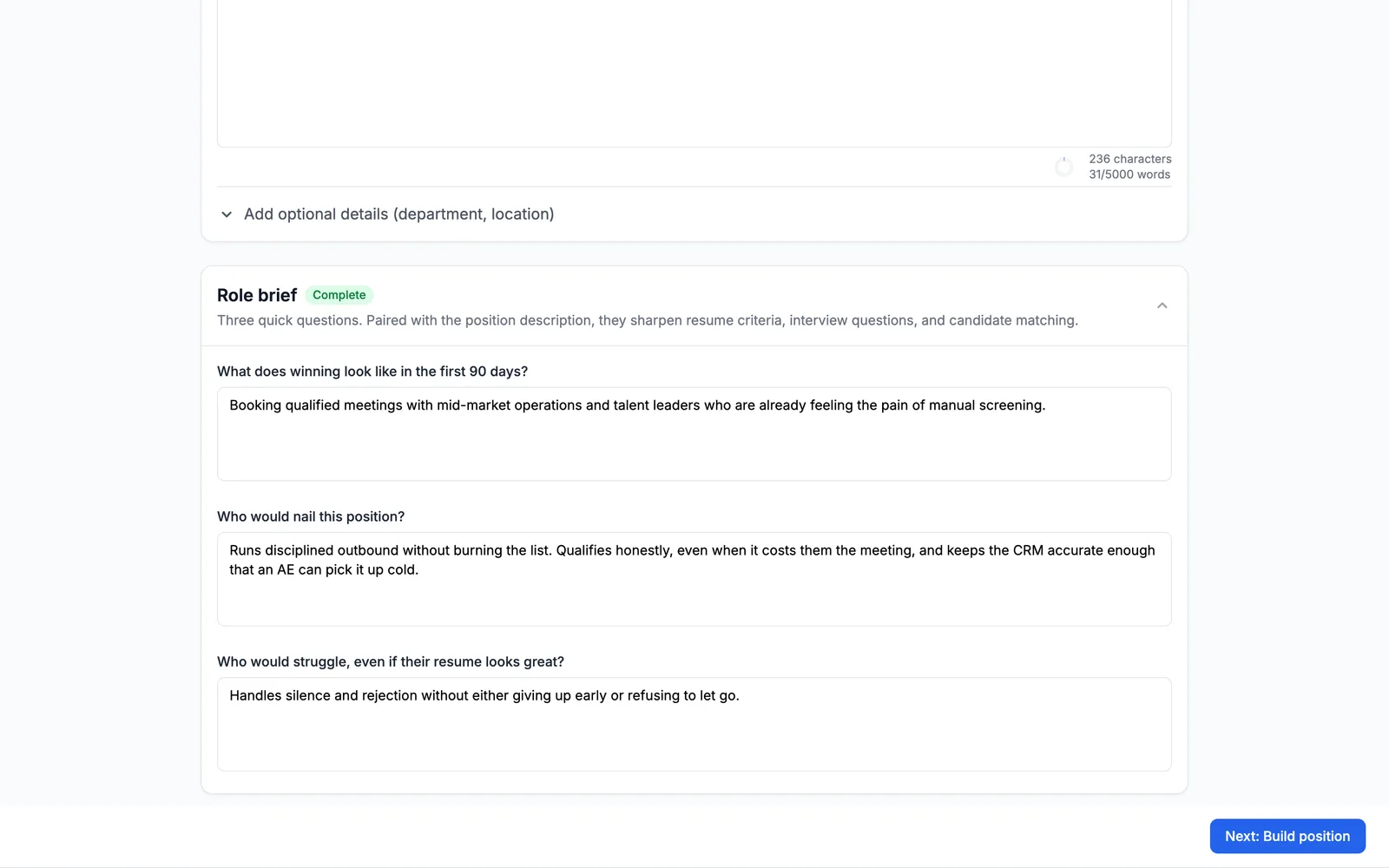
Start a new position. On Define the role, enter a Position title and a Position description. Truffle drafts the questions from the role, so say how the work runs. For this Sales Development Representative, the description says the day is fast and interrupt-driven, mostly on the phone, with inbound leads that need a reply within the hour. The Role brief is optional. Here it answers What does winning look like in the first 90 days?, Who would nail this position? and Who would struggle, even if their resume looks great? Choose Next: Build position.
2Check that Environment Fit is on
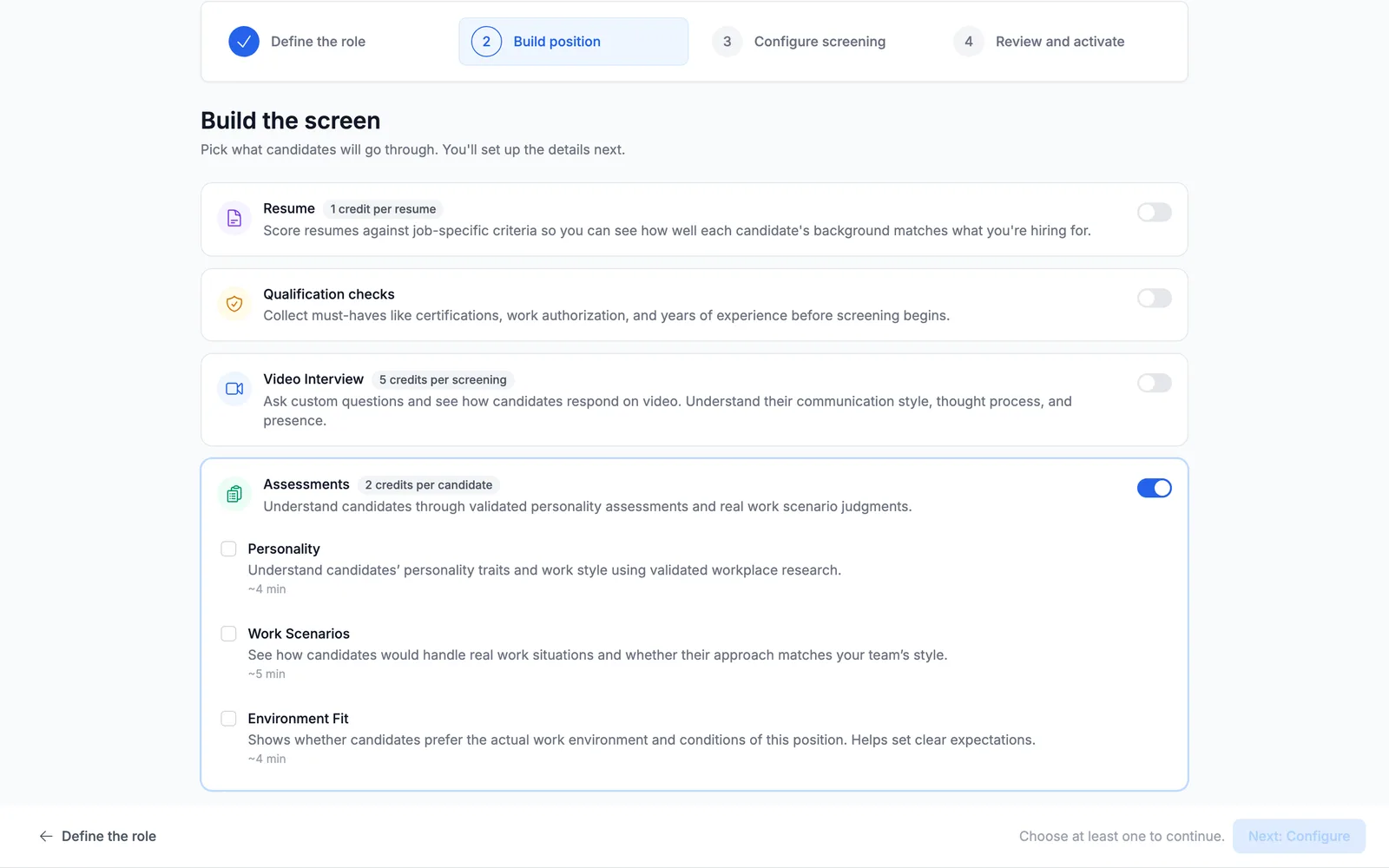
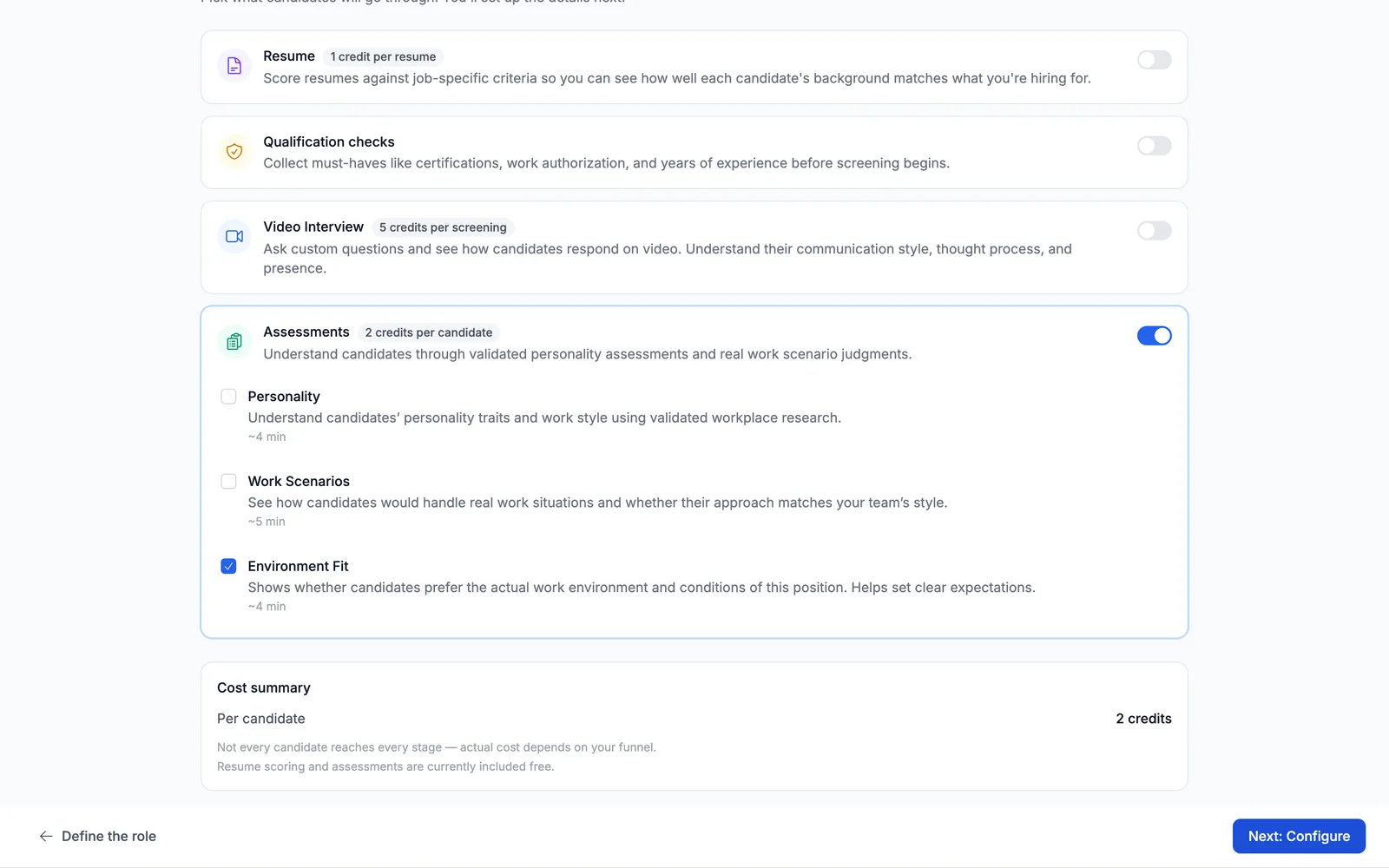
Build the screen arrives with Truffle's suggestions already switched on. Assessments costs 2 credits per candidate and has a switch for each assessment, with the time it takes a candidate: Personality (5 min), Work Scenarios (6 min) and Environment Fit (2 min). Environment Fit Shows whether candidates prefer the actual work environment and conditions of this position. Helps set clear expectations. Here it arrives on, marked Suggested, with a line that quotes the role brief: someone who needs long stretches of quiet focus would struggle. If it arrives off for your role, switch it on.
3Decide what else runs
Environment Fit can run on its own. This guide switches off Resume, Video Interview, Personality and Work Scenarios, and keeps Assessments and Environment Fit on. How this position runs shows the flow: Candidate arrives, Completes assessments, You review. The footer shows the candidate's time (2 minutes) and the credits charged as candidates finish (2). Choose Next: Configure.
Note. Keeping resume screening or a one-way interview on is fine. Each adds its own section to Configure screening.
4Let Truffle draft the questions
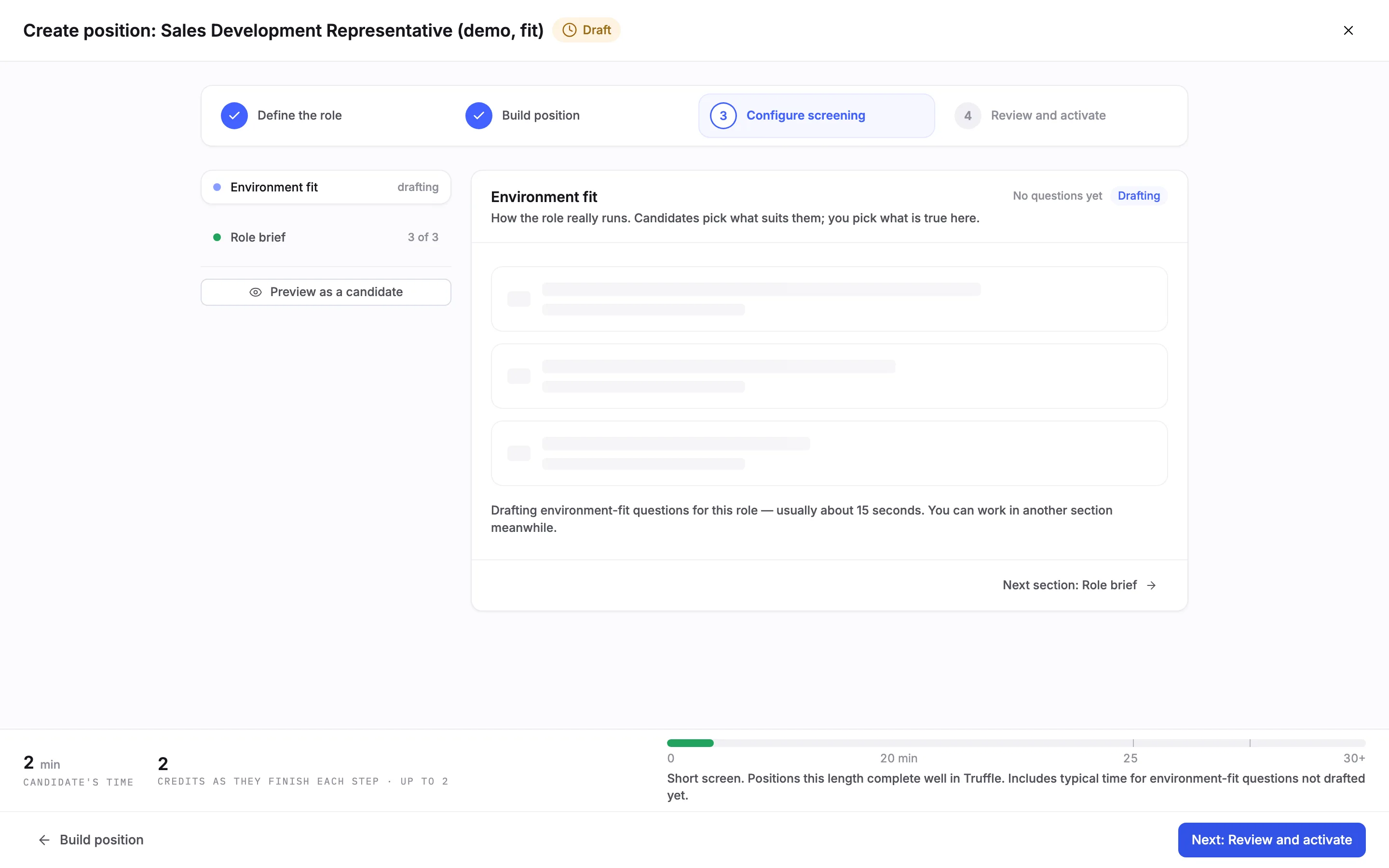
Configure screening opens on Environment fit, marked drafting in the list of sections on the left: How the role really runs. Candidates pick what suits them; you pick what is true here. While it drafts, the section reads No questions yet and Drafting, usually about 15 seconds. You can work in another section meanwhile.
5Read the drafted set
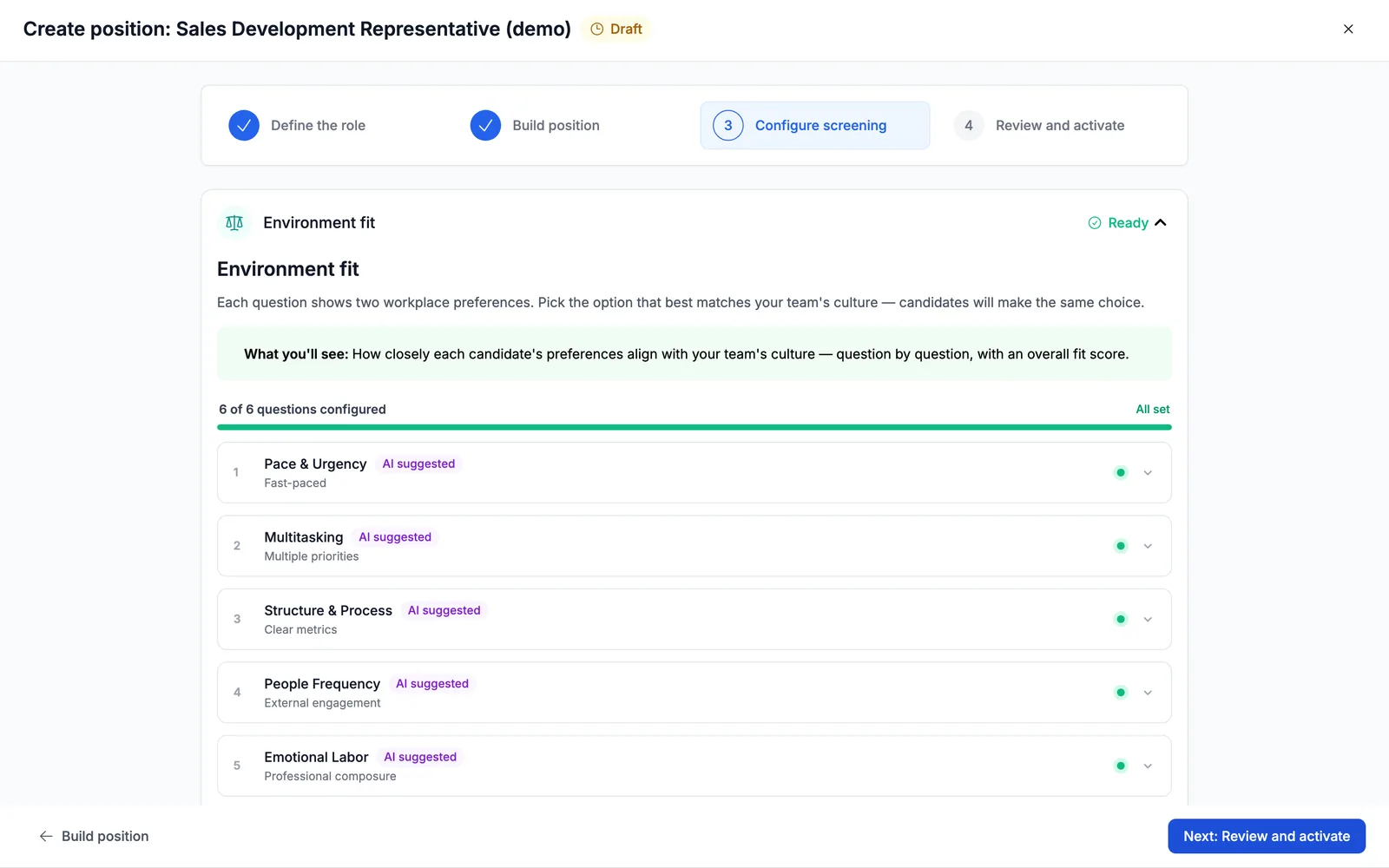
For this role Truffle drafted six questions: Pace & Urgency, Multitasking, People Frequency, Emotional Labor, Structure & Process and Stakes & Pressure. Each question shows two workplace preferences. Each arrives with one preference already picked and tagged AI suggested, so the counter reads 6 of 6 questions configured and All set. The section header reads 6 of 6 questions · 2 min and Suggested, not reviewed. The picks are Truffle's suggestion until you check them.
Note. Drafting again for the same role can return a different set. In our captures, one of the six questions changed between runs.
6Open a question
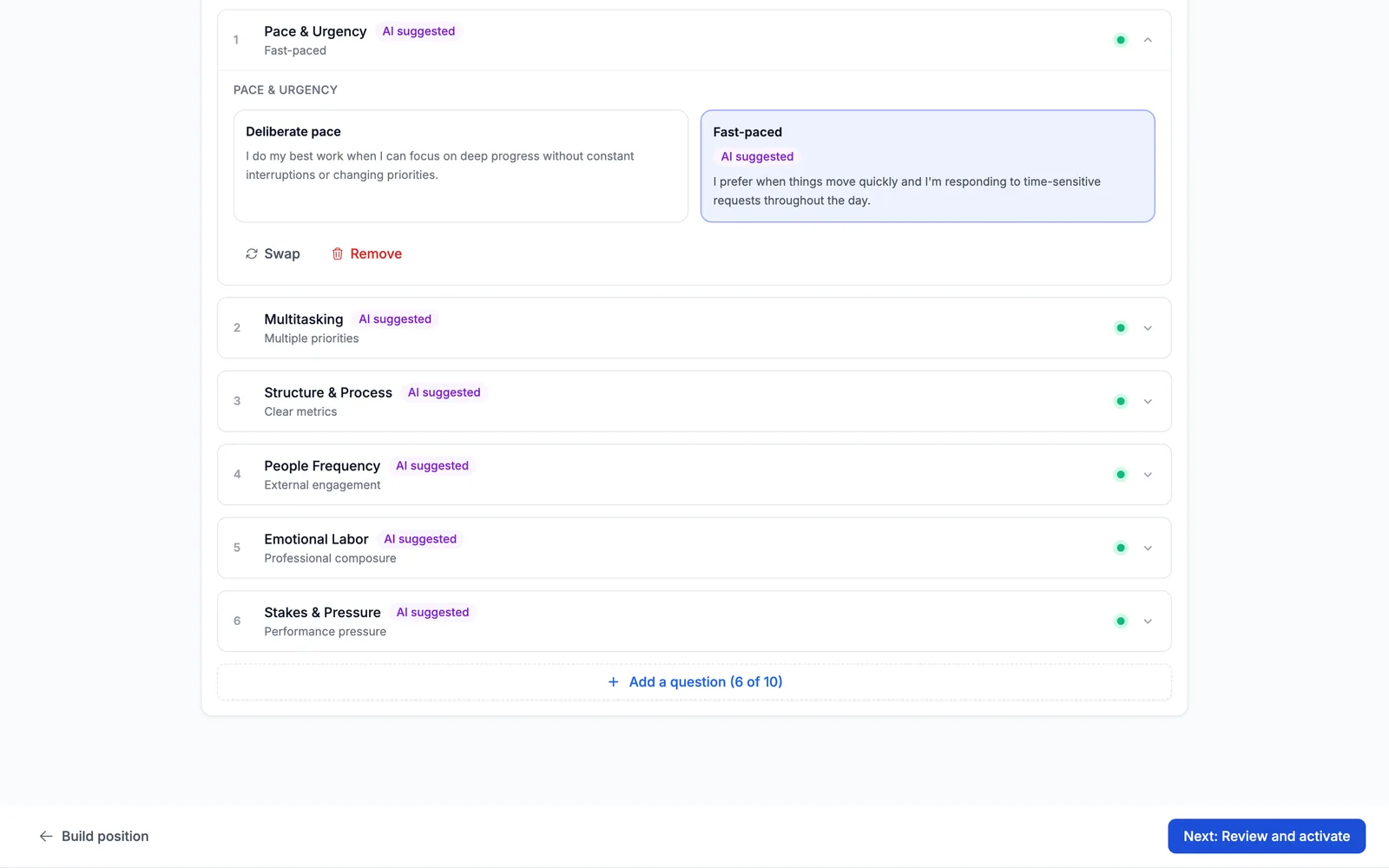
Open a question to see its two preferences side by side, each with a short name and a statement. Under Pace & Urgency, Deliberate pace reads I do my best work when I can focus on deep progress without constant interruptions or changing priorities. Fast-paced reads I prefer when things move quickly and I'm responding to time-sensitive requests throughout the day. Truffle picked Fast-paced, which matches this job. Below the preferences are Swap and Remove.
7Pick what is true of the job
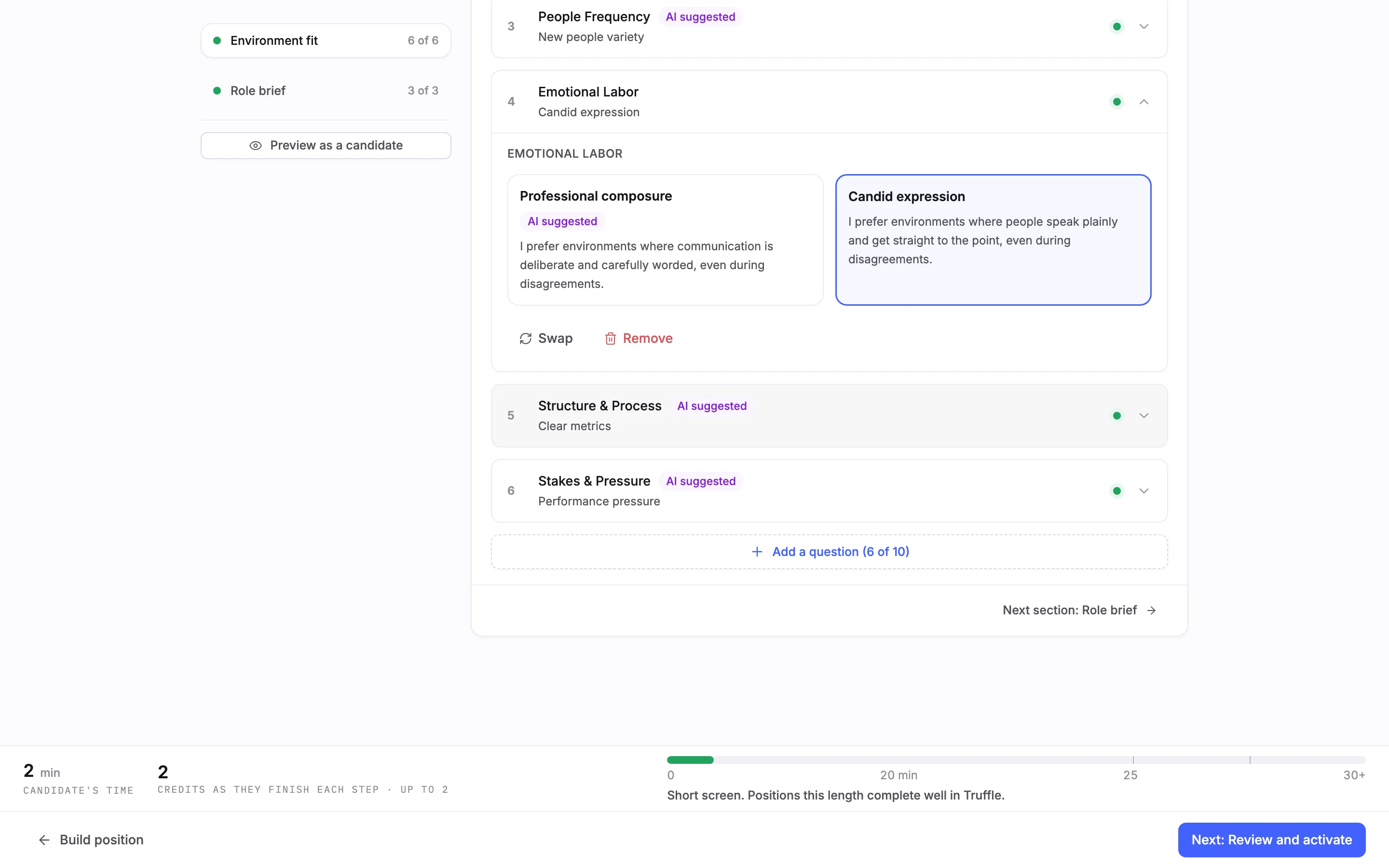
You pick one preference per question: the one that describes how the job runs. Candidates make the same choice for themselves. Neither preference is the better one. To change Truffle's pick, choose the other preference. Here, under Emotional Labor, we chose Candid expression over Professional composure. The AI suggested tag stays on Truffle's choice, the question shows your pick under its title, and the section turned Reviewed. If every pick is right as drafted, choose Looks right.
8Swap, remove or add a question
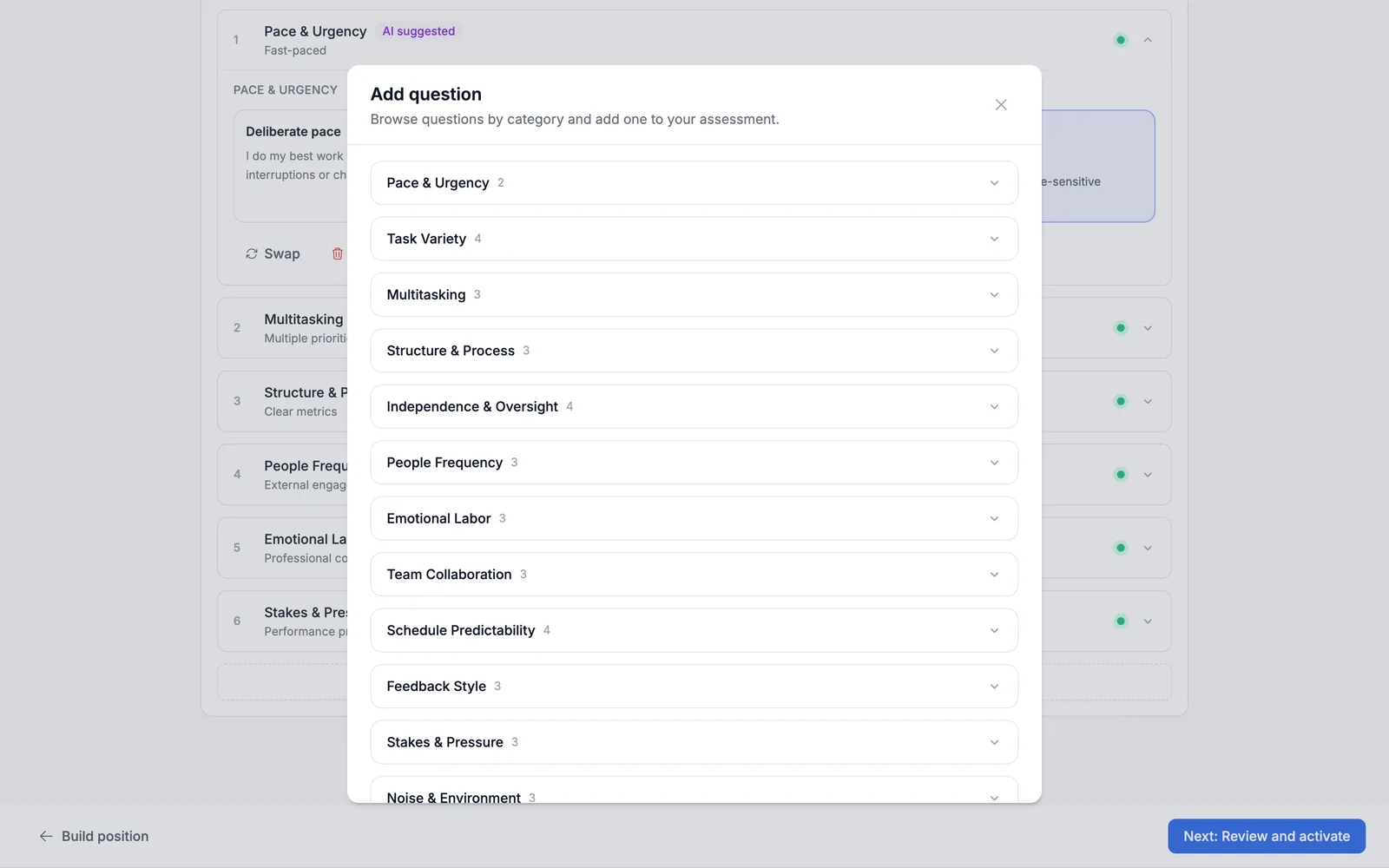
Swap opens Swap question: Choose a replacement question from the library. Remove asks Remove this question? before it removes anything. Add a question (6 of 10) opens Add question: Browse questions by category and add one to your assessment. Categories include Schedule Predictability, Independence & Oversight, Feedback Style, Decision Authority and Noise & Environment. Open a category to see each question's two preferences, such as A: Varied schedule · B: Predictable routine, then choose + Add this. A position holds up to 10 questions.
9Review and activate
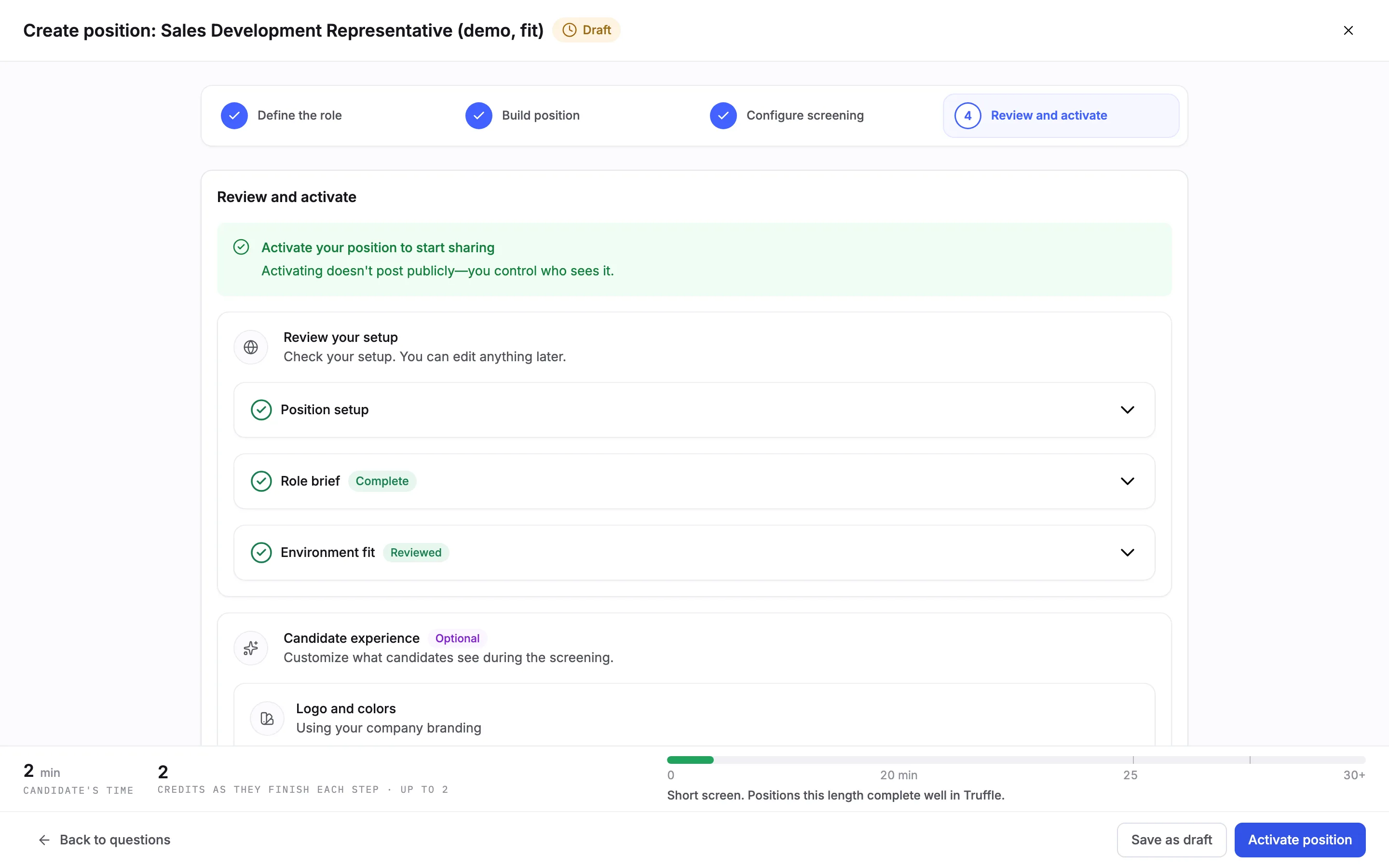
Choose Next: Review and activate. Under Review your setup, Environment fit reads Reviewed. Choose Activate position, or Save as draft to finish later. Activating opens Get candidates, which reads Your position is live, with a Shareable link to send to candidates.
10What candidates see first
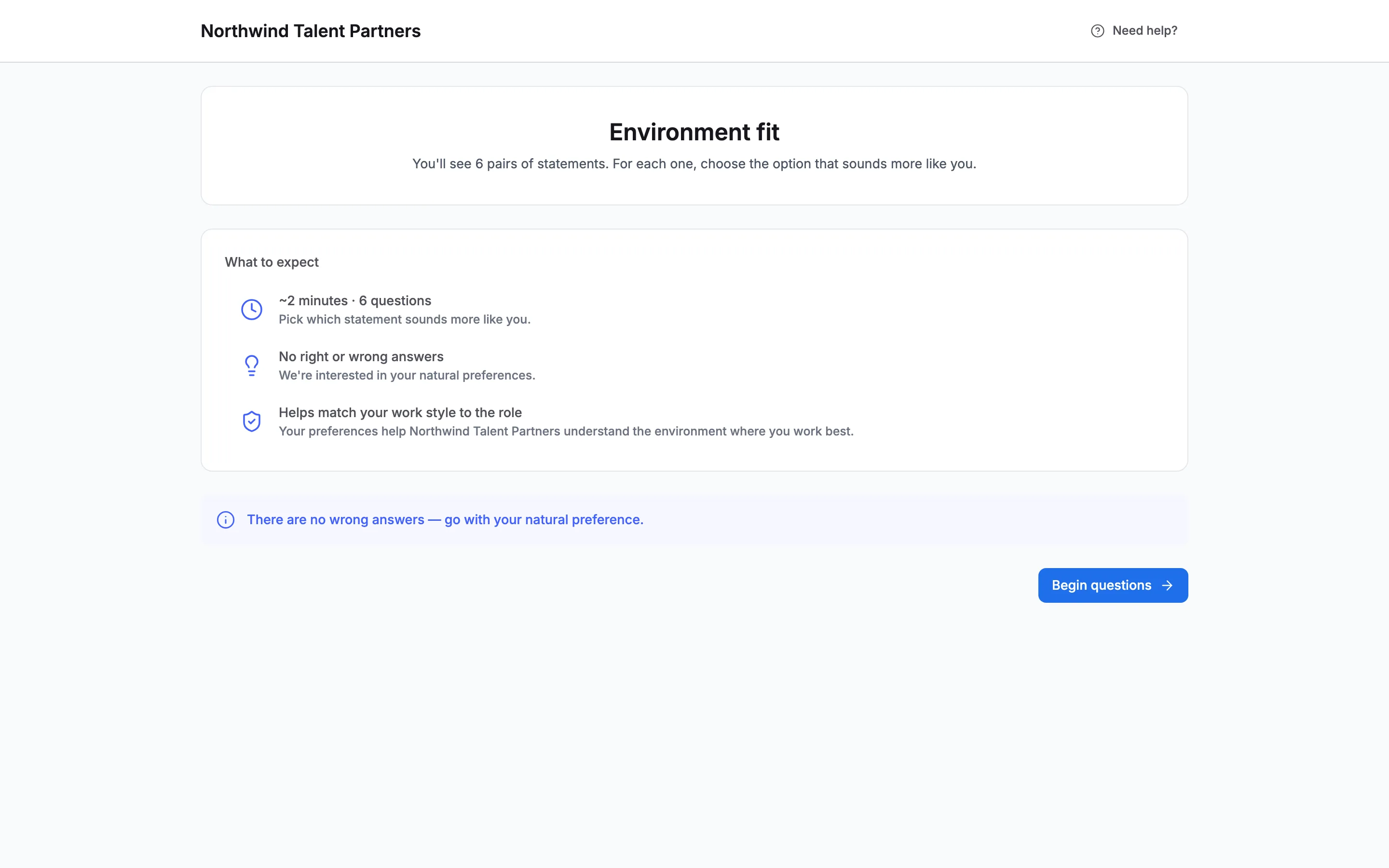
The welcome page lists Environment fit, Answer questions about your ideal work environment., and ~2 minutes. After their details, candidates see an intro: You'll see 6 pairs of statements. For each one, choose the option that sounds more like you. Under What to expect it reads ~2 minutes · 6 questions and No right or wrong answers. They choose Begin questions.
11How candidates answer
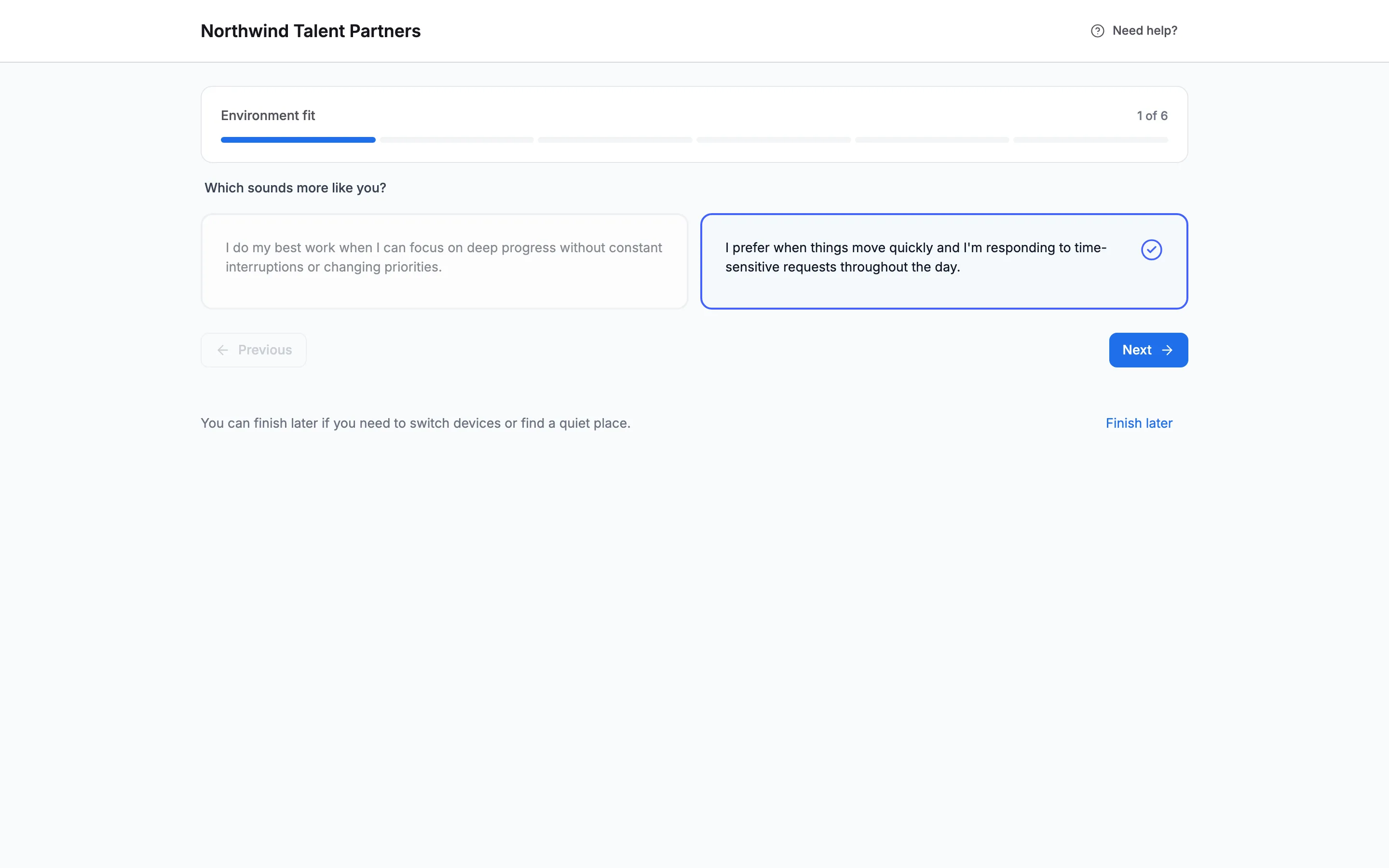
Candidates see one question at a time, with a progress bar (1 of 6). Each asks Which sounds more like you? and shows the two statements. Candidates see the statements only, not the preference names or your pick. They choose one, move on with Next and finish with Complete. Finish later lets them come back. When they finish, they see Screening complete and Environment fit completed.
12Read the result on the candidate
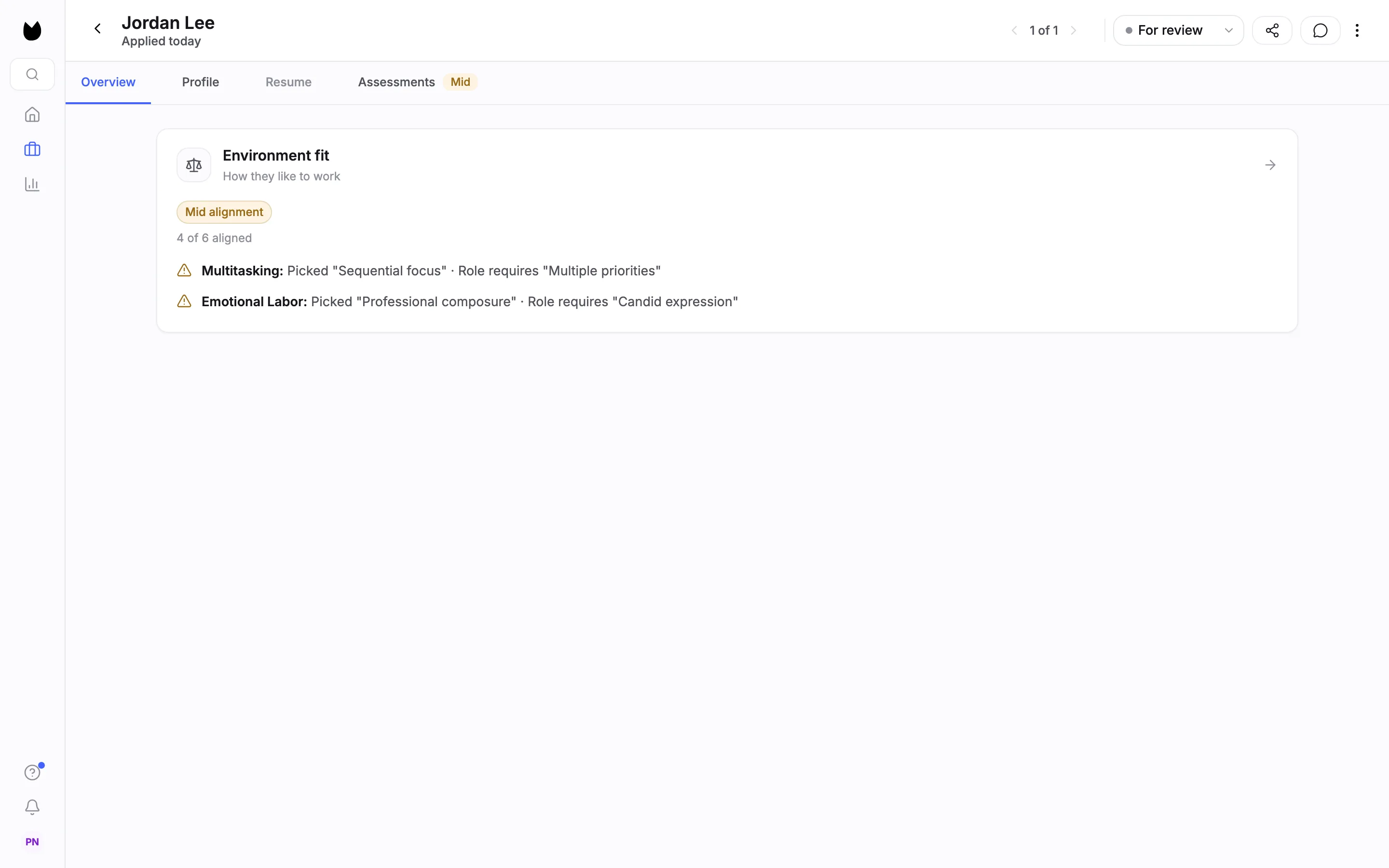
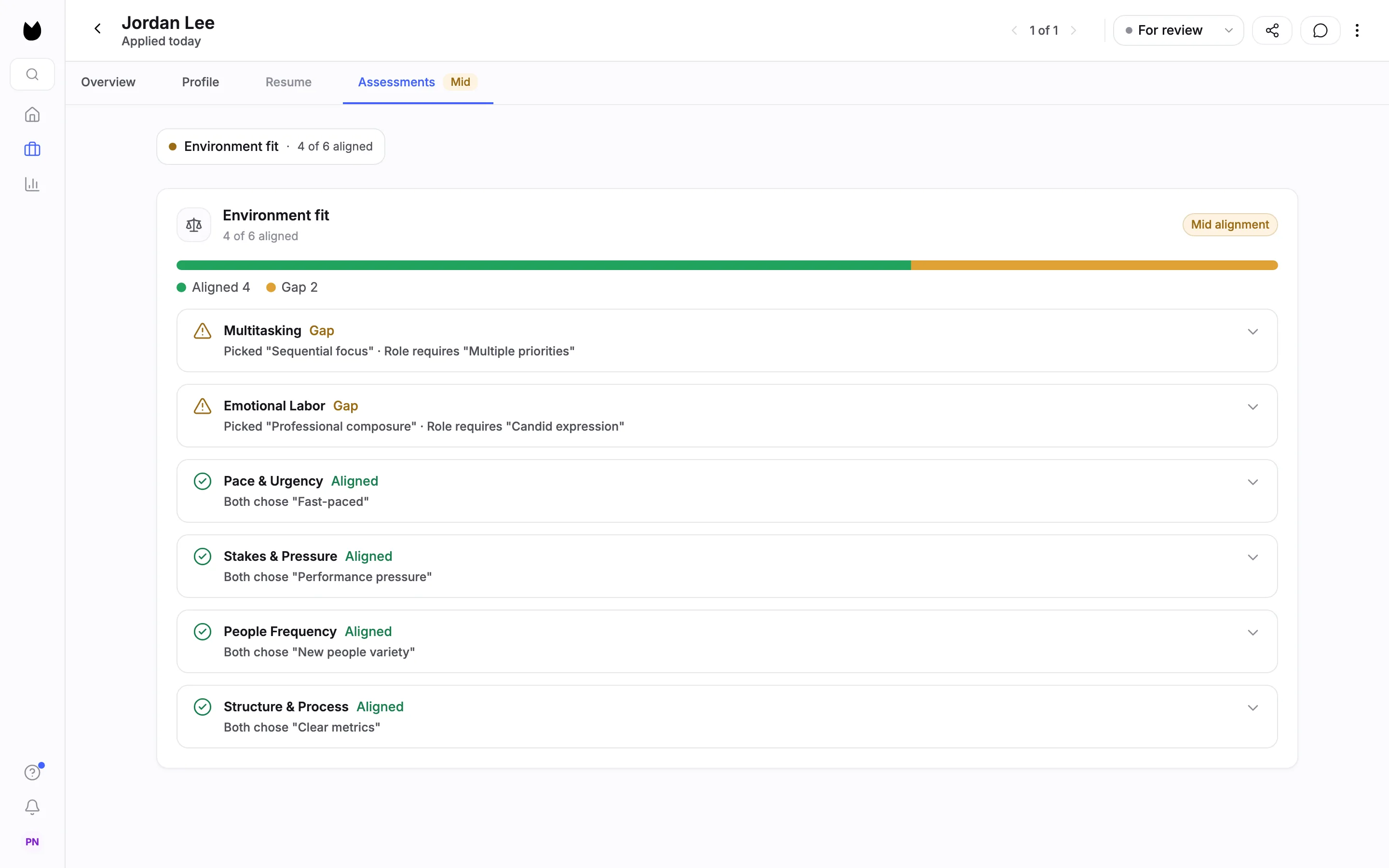
Results appear as soon as a candidate completes the questions. Open the candidate. On Overview, the Environment fit card (How they like to work) shows the signal, here Mid alignment, and a count, 4 of 6 aligned. There is no percentage. Each gap is called out with what the candidate picked and what the role requires, here Multitasking: Picked "Sequential focus" · Role requires "Multiple priorities". The Assessments tab carries the assessment signal, High, Mid or Low (here Mid).
13See every question
Open the Assessments tab. A bar counts the questions, here Aligned 4 and Gap 2, and each question gets a row, gaps first. A question is Aligned when the candidate picked the same preference as you, for example Both chose "Fast-paced", and a Gap when they picked the other one.
14Open a gap
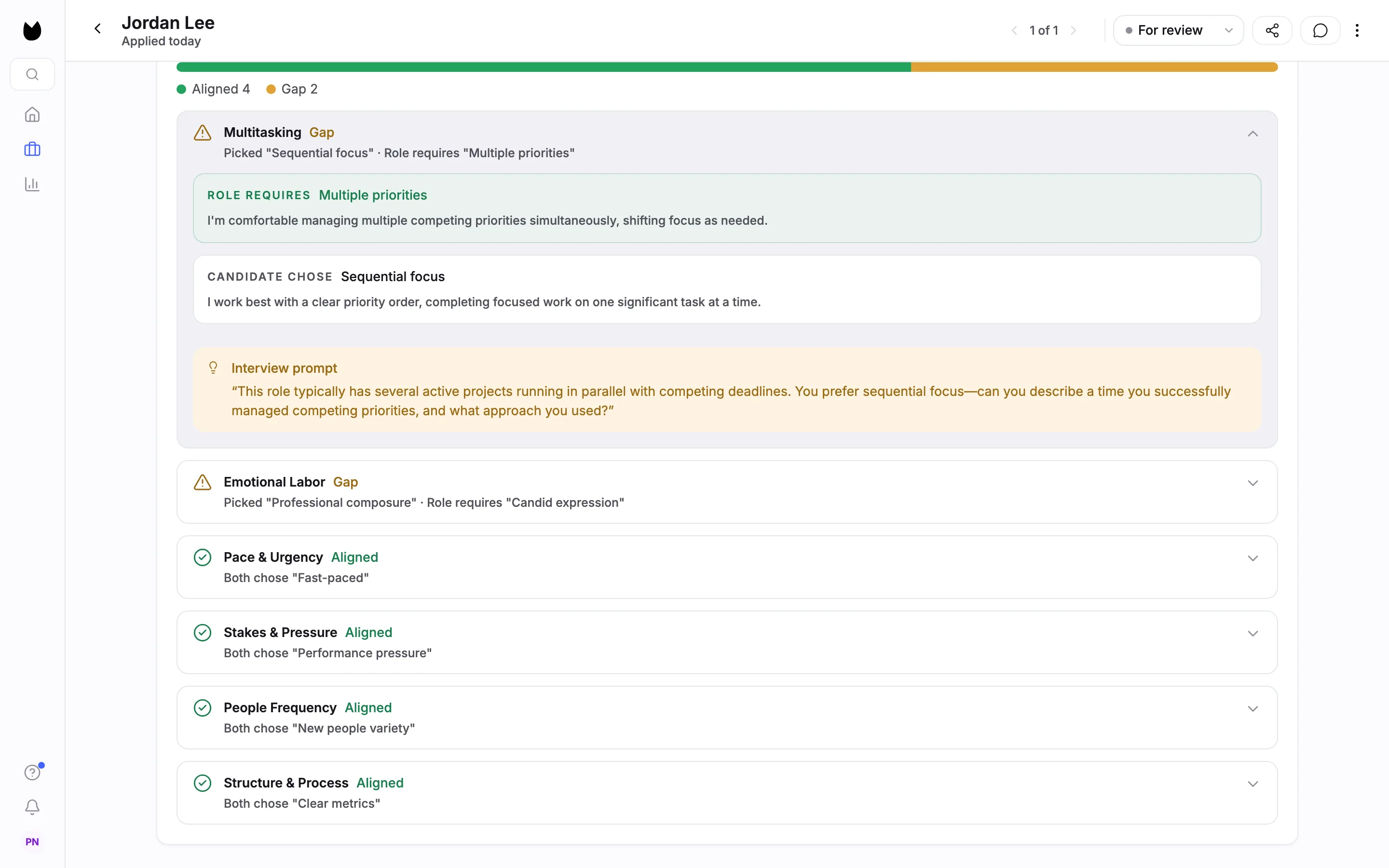
Open a gap row. It shows ROLE REQUIRES with your pick and its statement, CANDIDATE CHOSE with theirs, and an Interview prompt: a question to ask the candidate about the difference. Use it to talk through how the job runs before anyone starts. The result is one input to your decision. It rejects no one.
Note. On the position's candidate list, the ASSESS column shows the same signal for every candidate, so you can compare them.
Questions
Is this a culture fit test?
No. Environment fit asks about working conditions, such as pace, interruptions, how much of the day is spent with new people, and how clear the goals are. You say which preference is true of the job, and candidates say which they prefer. It follows realistic job preview principles: it shows where expectations differ before someone starts. Environment fit is Truffle's own question set, not a validated psychometric instrument.
How many questions does a position get?
Truffle drafts a set from the role. For the Sales Development Representative in this guide it drafted six. You can swap, remove or add questions from the library, up to 10 per position. Drafting again for the same role can return a different set, so check the questions each time.
What if I disagree with the preference Truffle picked?
Choose the other preference. Every question arrives with one preference picked and tagged AI suggested, as a starting point. You can also swap the question for another from the library, or remove it.
What if I answer the way I wish the job were?
Then the result compares candidates with a job you are not offering. Pick the preference that is true of the job today.
Can candidates see which preference you picked?
No. Candidates see the two statements for each question, without the preference names or your pick. The intro tells them there are no right or wrong answers.
Is there a score or percentage?
No percentage is shown. The result counts aligned questions and gaps, for example 4 of 6 aligned, and gives a signal such as Mid alignment. Each gap shows what the role requires, what the candidate chose, and an interview prompt.
Does a gap reject candidates?
No. A gap shows where a candidate's preference differs from the job, which is something to talk about. The result rejects no one. The only automatic rejection in Truffle is a qualification check you set to Reject automatically.
What does it cost, and how long does it take candidates?
Assessments cost 2 credits per candidate, charged when a candidate completes them. A candidate who never starts costs nothing. Build position lists Environment Fit at 2 minutes, and with six questions candidates were told about 2 minutes. The 7-day free trial includes 30 credits, with no credit card.
Related
See something here that doesn't match what you see in Truffle? Tell us and we'll fix the page.