Guide
Share a candidate
By the end you can create a read-only link to a candidate for the hiring team or someone outside your company, you know what each link carries and leaves out, and you can protect, track and revoke each link.
5 min · 11 steps · Captured from the live product 5 Oct 2026 Changelog Copy as Markdown
Before you start
- A Truffle account. The 7-day free trial works: 30 credits, no credit card.
- A candidate who has finished their screening.
1Open Share & export
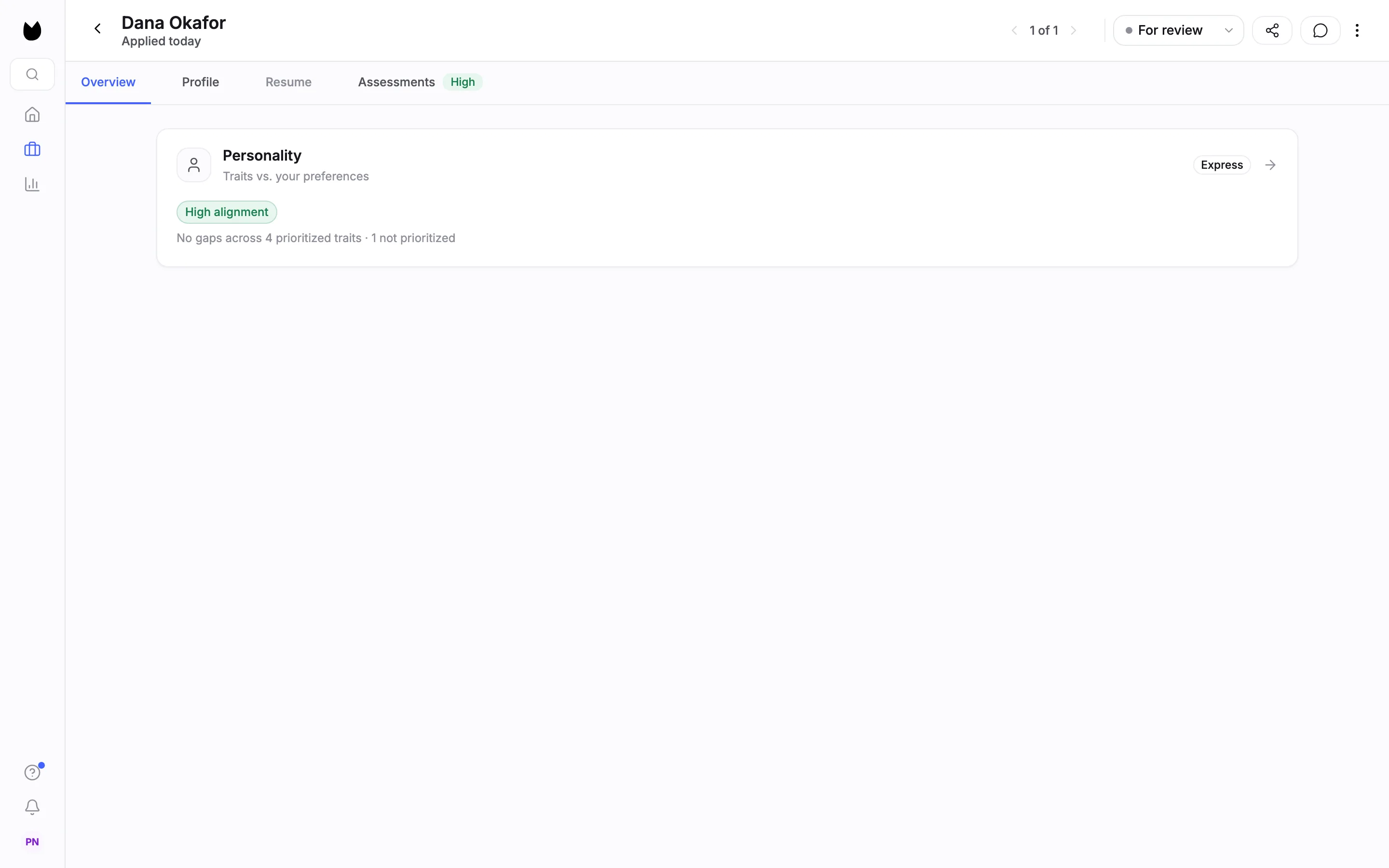
Open the candidate's profile and choose the share icon (Share candidate) at the top right, next to the status control. The same panel opens from Share in the Magic Review action bar, and from the candidate list: tick one candidate and choose More, then Share & export….
2Choose who it is for
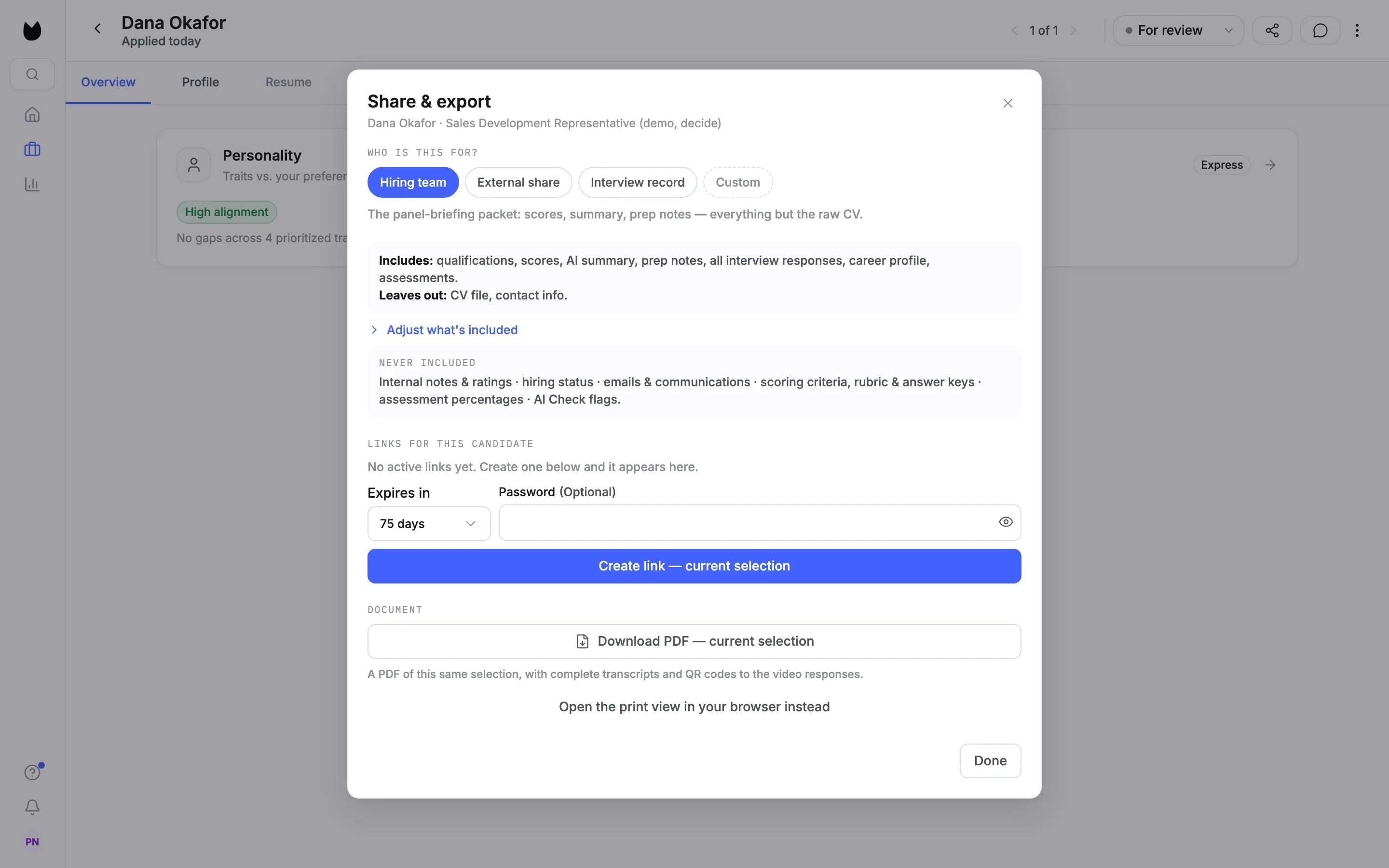
The panel is called Share & export. Under WHO IS THIS FOR? pick an audience. Hiring team is the briefing for your interview panel. A grey box spells out the link before you create it: Includes: qualifications, scores, AI summary, prep notes, all interview responses, career profile and assessments. Leaves out: CV file and contact info. NEVER INCLUDED lists what no link ever carries, such as internal notes and ratings, hiring status, emails, and your scoring criteria and answer keys.
3Share outside your company
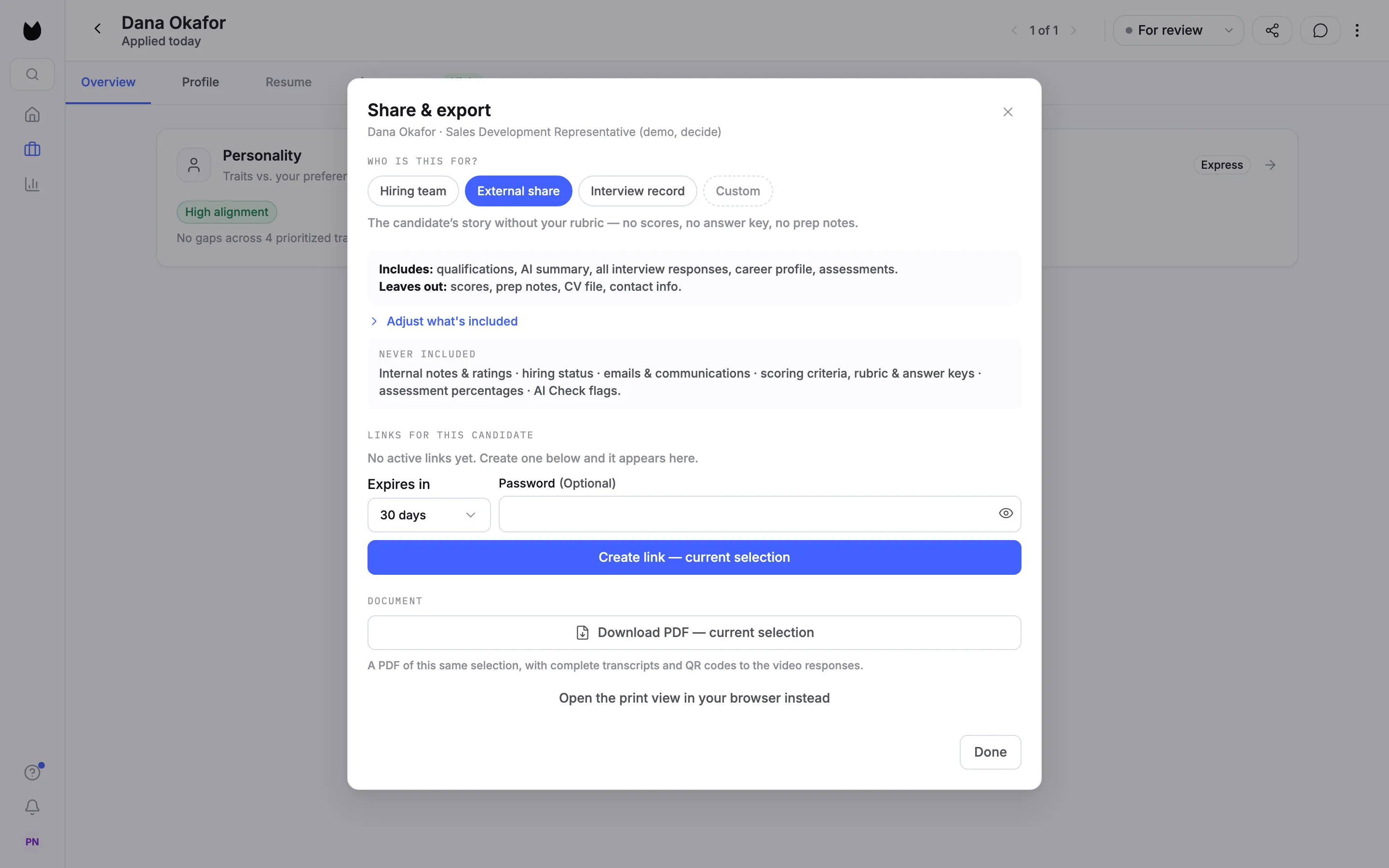
External share is for someone outside the company, such as a client or a hiring manager at a partner. It leaves out scores and prep notes, so the person sees the candidate's own story without your rubric. Its link expires after 30 days by default.
4Share only what the candidate said
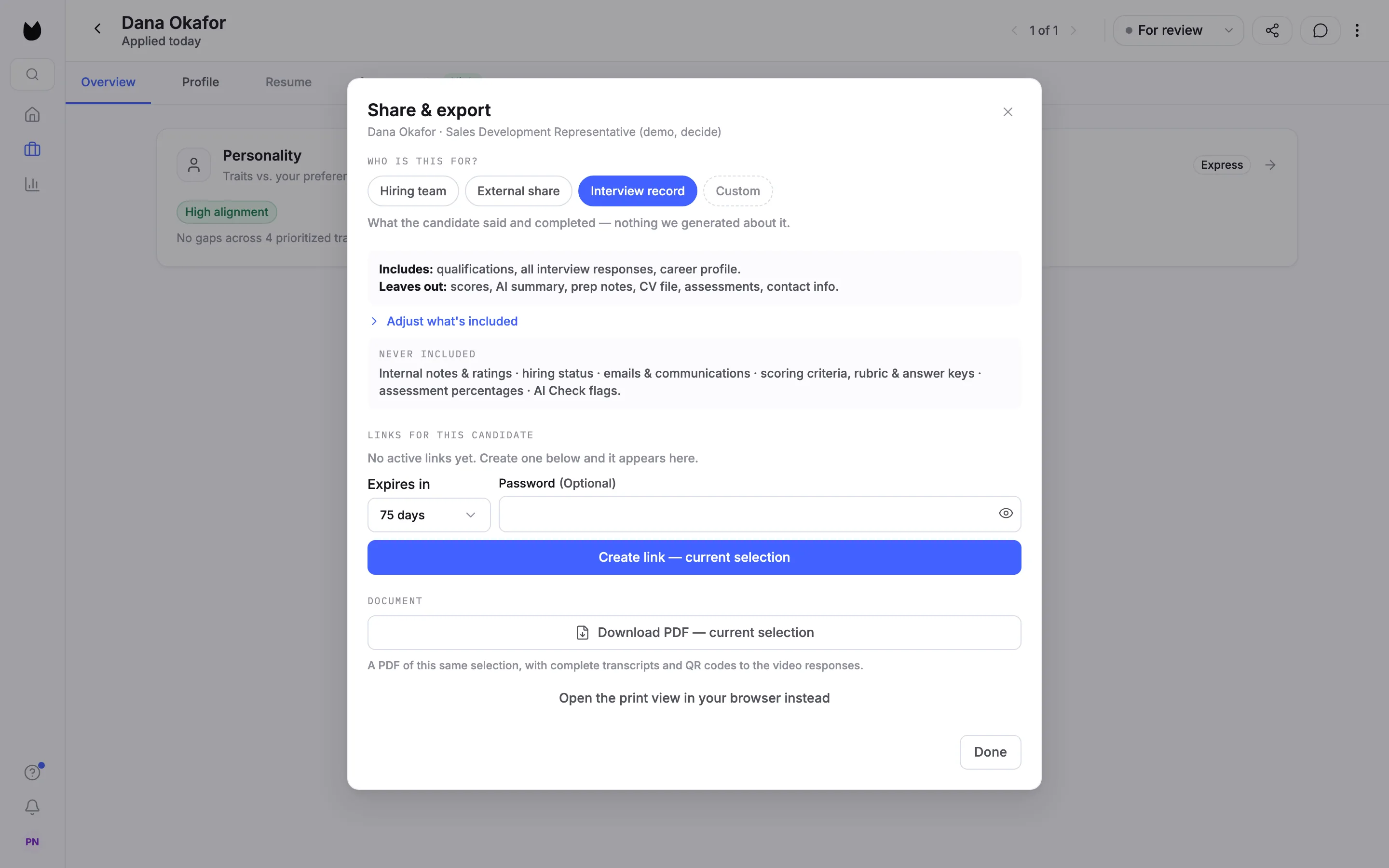
Interview record carries what the candidate said and completed, and nothing Truffle generated about it: qualifications, all interview responses and the career profile. Scores, the AI summary, prep notes and assessments stay out.
5Adjust what the link carries
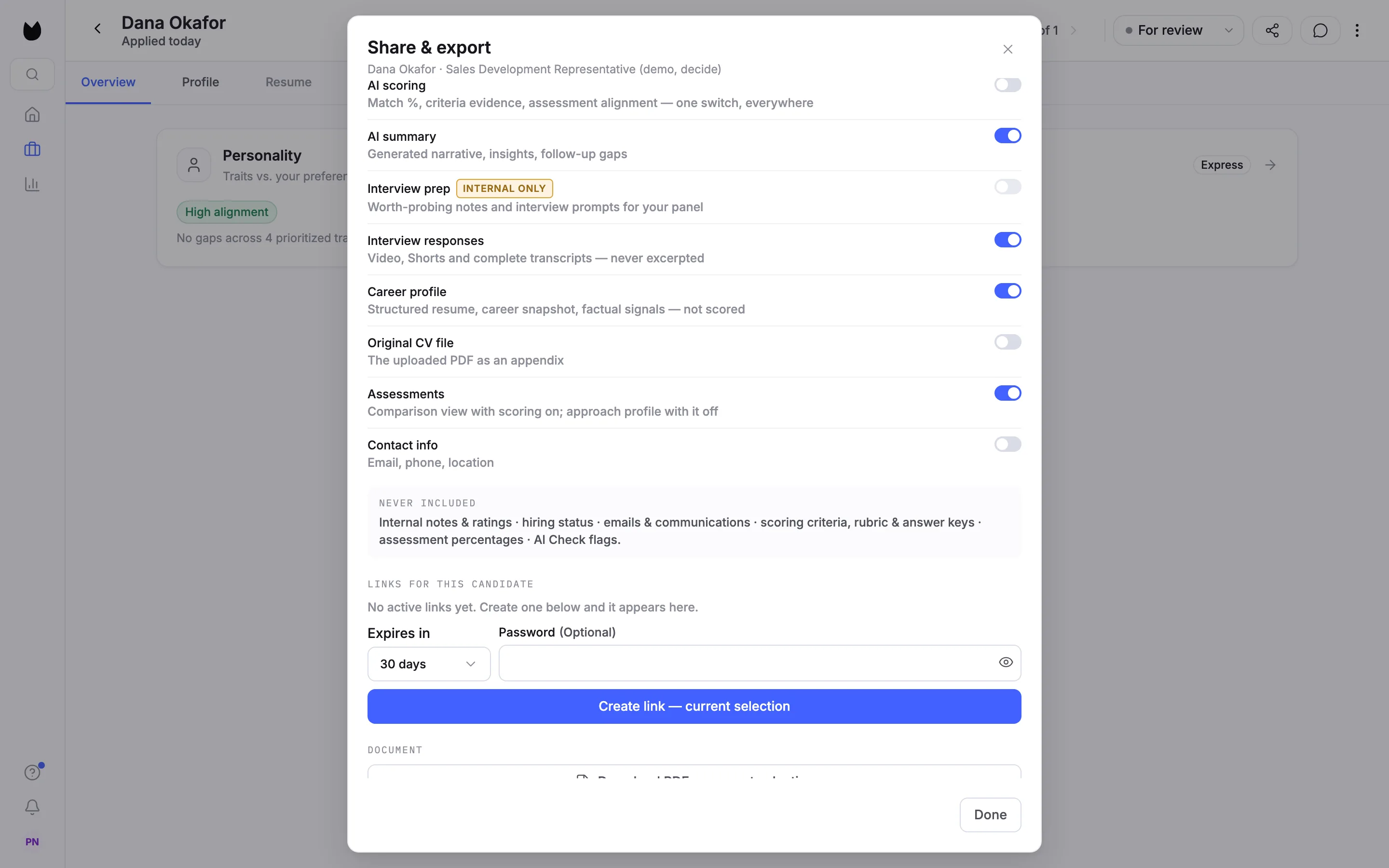
Choose Adjust what's included to see the eight switches: AI scoring, AI summary, Interview prep, Interview responses, Career profile, Original CV file, Assessments and Contact info. Contact info and the original CV file are off on every audience until you turn them on. Interview prep is marked Internal only and cannot be turned on for External share or Interview record. Change any switch and the audience reads Custom. The summary above updates as you go.
6Set expiry and a password, then create the link
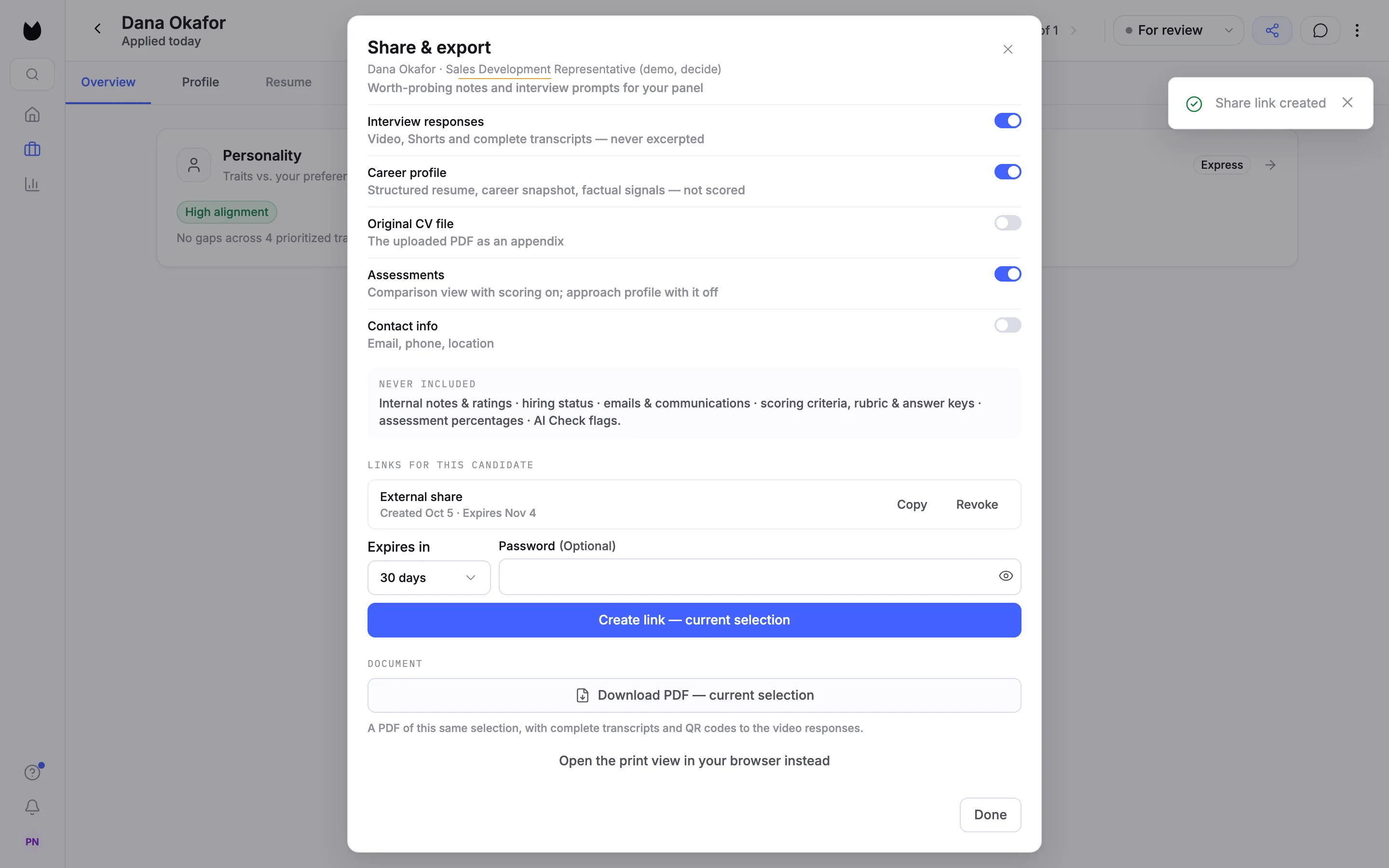
Under the switches, Expires in offers 7 days, 30 days, 75 days and 180 days. Add a Password if you want one; it is optional. Choose Create link. Truffle confirms Share link created and the link appears under LINKS FOR THIS CANDIDATE with its audience and dates, here Created Oct 5 · Expires Nov 4. Choose Copy to copy it; Revoke closes it.
Note. Truffle does not email the link. Paste it into your own email or chat. 180 days and more than one live link per candidate are part of annual plans.
7See what the other person sees
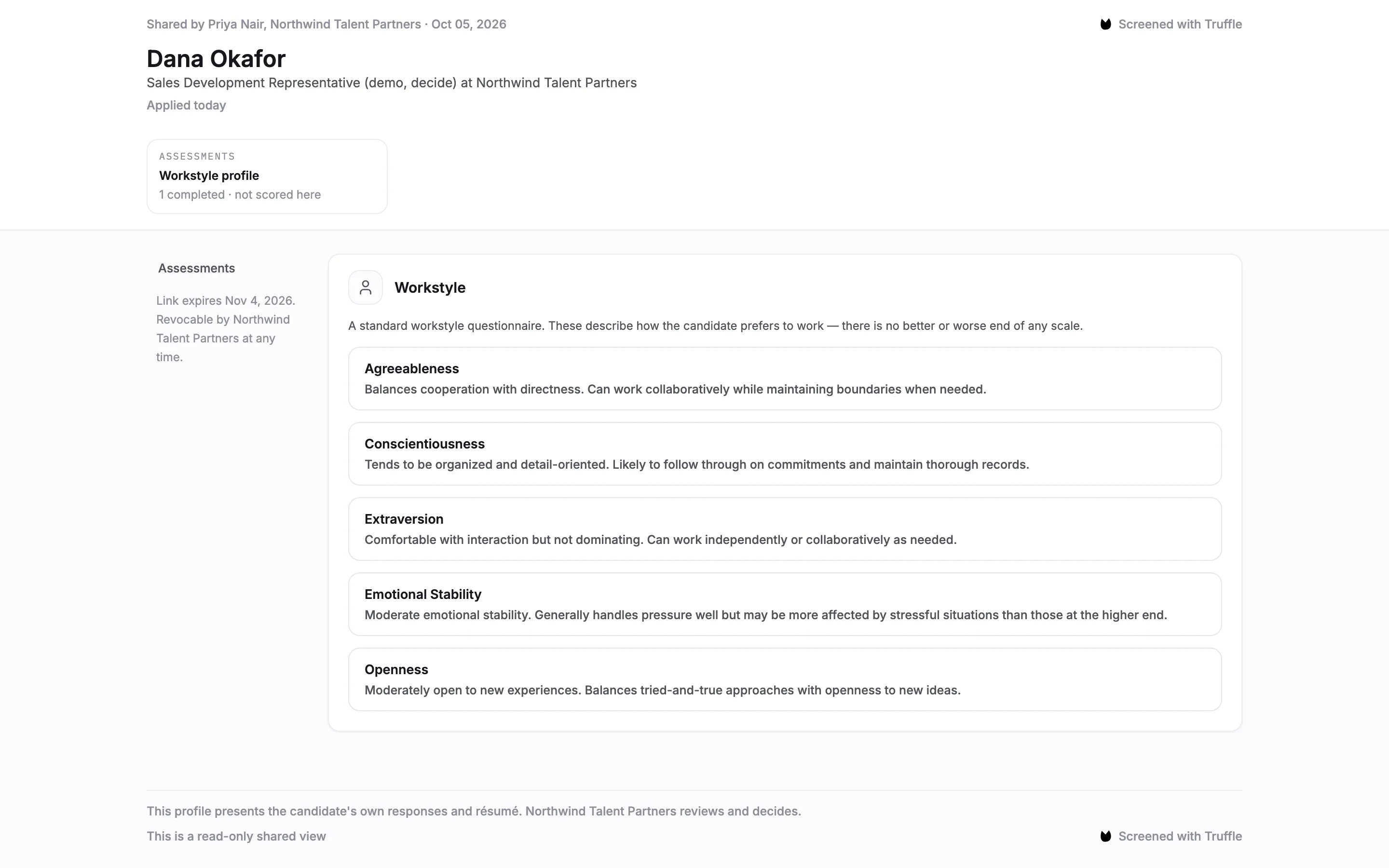
The link opens a read-only page. No Truffle account is needed. It names who shared it and when, shows only what the link carries, and says when the link expires and that your company can revoke it at any time. This External share link carries no scores, so the candidate's assessment shows as a profile, not scored here.
8Keep more than one link
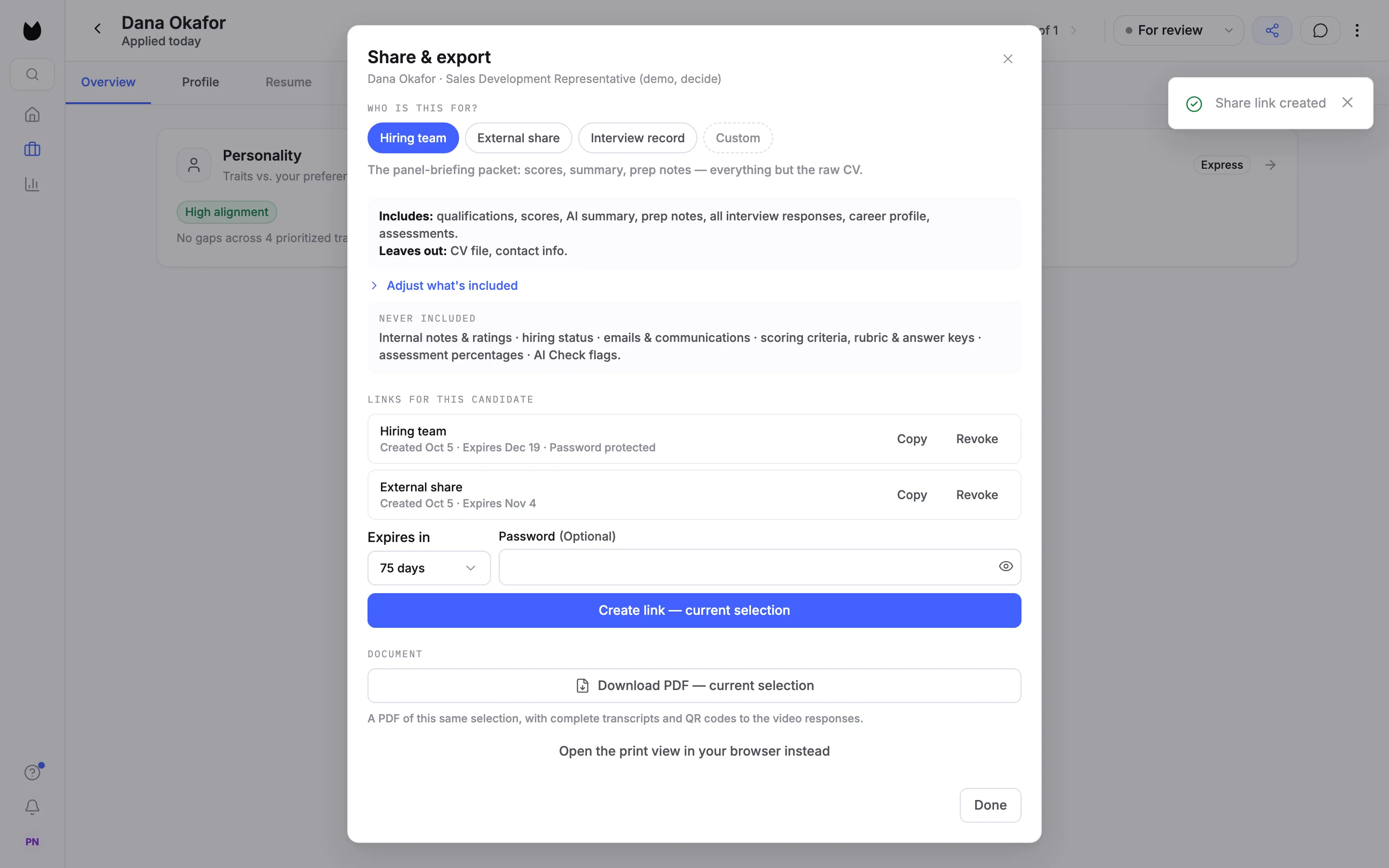
Create another link for a different audience. Each one is listed on its own with its audience, dates and Password protected when it has a password. Here the hiring team has a password-protected link that lasts 75 days, while the external one lasts 30.
9What a password asks for
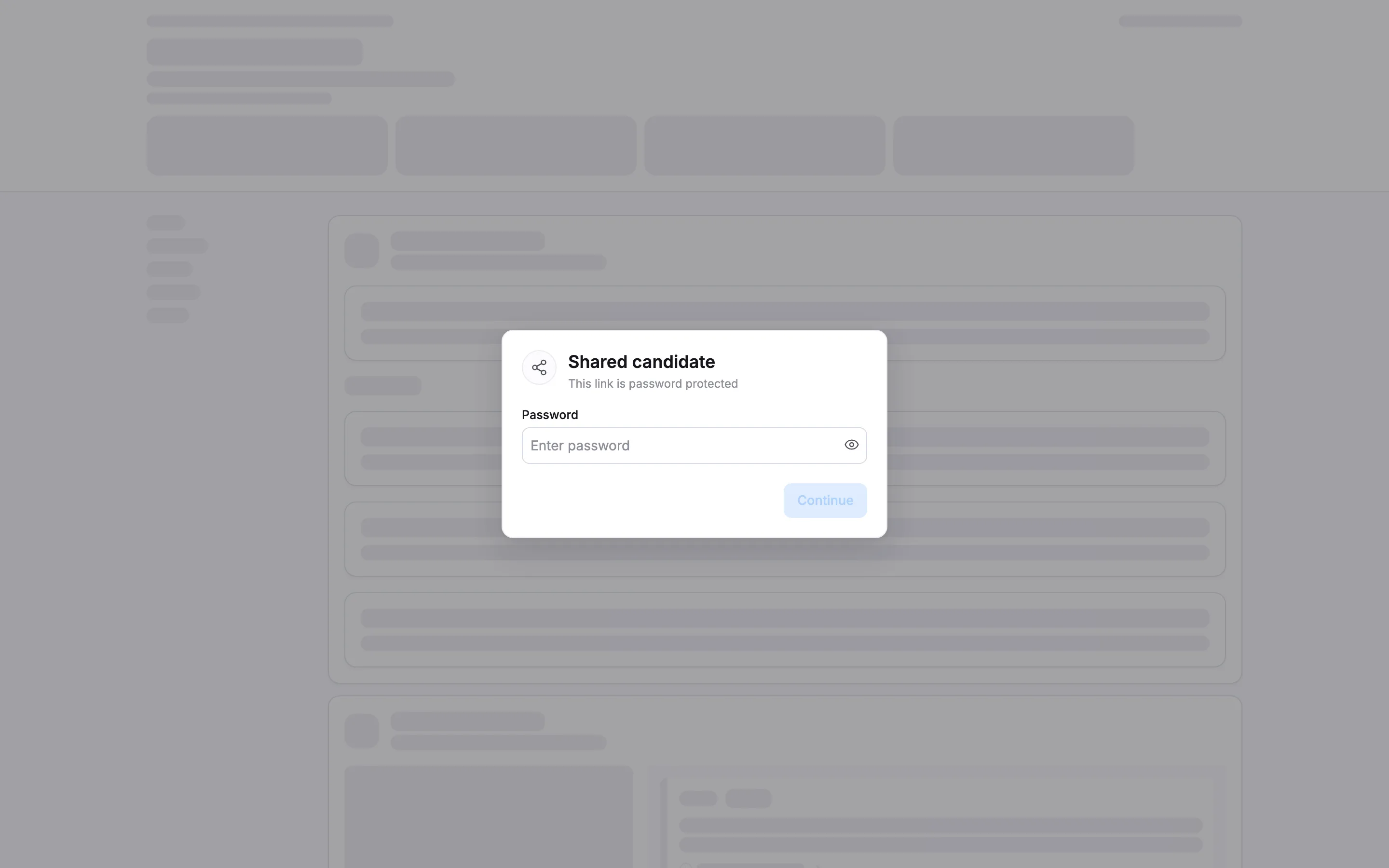
Anyone opening a password-protected link sees This link is password protected and must enter the password before the candidate shows.
10Revoke a link
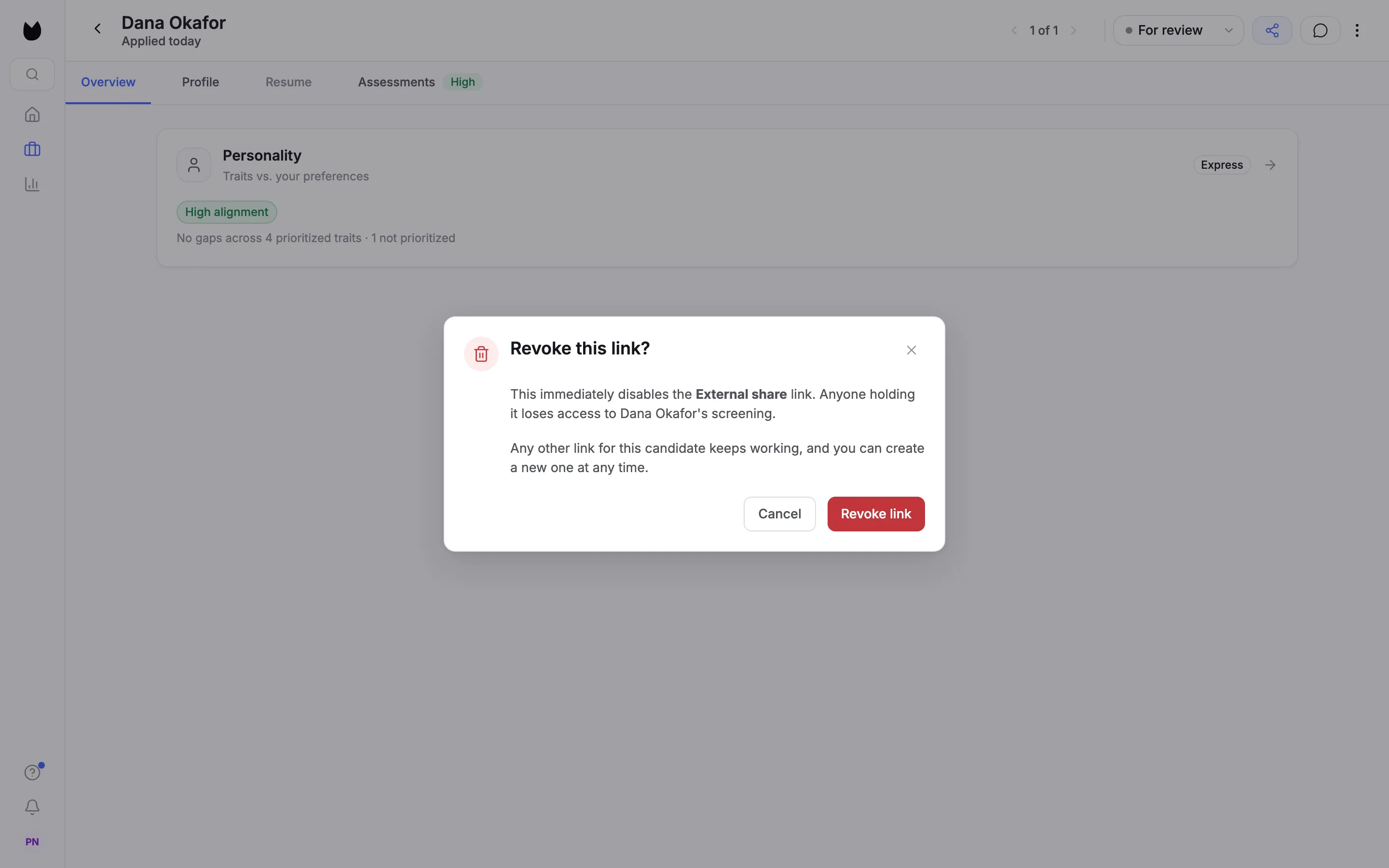
Choose Revoke on the link. Truffle asks Revoke this link? and explains that it stops working straight away while the candidate's other links keep working. Confirm with Revoke link. Truffle confirms Share link revoked.
11Check the link is closed
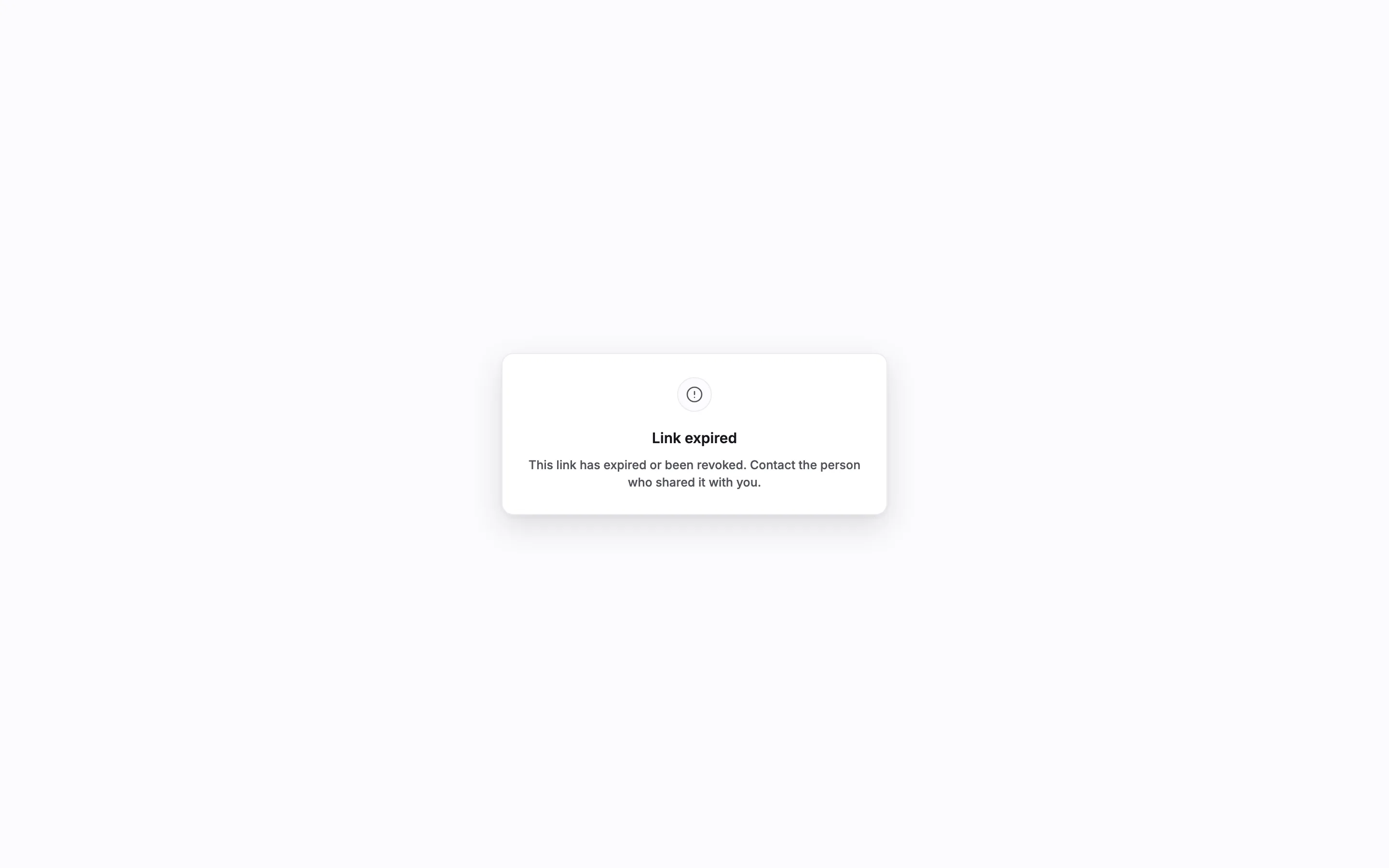
Anyone who opens a revoked link, or a link past its expiry, sees Link expired instead of the candidate.
Questions
Does Truffle email the link for me?
No. Choose Copy next to the link and send it yourself, by email or chat. The panel has no recipient field.
What does a shared link never show?
Internal notes and ratings, the candidate's hiring status, emails and communications, your scoring criteria, rubric and answer keys, assessment percentages and AI Check flags. No audience or switch adds them.
Can I share interview prep notes with a client?
No. Interview prep is marked Internal only. It can go on a Hiring team link but cannot be turned on for External share or Interview record.
How long does a link last?
You choose 7, 30, 75 or 180 days when you create it. External share defaults to 30 days, Hiring team and Interview record to 75. Revoke a link to close it earlier.
Can a candidate have more than one link?
Yes. Each link keeps its own audience, expiry and password, and you can copy or revoke each one on its own. More than one live link per candidate is part of annual plans.
Does the person need a Truffle account?
No. The link opens a read-only page in any browser. If you set a password, they need that too.
Related
See something here that doesn't match what you see in Truffle? Tell us and we'll fix the page.