Guide
Share your Position Link
By the end you can copy a live position's link from three places, you know which page it opens, and you know what a candidate sees if the link gets cut off.
4 min · 8 steps · Captured from the live product 5 Oct 2026 Changelog Copy as Markdown
Before you start
- A Truffle account. The 7-day free trial works: 30 credits, no credit card.
- An active position. A draft has no link to copy until you activate it.
1Open Get candidates
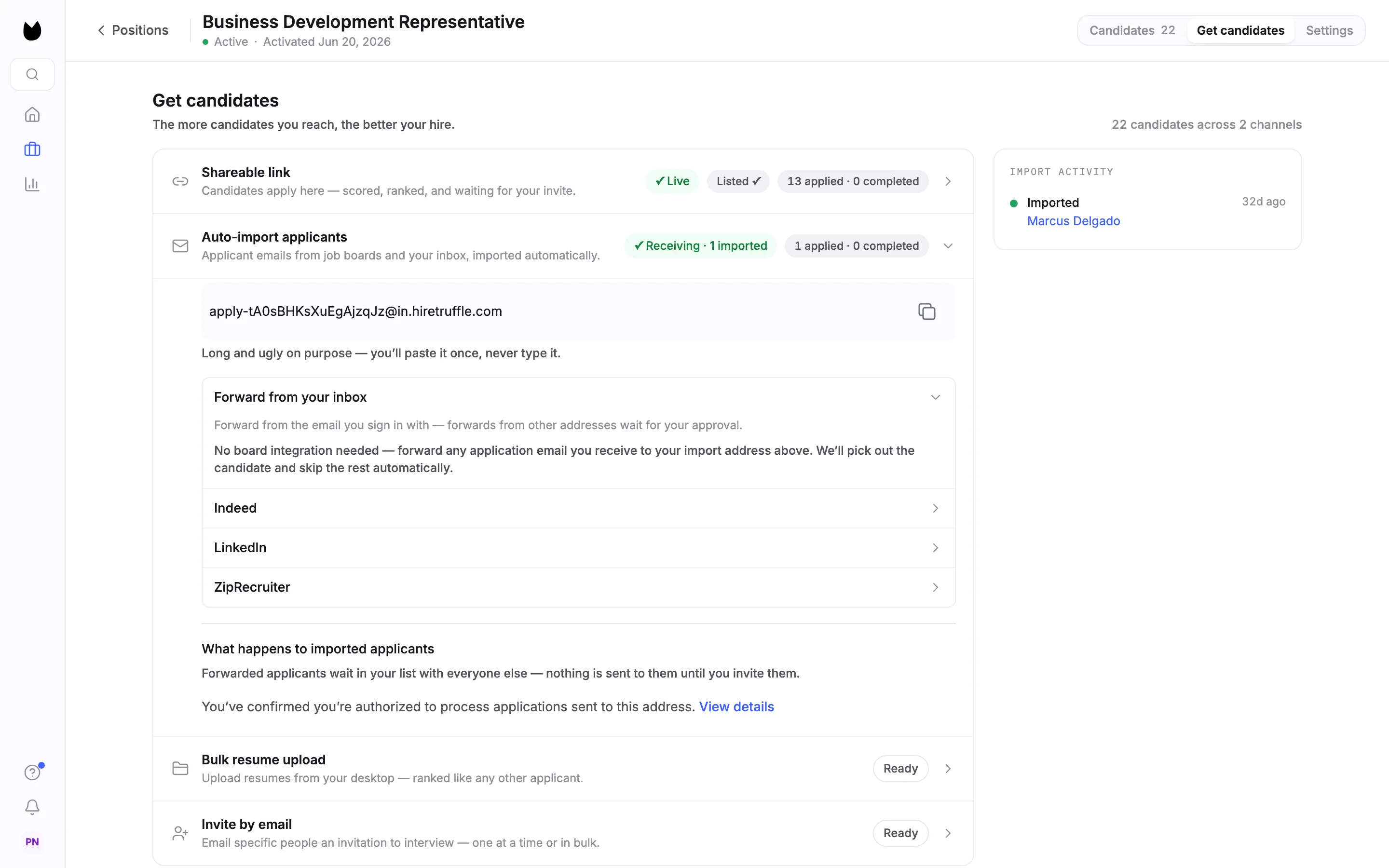
Open an active position and choose Get candidates in the tabs at the top right. The first row is Shareable link, with a line under it that says how this position runs. Its badges show the link's state: ✓ Live while it accepts candidates, Listed ✓ when the role is also on your careers page, and a count such as 13 applied · 0 completed.
2Copy the link
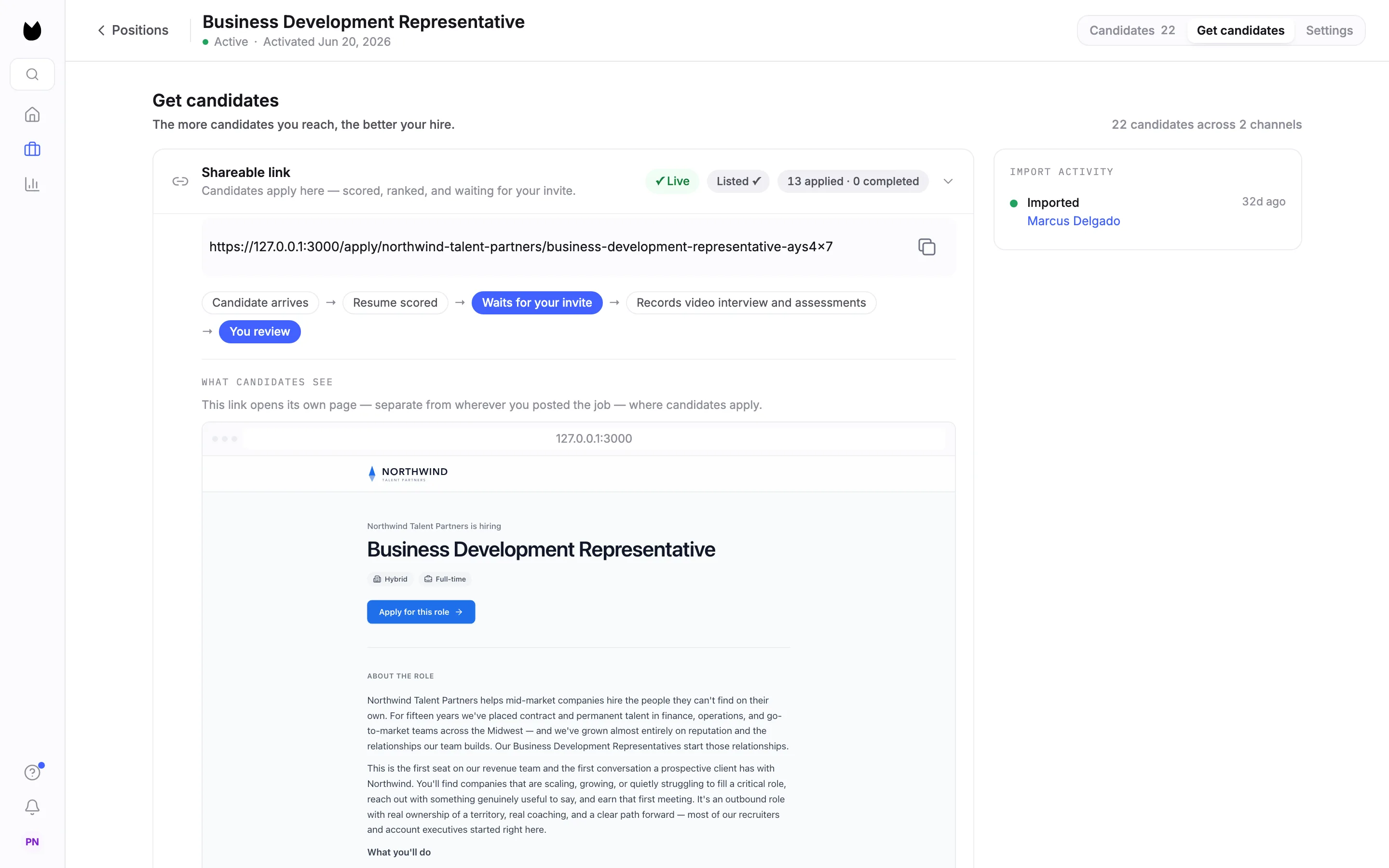
Open the row. Your link sits at the top with a copy button next to it. Under it, a strip shows what happens after a candidate arrives. For this position it reads Candidate arrives, Resume scored, Waits for your invite, Records video interview and assessments, You review. Below that, What candidates see previews the page the link opens.
Note. The link opens its own page, separate from wherever you post the job. Candidates apply on that page.
3Know your second link
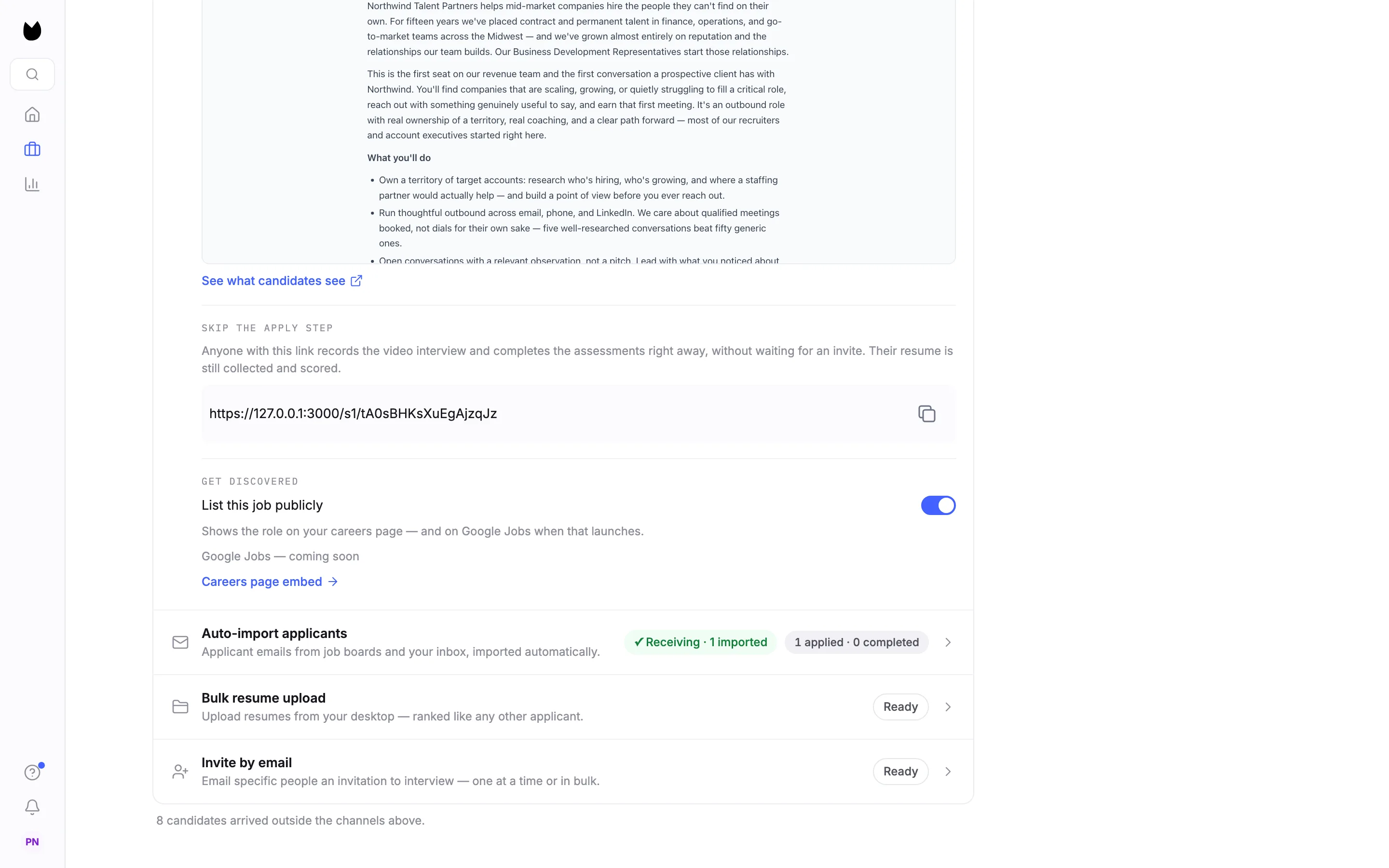
Further down the row, See what candidates see opens the job page in a new tab. Under it, Skip the apply step gives you a second link. Anyone with it records the video interview and completes the assessments right away, without waiting for an invite. Their resume is still collected and scored. Share the first link when you want to pick who continues.
Note. Sharing a link does not put the role on your careers page. That is a separate switch, List this job publicly, at the bottom of the same row. The careers page guide covers it.
4Copy it from the Positions list
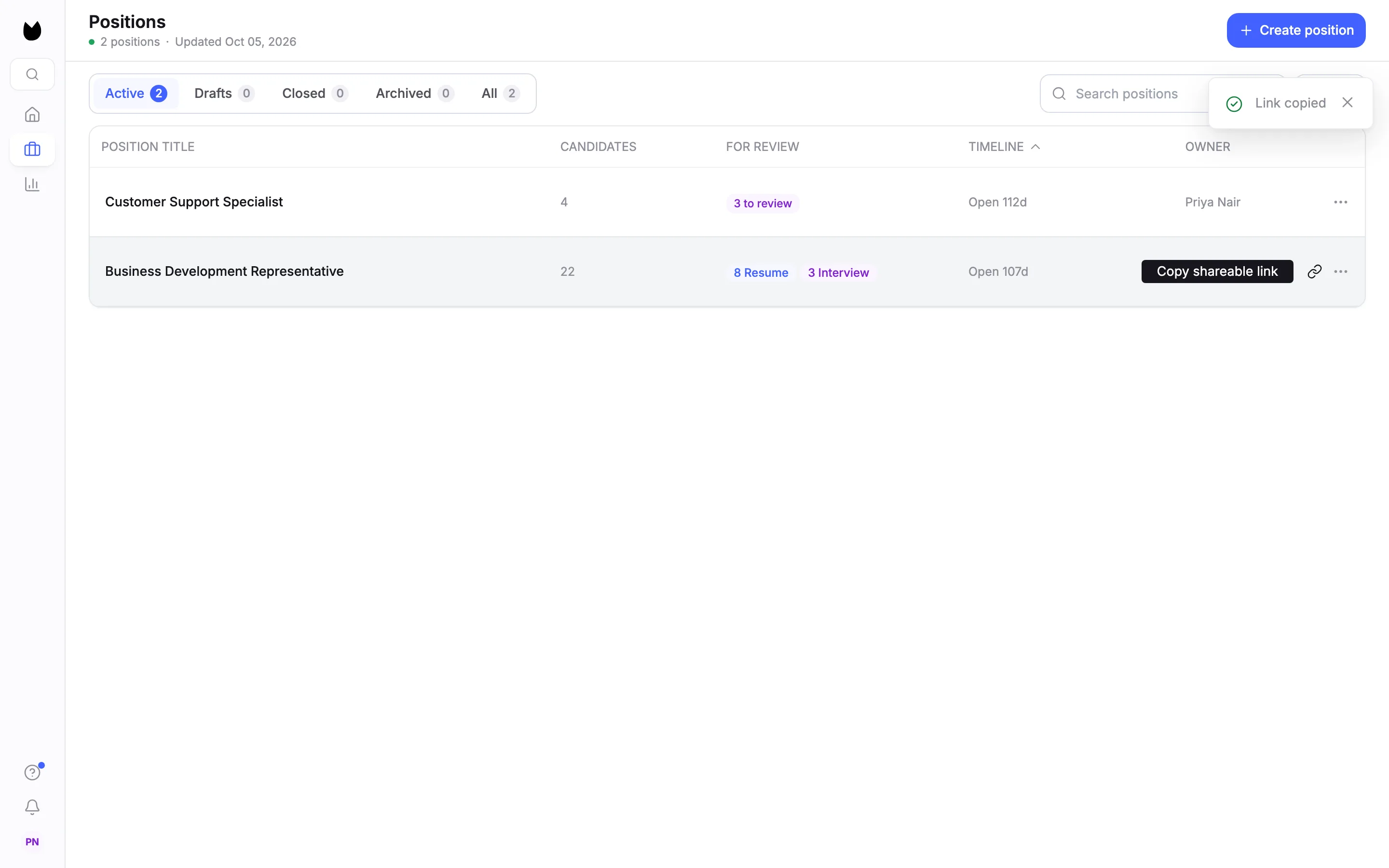
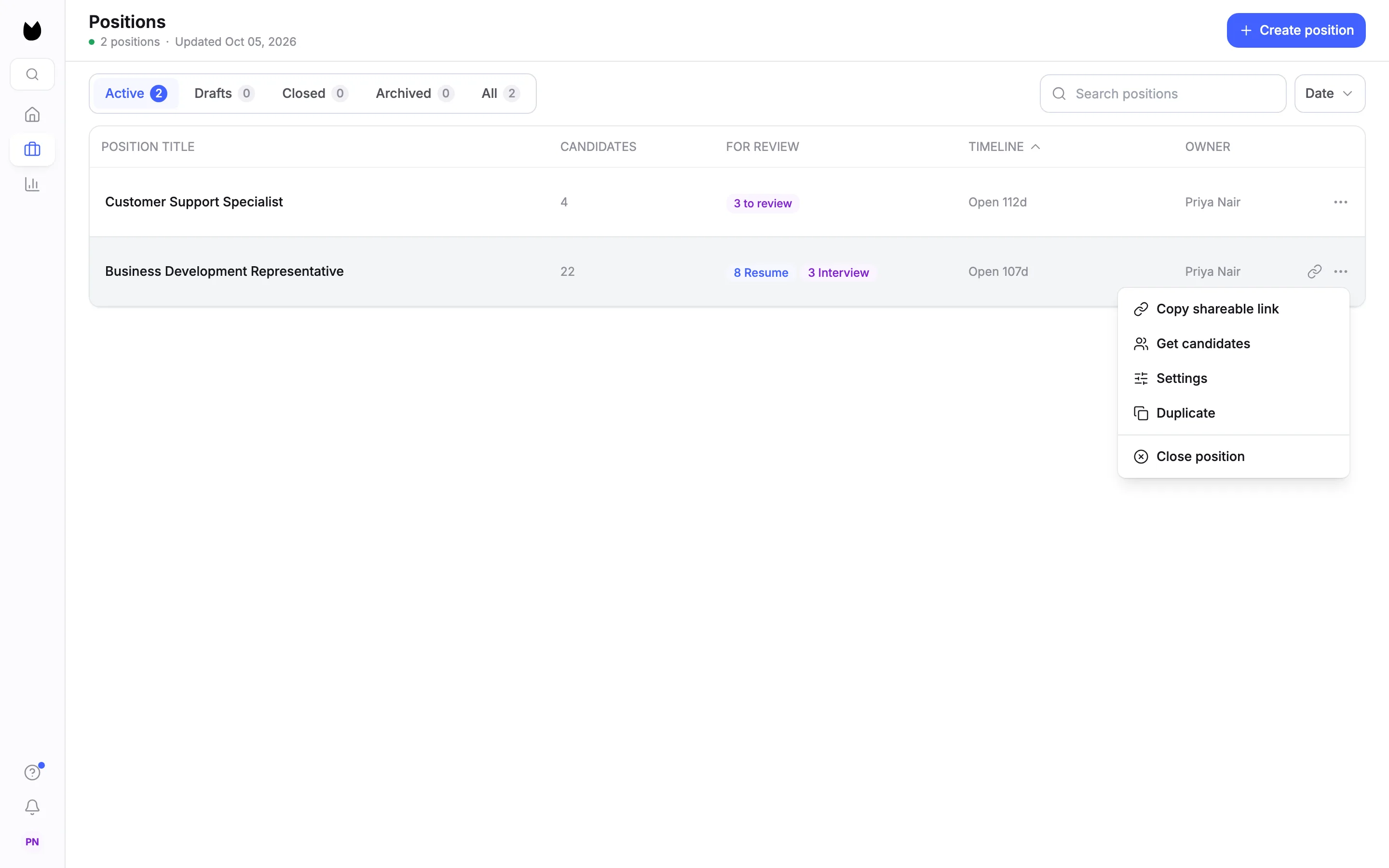
You do not have to open the position. On Positions, hover an active position's row. A link icon appears next to the row's menu, labelled Copy shareable link. Click it and Link copied confirms. It is the same link that Get candidates shows.
5Or use the row menu
The row's menu, the three dots at the end of the row, starts with Copy shareable link, followed by Get candidates, Settings, Duplicate and Close position. On a phone there is no hover, so use the menu.
Note. Only an active position has a link to copy. A draft offers Edit and Delete. A closed or expired position has no copy item, because its link no longer accepts candidates.
6Check where the link lands
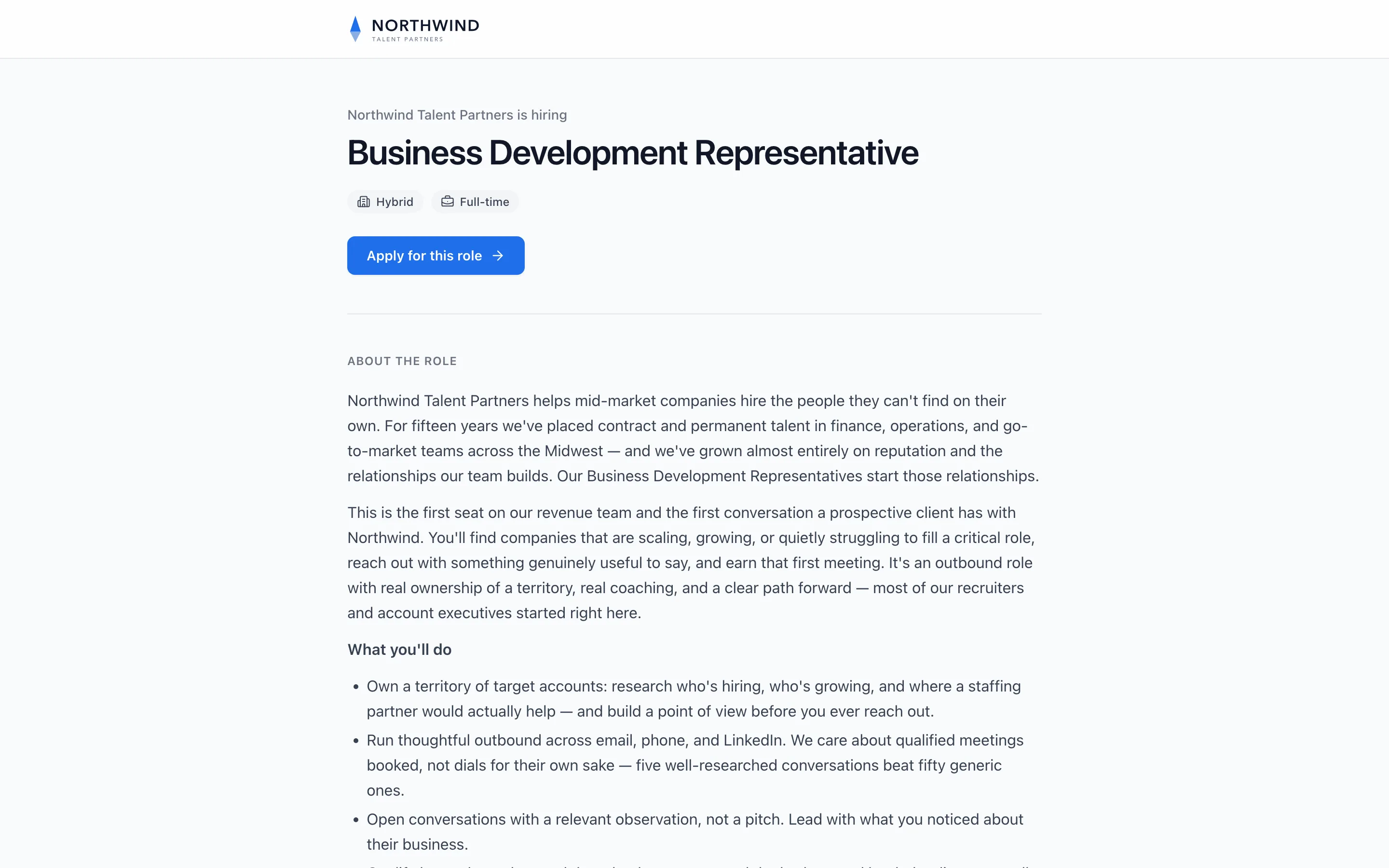
The link opens your hosted job page. Candidates see your logo, your company name with is hiring, the title, the location type and employment type, Apply for this role, and your description under About the role. They apply with a resume and no account.
Note. The job application guide walks through the apply steps candidates go through after this page.
7Post it where candidates look
Paste the link into a job board listing, a social post or an email. On a job board, put it where the form asks for an application link or website, or in the text of the post. Candidates who follow it apply on your job page, and their resumes reach the position in Truffle.
Note. Some boards send applications to your inbox instead. Forward those emails to the position's import address, under Auto-import applicants on the same Get candidates page.
8If a link gets cut off
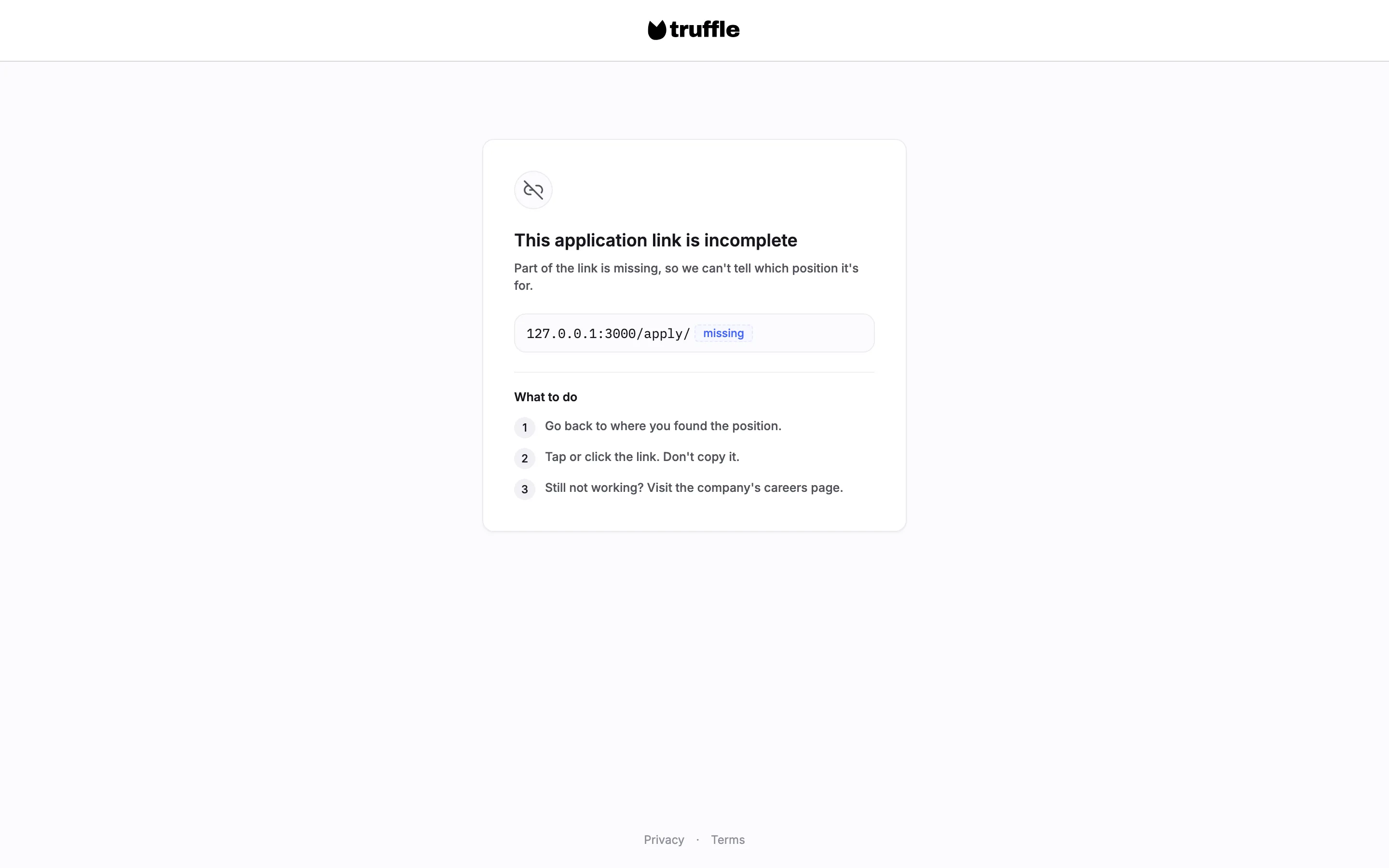
Long links sometimes lose their end when someone copies them. A candidate who opens a cut-off apply link sees This application link is incomplete, the part of the link that arrived, and three steps under What to do: go back to where they found the position, tap or click the link instead of copying it, and visit the company's careers page if it still fails. Copy the whole link from Truffle, and open it once after you post it.
Questions
Is it the same link everywhere I copy it?
Yes. The copy button in Get candidates, the link icon on the Positions list, and Copy shareable link in the row menu all give you the same link to the position's job page.
What is the Skip the apply step link for?
Anyone with that link records the video interview and completes the assessments right away, without waiting for your invite. Their resume is still collected and scored. Share the main link when you want to read resumes first and choose who continues.
Does sharing the link put the role on my careers page?
No. The careers page lists a role when List this job publicly is on, under Get candidates, Shareable link. Sharing the link and listing the role are separate.
What happens to the link when I close the position?
The link and the careers page stop accepting candidates the same day. All candidate data stays available, and you can reopen the position.
Do candidates need an account to apply?
No. Candidates open the job page, choose Apply for this role, upload a resume and confirm their details. There is no account to create.
What does a candidate see if the link is cut off?
A page that says This application link is incomplete, shows the part of the link that arrived, and gives three steps to find a working link, ending with the company's careers page. They are never sent to a sign-in page.
Related
See something here that doesn't match what you see in Truffle? Tell us and we'll fix the page.