Guide
Add a careers page to your site
By the end you have a careers page link to share, the roles you want listed on it, and a widget snippet in the theme you chose, ready to paste into your website.
5 min · 10 steps · Captured from the live product 5 Oct 2026 Changelog Copy as Markdown
Before you start
- A Truffle account. The 7-day free trial works: 30 credits, no credit card.
- The Owner or Admin role. Company settings are managed by owners and admins.
- At least one active position. The careers page and widget list the active positions you choose to list.
- For the widget, access to edit your website, or the person who manages it.
1Open Settings
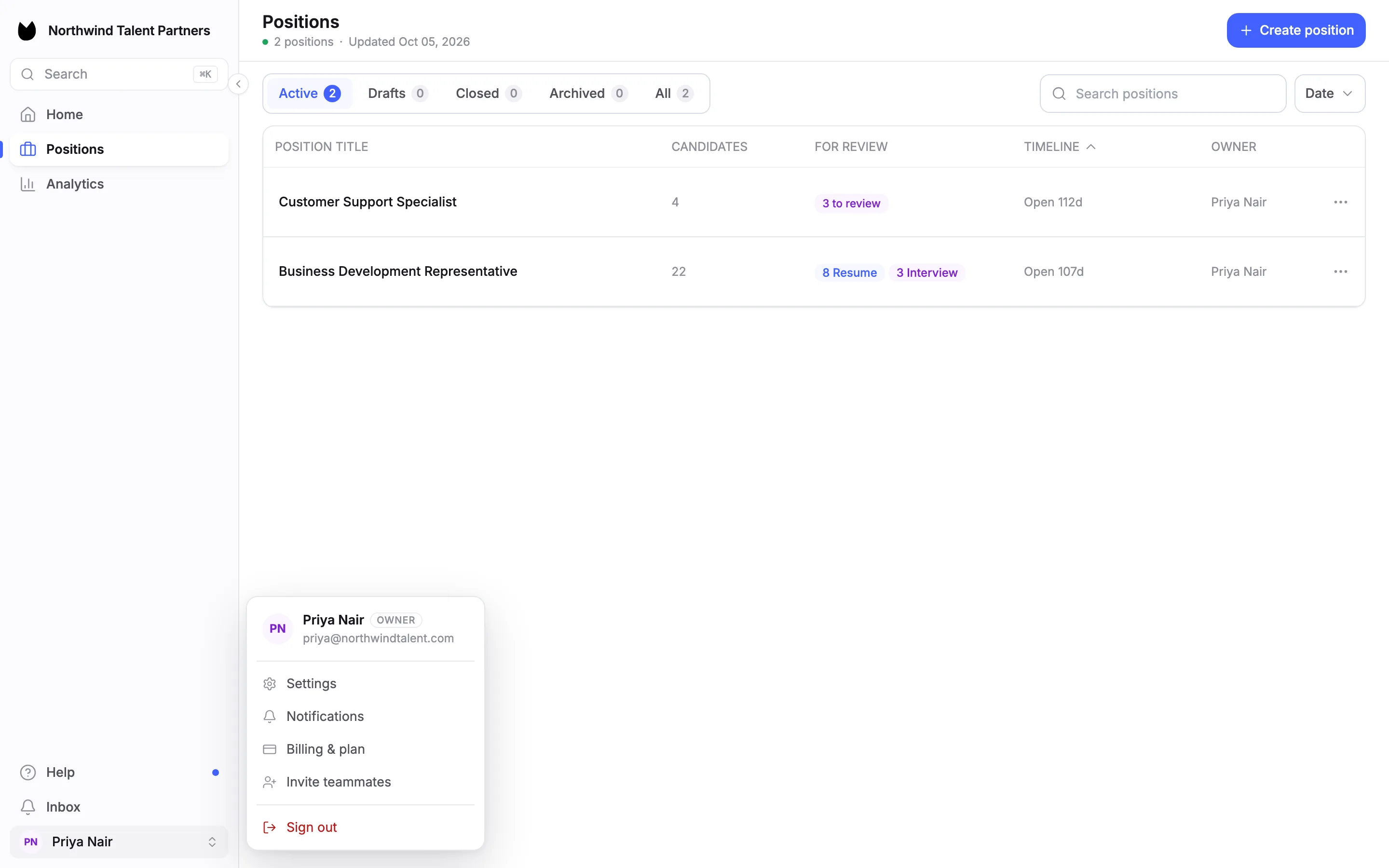
Choose your name at the bottom of the sidebar, then Settings.
2Copy your careers page link
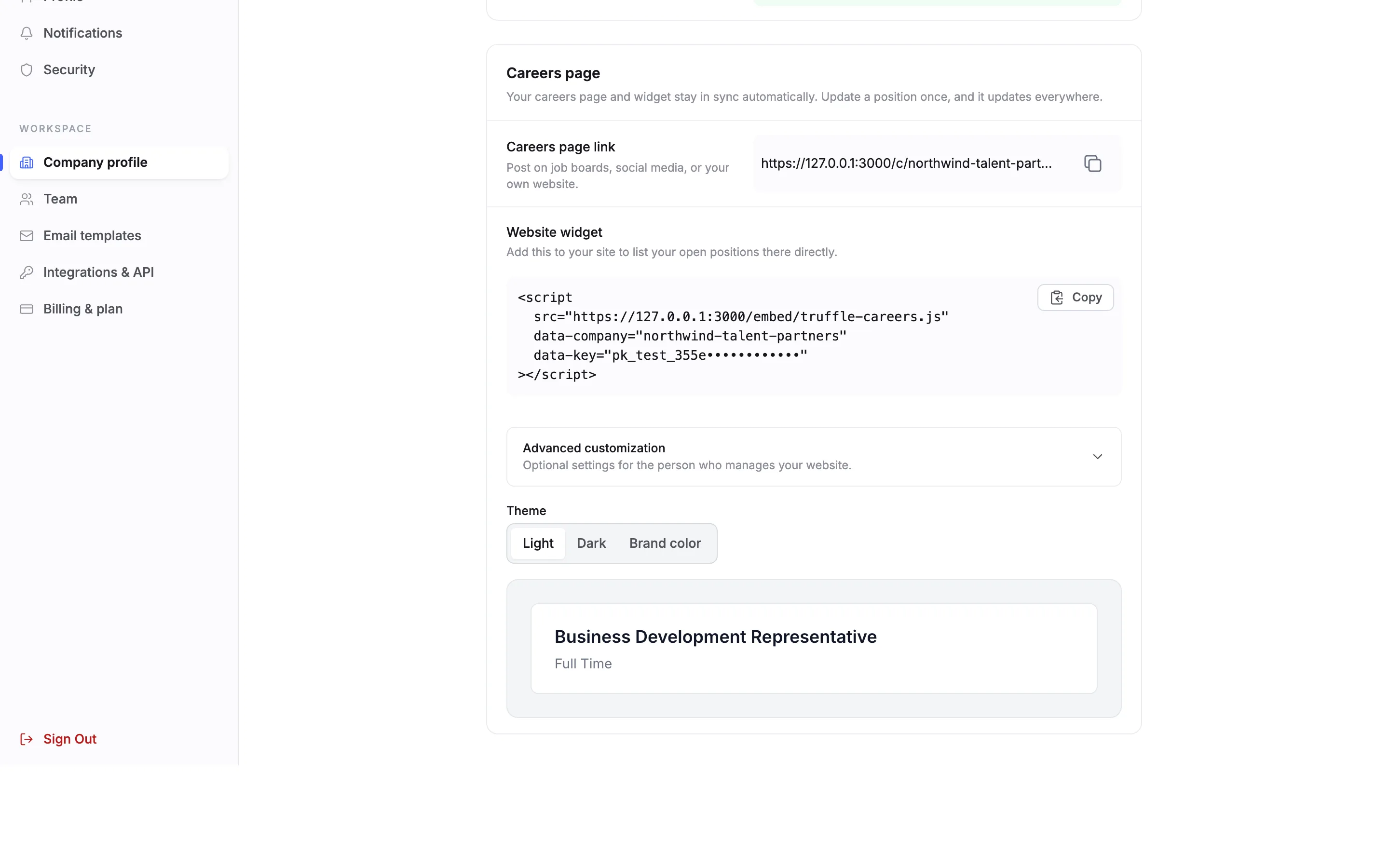
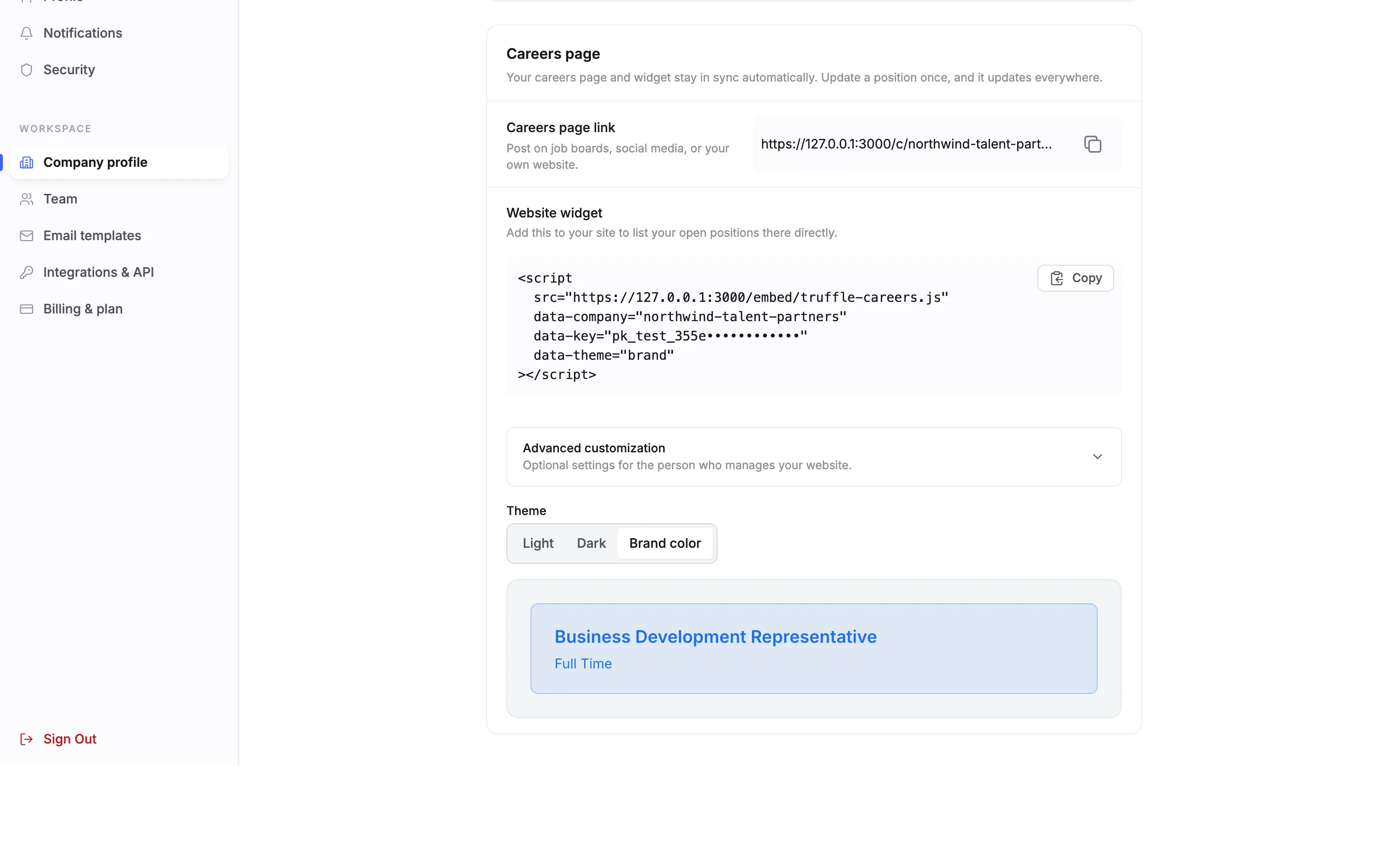
Under Workspace, choose Company profile and scroll to Careers page. It reads: Your careers page and widget stay in sync automatically. Update a position once, and it updates everywhere. Copy the Careers page link with the button beside it. Post it on job boards, social media, or your own website.
3See what the careers page shows
Open the link to see the page candidates get. It is headed Careers at your company name, counts your open positions, and shows one card per role with its employment type. Each card opens that role's job page, where candidates apply.

4Choose which roles are listed
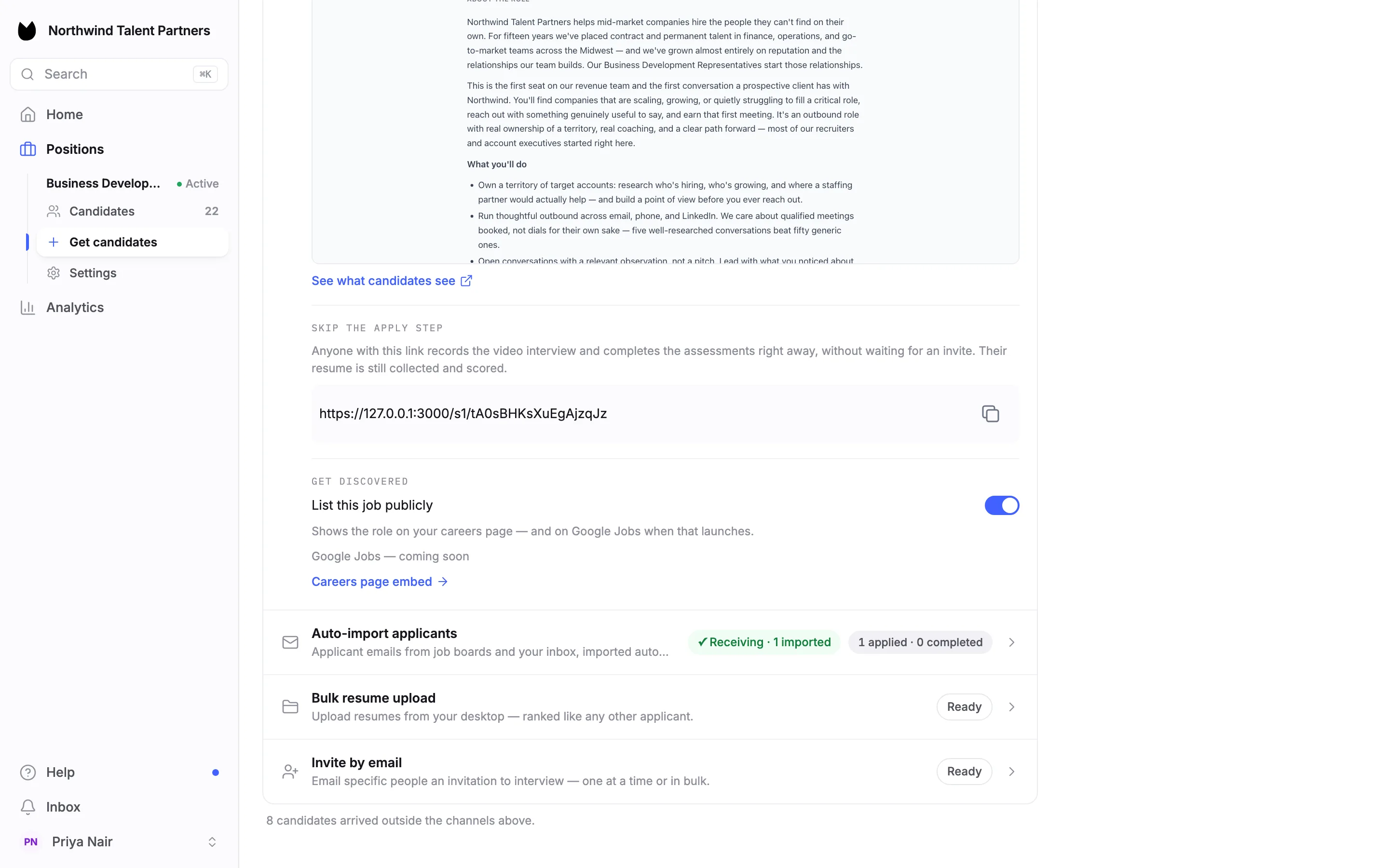
A role appears on the careers page and in the widget when List this job publicly is on. Find the switch on the position: Get candidates, open Shareable link, then Get discovered at the bottom of the row. It shows the role on your careers page. In our account the Business Development Representative is listed and the Customer Support Specialist is active but not listed, so the careers page shows 1 open position.
Note. Careers page embed, under the switch, takes you back to Company profile. The Position Link guide covers the rest of the Get candidates page.
5Copy the widget snippet
Below the link, Website widget lists your open positions on your own site. The snippet is one script tag. It already carries your company and a publishable key that Truffle creates for you, so there is nothing to fill in. Choose Copy.
Note. We masked the key in these screenshots. Your snippet shows the full value.
6Pick a theme
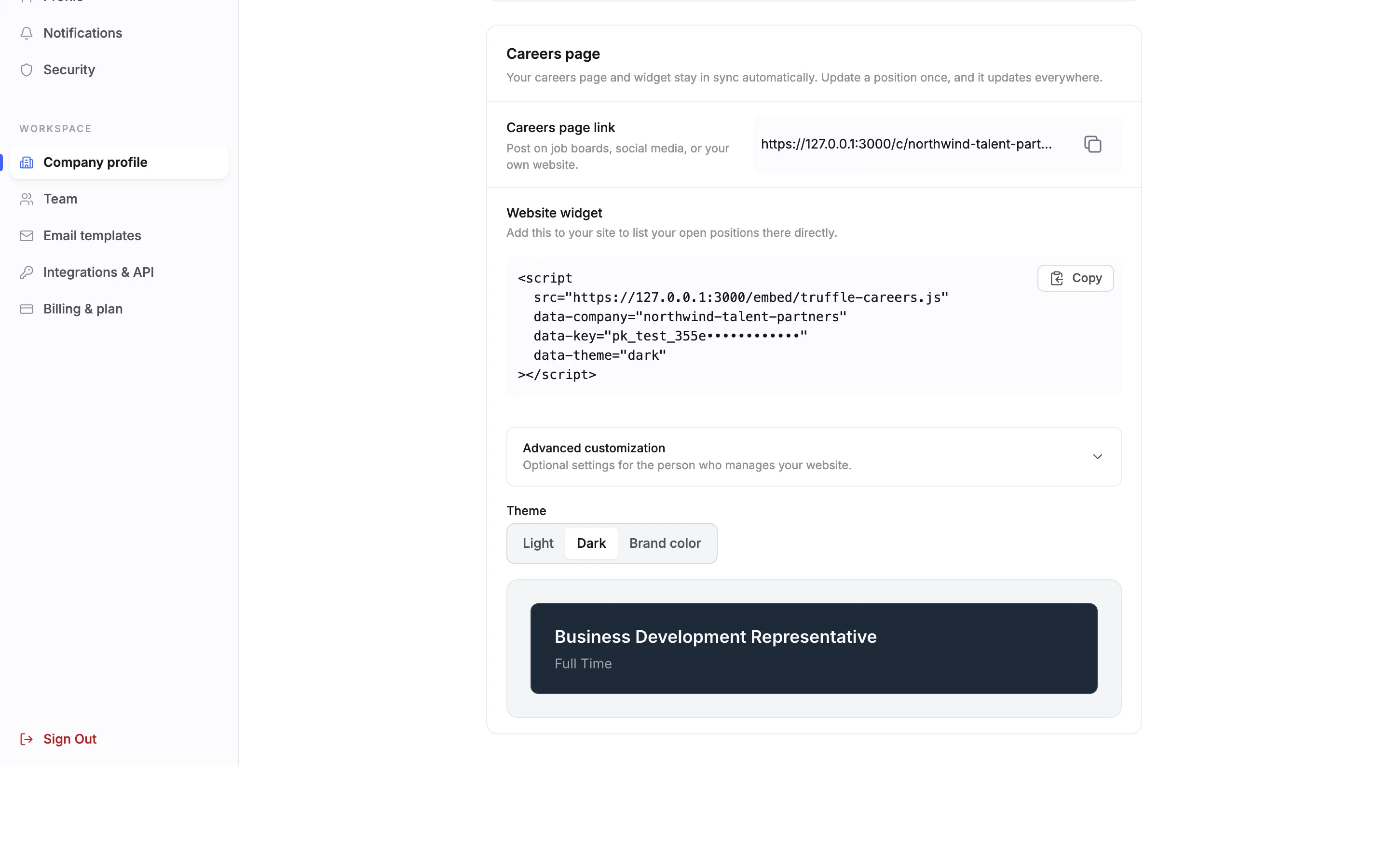
Under Theme, choose Light, Dark or Brand color. The preview below shows your listed roles in that theme, and the snippet changes with it: Dark adds a data-theme line set to dark. The theme travels in the snippet, so pick it before you copy.
7Or match your brand color
Brand color tints the widget with your brand color, the Primary color set under Brand identity higher up the same page. The preview and the snippet update the same way.
8Group roles and fine-tune
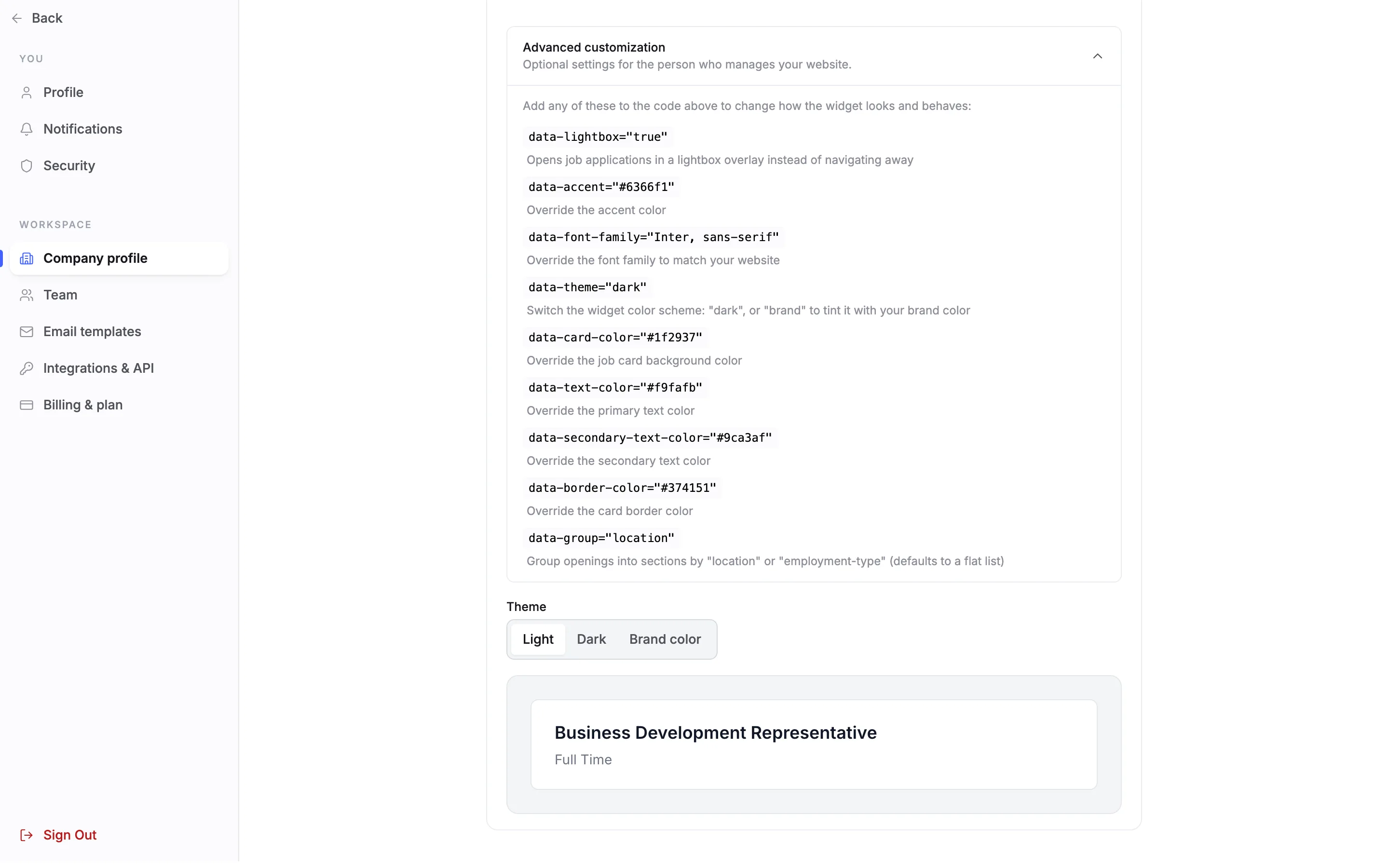
Open Advanced customization, optional settings for the person who manages your website. It lists attributes to add to the script tag. data-group groups openings into sections by location or employment-type. Without it the widget is a flat list. Others open applications in a lightbox overlay instead of navigating away, or override the accent color, font family, card color, text colors and border color.
9Paste it on your site
Paste the snippet into the page of your website where the roles should appear. This step happens in your website builder or your site's code, not in Truffle. The widget lists the roles you have listed publicly, stays in sync with your positions, and links each role to its job page.
Note. If the widget cannot load, it shows a link to your hosted careers page instead.
10If a careers link gets cut off
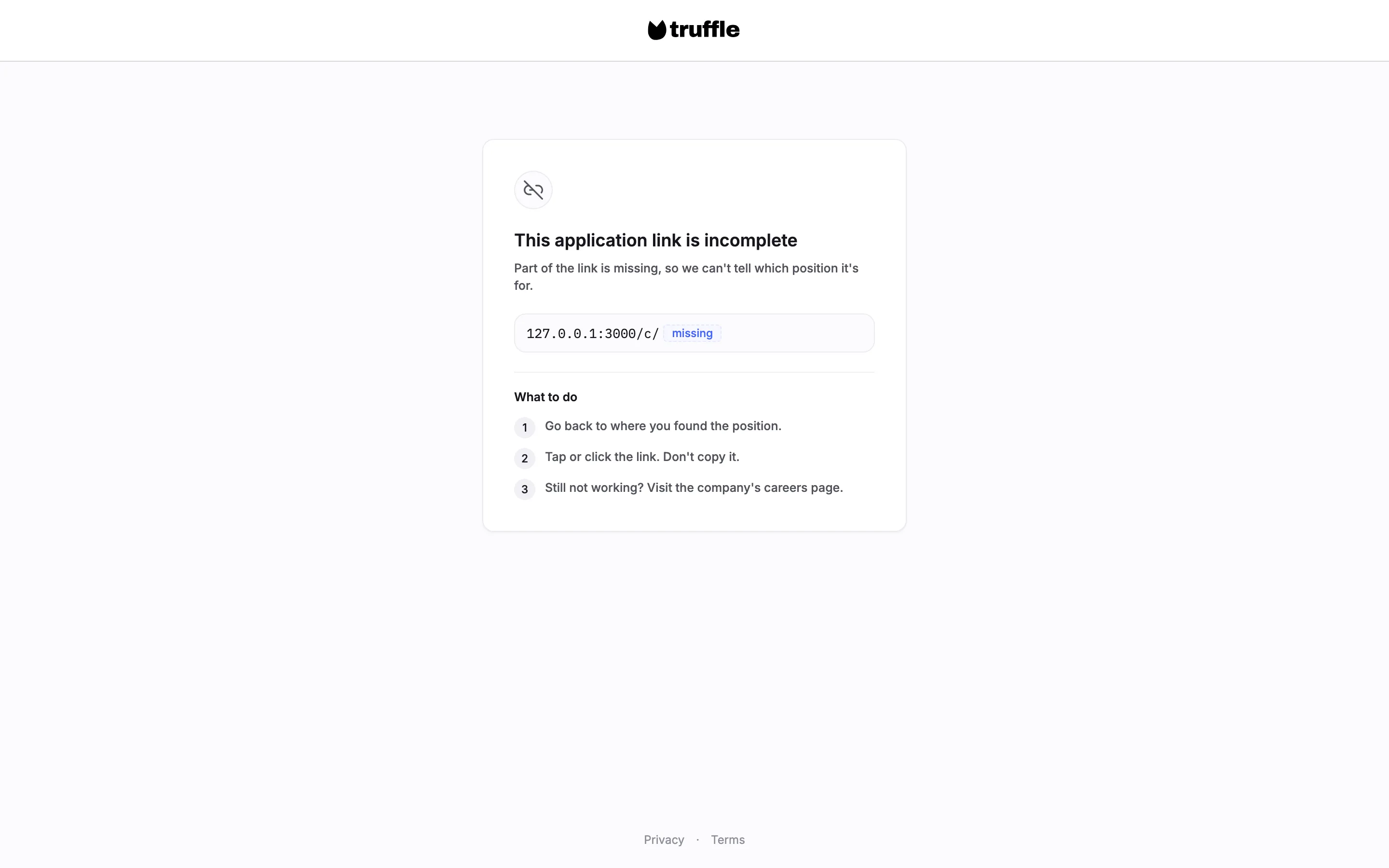
A candidate who opens a careers link with its end missing sees This application link is incomplete, with three steps under What to do. Copy the careers page link with the copy button in Settings rather than from the address bar.
Questions
Which roles appear on my careers page and widget?
Active positions with List this job publicly switched on, under Get candidates, Shareable link, Get discovered. A role you close stops accepting candidates the same day.
Do I need to update the careers page when I add a role?
No. The careers page and the widget stay in sync with your positions. Update a position once, and it updates everywhere.
Who can set this up?
Owners and admins, who manage company settings. Anyone who can edit your website can paste the widget snippet.
Can I group roles by location?
Yes. Add data-group to the script tag, set to location or employment-type. The attributes are listed under Advanced customization. Without one, the widget shows a flat list.
Is the theme saved in Truffle?
The theme is part of the snippet you copy. Choose Light, Dark or Brand color, then copy the snippet. To change it later, pick a different theme and replace the snippet on your site.
What if the widget does not load on my site?
It shows a link to your hosted careers page instead, so candidates can still reach your roles.
Related
See something here that doesn't match what you see in Truffle? Tell us and we'll fix the page.