Everything you need to know about Recruit CRM
Recruit CRM is a relationship-and-pipeline tool built for agencies, not a screening engine. Here's where it earns its price, where it gets rigid, what the three plans actually cost, and the alternatives worth a look.


AI summary
- Recruit CRM is a relationship-and-pipeline tool for recruiting agencies and staffing firms. Its real job is keeping candidate and client data in one place and automating the admin around placements, not screening candidates.
- It earns its keep on "plug into your stack" recruiting: LinkedIn sourcing, Slack comms, synced data, and pipelines you can shape without an engineer. The friction shows up at the edges, where integrations and customization get rigid.
- Three tiers ($85 Pro, $117 Business, $162 Enterprise, billed yearly) make it competitive on price. If your bottleneck is volume of placements, look at BreezyHR or Homerun. If it's deciding who's worth a call, that's a screening problem, and a CRM was never built to solve it.
Most “best CRM” reviews treat every tool as if it does the same job. Recruit CRM doesn’t, and that’s the first thing to get straight before you put a card down.
It isn’t an applicant tracking system that happens to have a database. It’s a relationship-and-pipeline tool, built around the way agencies and staffing firms actually work: a candidate is also a future client, a client is also a future candidate, and the money is in keeping all of those relationships warm and moving. If that’s your world, Recruit CRM was designed for you. If you’re an in-house team trying to figure out which of 300 applicants is worth a phone call, you’re shopping for the wrong category.
So this isn’t a feature dump. It’s an honest read on what Recruit CRM is good at, where it gets rigid, what the three plans cost, and when a different tool is the smarter buy.
Who Recruit CRM is actually for
Recruit CRM is built for recruitment agencies, staffing firms, and search teams that bill clients for placements. The whole product assumes that motion. You’re sourcing candidates, pitching them to client companies, and managing both sides of that relationship over months or years.
That focus is a strength. It also tells you who should keep looking. An HR team doing occasional internal hires will pay for relationship-tracking machinery it never touches. The closer your work is to “place candidates with clients, repeatedly,” the more the tool earns its price.
Where Recruit CRM earns its keep
AI resume parsing and candidate matching
Recruit CRM’s AI resume parsing pulls structured data out of a resume automatically and matches candidates to open positions against criteria you set. Source a stack of resumes for a software developer role and it surfaces the ones whose skills and experience line up, instead of making you read each one cold.
Worth being precise about what this is. It’s parsing and matching against keywords and fields you define, the table stakes for any modern CRM. It tells you who looks qualified on paper. It doesn’t tell you who’s actually worth your time, which is a different problem we’ll come back to.
Integrations with the tools you already use
This is the feature that sells the product. Recruit CRM connects to the rest of a recruiter’s stack: LinkedIn for sourcing, Slack for team comms, Gmail and Outlook for email. A Chrome extension lets you pull candidates straight off LinkedIn into the system.
The payoff is no double entry. A candidate you find on LinkedIn lands in the database, their emails thread against their record, and your team sees the same picture in Slack. For an agency juggling dozens of active searches, that synced view is most of the value right there.
Automation that clears the admin
The grind of agency recruiting is follow-up, and that’s where Recruit CRM’s automation does the most. Automated email sequences, interview scheduling, and reminders keep candidates and clients engaged without you typing the same message for the hundredth time. Set the cadence once and it runs.
A database you can shape yourself
The interface is genuinely easy to learn, which matters when you’re onboarding a recruiter who has zero patience for software. And you can customize a fair amount without help: build custom dashboards, configure pipelines to match your stages, add the fields your process needs. For most agency workflows, that flexibility is enough.
Where it gets rigid
No tool is all upside, and Recruit CRM’s limits cluster in a predictable place: the edges of your process.
The integrations are broad but not infinite. Teams running niche or older software in their stack report friction getting Recruit CRM to talk to it cleanly. Customization has a ceiling too. The standard pipelines and fields cover common workflows well, but if your process is genuinely unusual, you’ll hit walls where the system won’t bend the way you need.
Then there’s cost at scale. The per-user pricing is competitive at a small headcount. Add recruiters and the monthly number climbs faster than budget-conscious teams expect, which is the usual reason a growing firm starts shopping again.
None of these are dealbreakers for a standard agency setup. They’re the things to pressure-test against your specific workflow before you commit.
Recruit CRM pricing plans
Recruit CRM runs three tiers, each aimed at a different size of team. The jump between them is mostly about automation depth, admin controls, and support.
| Plan | Features | Price (USD) |
|---|---|---|
| Pro | Chrome sourcing extension, AI resume parser, GPT integration, unlimited email templates, job board posting, phone calling and recording, complete reporting suite | $85/month (billed yearly) |
| Business | Everything in Pro, plus automated email sequencing, bulk texting, executive search reports, custom forms and fields, API access, single sign-on (SSO), 2 email connections | $117/month (billed yearly) |
| Enterprise | Everything in Business, plus dedicated account manager, custom SLA, custom branding, dedicated servers, advanced candidate and client permissions | $162/month (annual billing only) |
Prices are approximate USD. Contact Recruit CRM for exact pricing and billing options.
Stacked against comparable platforms, that’s a fair deal. Against an HR suite like BambooHR or an ATS like JazzHR, Recruit CRM often gives you more recruiting-specific muscle for less. You can also take it for a spin first. Recruit CRM offers free trials and demos, so you can run your own workflow through it before you sign anything. Use that. A pricing table tells you less than ten minutes inside the product on a real position.
Three alternatives worth a look
If Recruit CRM isn’t the fit, where you go next depends on the job you’re hiring the tool to do.
BreezyHR, if you want simpler
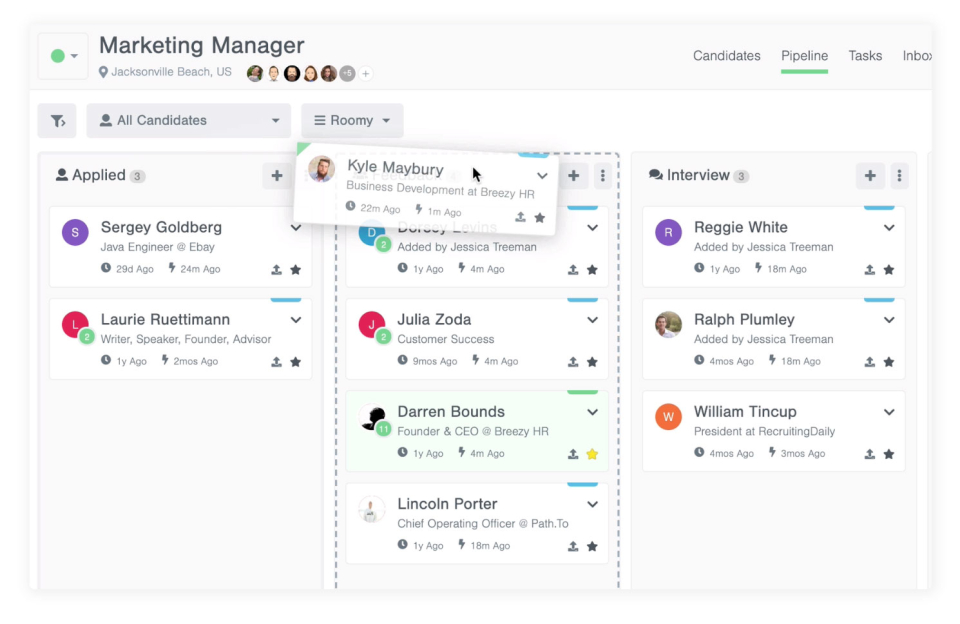
BreezyHR suits small and mid-sized teams that want a clean applicant tracking system without the agency-CRM weight. You get drag-and-drop pipelines, job board integrations, and solid automation, all easy to pick up. The known tradeoffs are limited reporting customization and the occasional integration headache, the same edges most tools in this range have.
Homerun, if employer brand is the priority
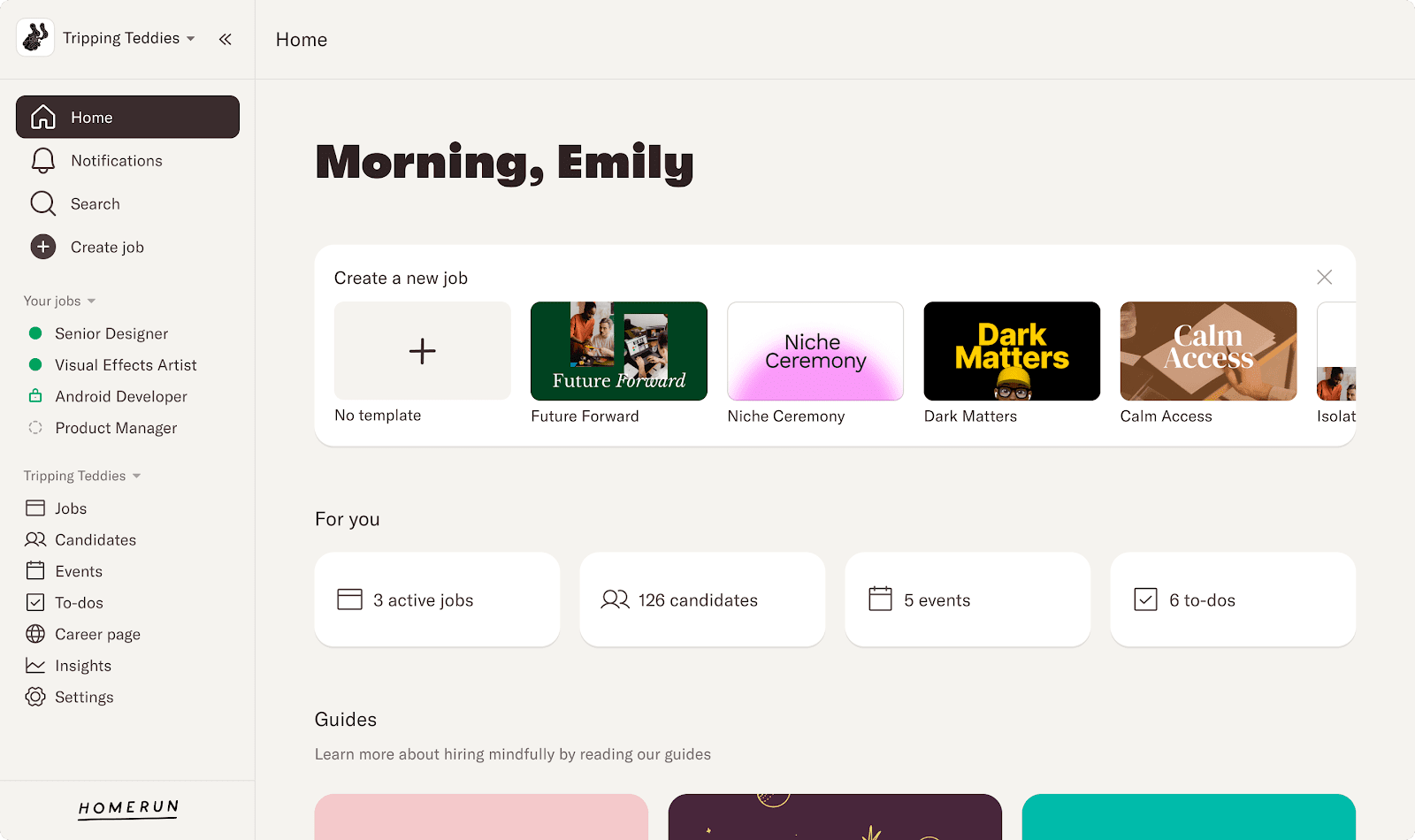
Homerun’s pull is its careers pages. They’re well-designed and easy to customize, which makes it a strong pick for a small company that wants to look sharp to candidates without enterprise-tool complexity. The catch is depth: reporting is basic, and there’s no dedicated mobile app.
Truffle, if screening is the real bottleneck
Here’s the case for a different category entirely. A CRM keeps your candidates organized. It doesn’t help you decide which of them is worth a conversation, and for a lot of teams that decision is the actual time sink.
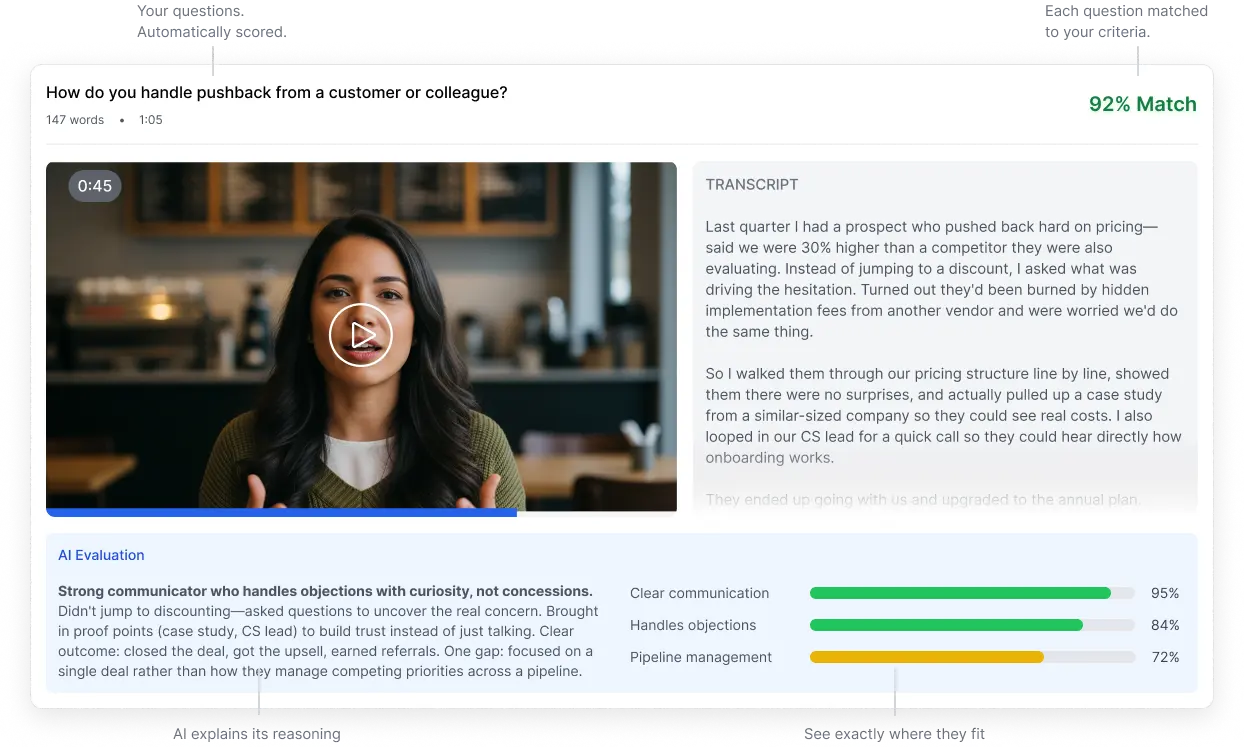
Truffle is an AI screening platform that combines resume screening, one-way video interviews, and talent assessments. It’s for teams that need to screen every candidate without phone-screening all of them. AI transcribes, analyzes, and scores each response against the criteria you set, then surfaces match scores, summaries, and 30-second Candidate Shorts, so you go from hundreds of applicants to a shortlist in minutes. Three assessments (Personality, Situational Judgment, and Environment Fit) read signal a polished AI-written application can’t fake. AI surfaces the evidence. You make every call. From $49/month, credit-based, it fits teams hiring across departments who want more signal before they spend live time.
It isn’t a CRM and won’t pretend to be. Run it upstream of whatever pipeline tool you keep, to fix the part a CRM was never built for.
Common questions about Recruit CRM
Is Recruit CRM suitable for small and medium businesses?
Yes, especially agencies and staffing firms in that range. Pricing starts low enough for a small team, and the tool scales as you add recruiters and searches. The further you get from agency-style work, the less of it you’ll use.
How does Recruit CRM integrate with existing systems?
It offers API access and connects readily with the tools recruiters live in, including LinkedIn, Gmail, and Outlook. That keeps data in sync and cuts manual entry. The one thing to verify upfront is anything niche or older in your stack, since that’s where teams report the most friction.
What support and resources are available for new users?
Recruit CRM backs new users with user guides, video tutorials, and a support team reachable by chat, email, or phone. There are also webinars and training sessions to help your team get up to speed.
How to decide
Strip away the feature lists and the choice comes down to one question: what’s actually slowing you down?
If it’s keeping relationships and placements organized across a busy agency, Recruit CRM is a fair-priced, recruiter-built answer, and the free trial will tell you fast whether the edges fit your workflow. If it’s the daily grind of figuring out which candidates deserve your time, no CRM solves that, because none of them were built to. That’s the screening problem, and it’s worth naming separately, because the tool you pick to organize candidates and the tool you pick to judge them probably shouldn’t be the same one.